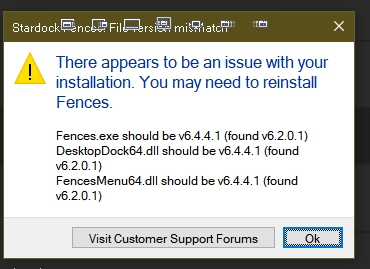
Fences 5 File Version Mismatch Message

In an effort to improve the reliability of Fences 5 installs that are done overtop an already existing installation of Fences 5, we have added some messaging that will display if there are any file version mismatches. 

If you received that message, we would like to get more information from you.

  • Did the instructions to perform a reinstallation with the same installer work to resolve it?
  • What version of Windows are you running?
  • What anti-virus software are you using?

Thanks for your feedback and time.

Sean Drohan
Stardock Product Lifecycle Manager

30,070 views 28 replies | Pinned
Reply #1 Top

The above error message popped up after updating and was resolved after reinstalling.

Windows 11 Pro 23H2, build 22631.4460

Norton 360 24.11.9615 (build 24.11.9615.889)

+1 Loading…
Reply #2 Top

Quoting mu4, reply 1

The above error message popped up after updating and was resolved after reinstalling.

Windows 11 Pro 23H2, build 22631.4460

Norton 360 24.11.9615 (build 24.11.9615.889)

Thank you very much for the feedback, mu4.

Sean Drohan
Stardock Product Lifecycle Manager

Reply #3 Top

Same here,

Windows 11 Pro 23H2 (build 22631.4541)

WatchGuard EPDR Version 8.0.23.0001, Agent Version: 1.22.2.0000

Reply #4 Top

Thanks for the report jspassov, resolved upon reinstalling it sounds like yes?

+1 Loading…
Reply #6 Top

To your 3 questions I answer:


1-No. The instructions seem to have done nothing. My current version is: 5.86 (Revision 8).

2-Windows 10 Edition - Windows 10 Pro - 64 bits Version 22H2.

3-Windows Defender Firewall.


By the way, I have a suggestion to make.

In each window (FENCE) I try to place the shortcut icons organized in rows for each application, and that means having rows with different numbers of icons,

but the program alters my arrangement because it insists on filling the rows to the right limit.

Thank you for your attention and congratulations for such an excellent and useful program.

Rafael

Reply #9 Top

Quoting Robin2865, reply 8

重新安装后好还不好使

Hello,
Sorry to hear you are having issues. But I believe it does.

Quoting mu4, reply 1

The above error message popped up after updating and was resolved after reinstalling.

Thank you.
Basj,
Stardock Community Assistant.

Reply #10 Top
  • Did the instructions to perform a reinstallation with the same installer work to resolve it?  Kind of. I initially updated via Object Desktop Manager. Reinstalled by downloaded files from "My Downloads"
  • What version of Windows are you running?  Windows 11 24H2 Build 26100.2894
  • What anti-virus software are you using?  Windows Defender

 1 other note: Windowblinds did not update via OD Mgr either. dowloaded 11.0.4 file and installed correctly. previous ver 11.0.2

Reply #11 Top

I was getting the message and reinstalling version 5 was not fixing it.  I installed version 2 of Fences, then install version 5 and that fixed it.

Windows 11 Pro version 10.0.22631 Build 22631

ESET Endpoint Security Version 11.1.2053.2

Reply #12 Top

V6 worked fine on this new (Corporate) HP ZBook Fury 16 G9 until WIN11 Enterprise update 9/30.  Just this week this message occurred when moving a new shortcut to a fence.  WIN11 Enterprise, 24H2, OS build 26100.6584, Windows Feature Experience Pack 1000.26100.234.0.

Reply #13 Top

Quoting roberthughes, reply 12

V6 worked fine on this new (Corporate) HP ZBook Fury 16 G9 until WIN11 Enterprise update 9/30.  Just this week this message occurred when moving a new shortcut to a fence.  WIN11 Enterprise, 24H2, OS build 26100.6584, Windows Feature Experience Pack 1000.26100.234.0.

Hello,
Sorry to hear you are having issues. Any new security software installed or new security setting implemented recently?

Thank you
Basj,
Stardock Community Assistant.

Reply #14 Top

No.

I found a link when in my account where I could load the "beta" v6 so I had it install/reinstall V 6.03 and now everything seems to work.

The issue I had was that although existing Fences (10 with hundreds of shortcuts and links distributed therein) seemed to work OK, I could not resize the Fences (make longer/wider) nor move new shortcuts in to their respective Fence.

I no longer get the incompatible error message and "check for updates" shows v6.

Thank you.

Note: after WIN11 update there were a multitude of failures of things (Thunderbolt & multiple displays, USB-C ports dead, etc.) which all needed fixed but the Fences issue did not crop up until this week's MS updates.

Reply #15 Top

I just got this message and it looks like your installer for fences 6 is trying to make me install old versions of fences and desktop tab and start11.  I don't want to install old versions of those apps.  Weird,....ive never gotten that message before... it says that i have ver 6.2 of those apps and i should have ver 6.02 versions.

Thanks so much for your kind help!

Sincerely Yours,

Chris Conway

xxxgmail.com email removed, please do not post your private email address in public forum.


Reply #16 Top

Quoting vrklmpt, reply 15

I just got this message and it looks like your installer for fences 6 is trying to make me install old versions of fences and desktop tab and start11.  I don't want to install old versions of those apps.  Weird,....ive never gotten that message before... it says that i have ver 6.2 of those apps and i should have ver 6.02 versions.

Thanks so much for your kind help!

Sincerely Yours,

Chris Conway

Hello,
Sorry to hear you are having issues. The latest Fences 6 version is currently at v6.20. Please download directly from your account product download page: https://store.stardock.com/myaccount/products. If the message still appear, please post some screenshot showing us the message.

Thank you,
Basj,
Stardock Community Assistant.


Reply #17 Top
  • Did the instructions to perform a reinstallation with the same installer work to resolve it? No
  • What version of Windows are you running? Windows 11 25H2
  • What anti-virus software are you using? Trend WorryFree


Reply #18 Top

Quoting kiffin1, reply 17

    • Did the instructions to perform a reinstallation with the same installer work to resolve it? No
    • What version of Windows are you running? Windows 11 25H2
    • What anti-virus software are you using? Trend WorryFree

Hello,
Sorry to hear you are having issues. Need to know more information.

  1. You're installing Fences 5 or Fences 6? 
  2. Do you see the same popup message as posted above in the very first post?

Thank you,
Basj,
Stardock Community Assistant.

Reply #19 Top

I have a mismatch error.  How do I correct this.  The other thing that happened is that I when I went to restart my computer, a number of the icons were out of the fence and on the desktop.

Reply #20 Top

Quoting okrgat, reply 19

I have a mismatch error.  How do I correct this.  The other thing that happened is that I when I went to restart my computer, a number of the icons were out of the fence and on the desktop.

Hello,
Sorry to hear you are having issues. Need more information to help with your issue.

  1. Windows full version and OS Build number. Use Winver.exe to get these numbers.
  2. Fences 5 or 6 you're trying to install?
  3. Do you have any other Fences already installed in your system? Which version?

Thank you,
Basj,
Stardock Community Assistant.

Reply #21 Top

> I have a mismatch error. How do I correct this.

Have you attempted to reinstall, and if so was this unsuccessful? (After reboot)

Reply #23 Top

FencesMismatchPopup

I got the mismatch msg, but after reading this thread, where do these magic instructions come to me from?? 

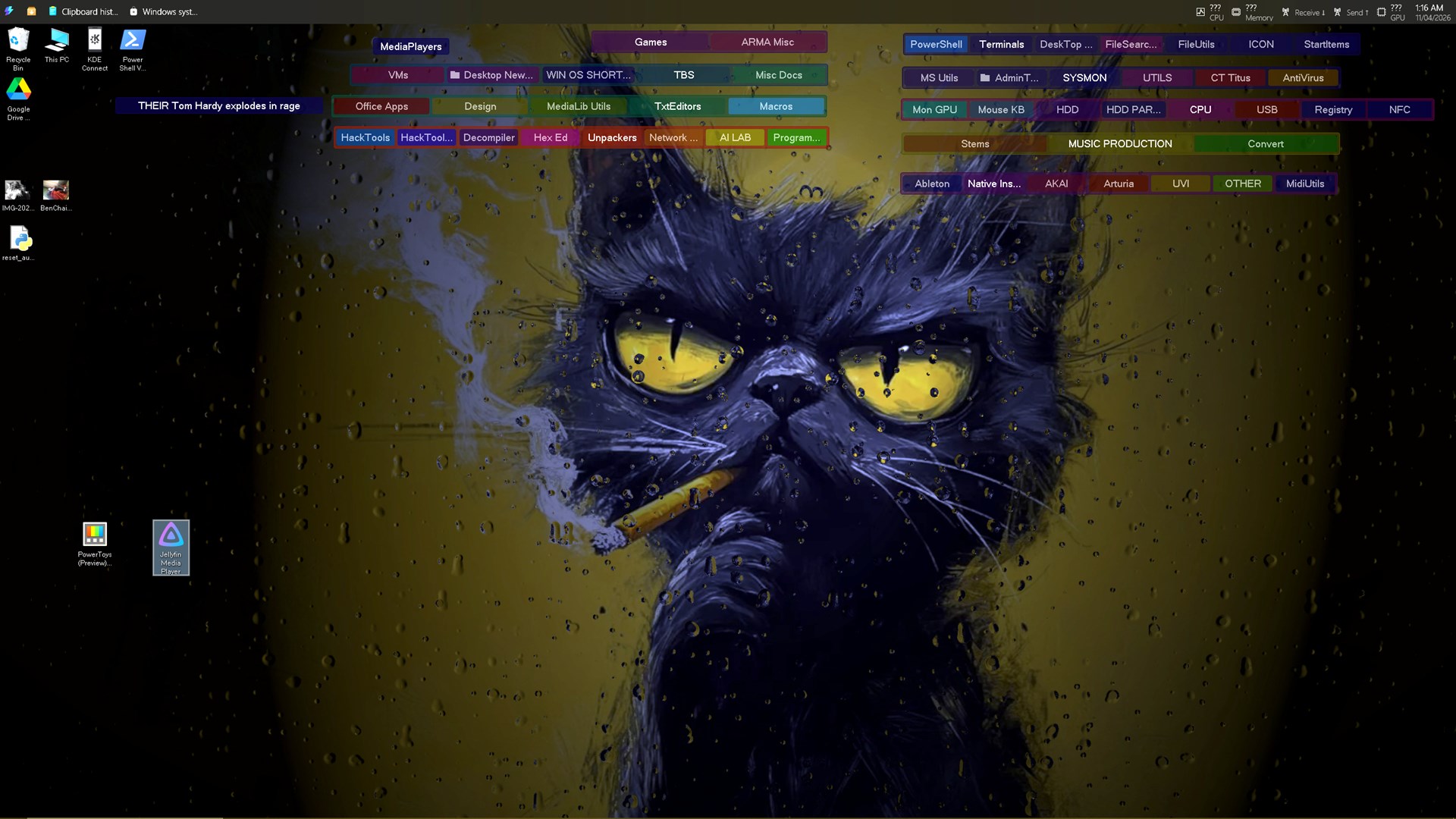
So this is my mismatch and an an image of my prolific and unadvised use of tabs. 

I made the logs and registry copy etc. I wont post here but will ill pop in the drop-box. 

I have not re installed over it yet. 

Cheers -David-

Reply #24 Top

Quoting David, reply 23

FencesMismatchPopup

I got the mismatch msg, but after reading this thread, where do these magic instructions come to me from?? 

So this is my mismatch and an an image of my prolific and unadvised use of tabs. 

I made the logs and registry copy etc. I wont post here but will ill pop in the drop-box. 

I have not re installed over it yet. 

Cheers -David-

Hello,
Sorry to hear you are having issues. Perhaps some left over older Fences files still in your system. Please try purge and reinstall steps as mention here : [Link]. Just make sure to redownload the latest version from your account page. Reboot after the purge. Reinstall and reboot again after the installation. Retest and report back here.

Thank you,
Basj,
Stardock Community Assistant.

Reply #25 Top

Got the above error after updating from Fences 4. Reinstalled fixed.

Windows 11 24H2

Avast Free Antivirus 26.3.6203a (build 26.3.10886.973)