Groupy resizing window

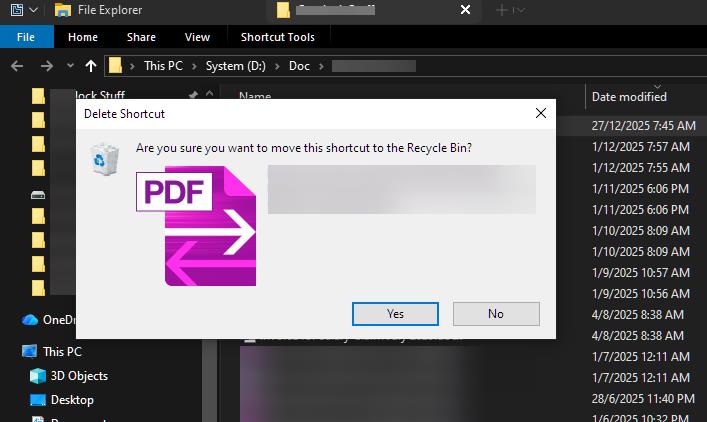
This didn't used to happen, but when I right click on a zip file to extract it, the resulting dialogue box automatically groups with other file explorer windows and worse, it resizes the whole group to the size of the dialogue box. After the extraction completes and the dialogue box closes, I have to resize the window. This is extremely annoying behavior.

If I make a rule to not automatically group explorer windows, then the regular explorer windows that I DO want to be grouped don't group. This is equally annoying.

In the past, the dialogue box didn't automatically group. What changed and can it be fixed???

Thanks for any help!

19,196 views 24 replies
Reply #1 Top

Please provide your Windows full version build xxxxx.xxxx, and your Groupy full version number.

Are you using anything other than Windows to unzip the files?

Reply #2 Top

Hello,
Sorry to hear you are having issues. Yes, we need what pelaird said and add a video capture of this issue would also help us understand your issue better.

Thank you.
Basj,
Stardock Community Assistant.

Reply #3 Top

Sorry for the delayed response - I never got a notification that there was a reply to my post. :-|  

I am currently using Windows 11 Pro, version 23H2, OS build 22631.4169, and I am using Groupy 2.15.

I am only unzipping files by right-clicking and choosing "Extract All..."  from the Windows 11 context menu - no third party extraction tools.

Not sure what the preferred method of sending a video is as there doesn't appear to be an option to attach anything but a photo to a post, but here is a link to a screen recording stored my google drive:

Screen recording on Google Drive

If you watch the screen recording, you will see than when I extract the file, the whole group of windows resizes to the extraction dialogue box's size. Then, it appears that the group reverts back to the original size once the extraction is complete, but clicking on a different groupy tab makes the whole group small again. It's really annoying to have to keep resizing my windows...

Reply #4 Top

Looking at your video, seem that your unzip windows also get automatically grouped which cause the whole windows to shrink down. Might need to set your Grouping rules and don't select automatically group identical windows together.


Thank you,

Basj,
Stardock Community Assistant

Reply #5 Top

Thanks for the quick reply.

You are correct -- but if I uncheck that, when I open new explorer windows that I DO want to be automatically grouped, they do not automatically group.

As I said in the original post, this did not used to be the behavior. It used to be when I unzipped something, it opened in an independent window.

So something changed -- I'm not sure if it was windows or groupy and I don't know when it changed exactly...


Reply #6 Top

For explorer use this option instead.

Thank you,

Basj,
Stardock Community Assistant

+1 Loading…
Reply #7 Top

Ah - OK - I see that option now is in a different place - that did work! Thank you!

But why is a seemingly identical setting in a different place and has a different effect???

Reply #8 Top

BAH! It worked once, but the very next file I tried to extract, the same problem happened - the Extract dialogue is back to grouping itself with the File Explorer settings....

Grrrrr

Reply #9 Top

I guess, the "Extract Windows" still open under Explorer.exe, causing Groupy to group it. I have forwarded your problem/question to Stardock Support Team for their assistance. Please keep an eye on this thread for any updates. We appreciate your feedback and patience.

Basj,
Stardock Community Assistant

Reply #10 Top

In your video, you appear to be using something to provide the Windows 10 ribbon in Windows Explorer. It's possible that this is what's causing the issue. I don't see this issue on my system. The Extraction dialog opens in it's own window.

I'm running Windows 11 Pro - 22635.4291; and Groupy2 - 2.15

Reply #11 Top

Hmmm... you could be right. I am using a third-party (non-Stardock) program to override the Windows 11 taskbar. I will try disabling that, but if it comes down to using that or Groupy, I will probably live without Groupy... I *hate* the Windows 11 taskbar!

Perhaps I'll download and try Start 11 and see if that works.

Anyway -- thanks for pointing that out! I've been using that program for so long, I forgot I was even using it! 

Reply #12 Top

I was referring to the ribbon header in your explorer window, not your taskbar.

Reply #13 Top

I completely uninstalled the third-party app and rebooted. The problem persists.

(The same app also changes the file explorer ribbon bar...)

Pelaird - did you try to unzip a second files? Sometimes for me the first one works normally, but then the second time the dialogue groups with the explorer windows....

Reply #14 Top

Hi software46,

Thanks for posting.

I now have this logged this for internal review.

Internal Ref: ODNT-8879

Best regards,

Adam McGuinness
Stardock Customer Support Specialist

Reply #15 Top

Hi all,

We've just published a beta release for Groupy 2 that we believe addresses this issue. 

Please check for the Beta Download in your products page to download it:

https://store.stardock.com/myaccount/products

or under "Individual Downloads" with an Object Desktop license:

Let us know what you think!

Groupy 2.20 Beta Feedback Thread

Thank you and best regards,

Adam McGuinness
Stardock Customer Support Specialist

Reply #16 Top

Yes!! That worked - the dialogue box no longer gets grouped with the regular file explorer tabs!


THANK YOU!

+1 Loading…
Reply #18 Top

Hello.

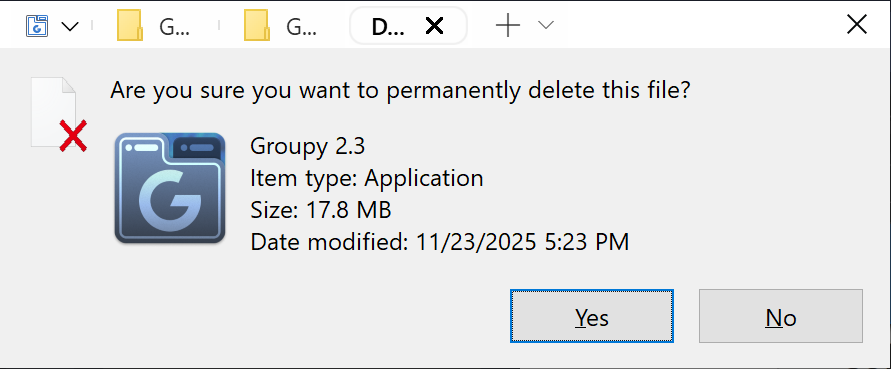
I have a similar issue with Groupy 2.3 (the current version) and particularly when I try deleting a file, the dialog gets grouped to file explorer and the whole group is resized to the dialog size. The suggestions above did not help to resolve the issue.

My system is running on Windows 10 v1903. Please help. Thanks.

Reply #19 Top

Quoting Anoncat, reply 18

My system is running on Windows 10 v1903. Please help. Thanks.

Hello,
Sorry to hear you are having issues. First, please update your Windows 10 to current latest version available. V22H2.

Thank you,
Basj,
Stardock Community Assistant.

Reply #20 Top
Thanks for the reply.
 
I have my system running stably for the current version of the Windows and I don't plan to upgrade it.
Do you have any solution to resolve the issue that does not require the OS upgrade? Thanks.
Reply #21 Top

Quoting Anoncat, reply 20

Thanks for the reply.
I have my system running stably for the current version of the Windows and I don't plan to upgrade it.
Do you have any solution to resolve the issue that does not require the OS upgrade? Thanks.

That is understandable, but, just a reference, I can not reproduce your issue on my Windows 10 22H2 OS Build 19045.6466

I am not really sure why that popup message group itself into your explorer group.

If you have Windows 10 pro version, please try the Windows Sandbox test as mention here: https://support.stardock.com/space/SHC/1417052161/Testing+Groupy+in+Sandbox 

Try it and report back.

Thank you,

Basj,
Stardock Community Assistant

Reply #22 Top

I guess I found when the issue is triggered. It is simply related to the Windows scaling used for a monitor (integrated or discrete).

The issue exists in Windows 11 as well. I have tested the issue on my personal laptop (Win10 FHD) as well as a school laptop (Win11 23H2 4K).

Win10:

1. Laptop monitor: FHD @ <=150% scale + monitor 4k @ <=150% scale -> The issue does not happen.

2. Laptop monitor: FHD @ <=150% scale + monitor 4k @ >150% scale -> The issue happens only when the windows explorer in viewed in the discrete monitor.

3. Laptop monitor: FHD @ >150% scale + monitor 4k @ >150% scale -> The issue happens when the windows explorer in viewed in either monitors.

4. Laptop monitor: FHD @ 175% scale + monitor 4k @ <=150% scale -> The issue happens only when the windows explorer in viewed in the laptop monitor.

5. Laptop monitor: FHD @ <175% scale + monitor FHD @ <175% scale -> The issue does not happen.

6. Laptop monitor: FHD @ 100% scale + monitor FHD @ 175% scale -> The issue happens only when the windows explorer in viewed in the discrete monitor.

7. Laptop monitor: FHD @ 175% scale + monitor FHD @ 175% scale -> The issue happens when the windows explorer in viewed in either monitors.

8. Laptop monitor: FHD @ <175% scale -> The issue does not happen.

9. Laptop monitor: FHD @ 175% scale -> The issue happens.

Win11:

10. Laptop monitor: 4k @ 150% scale + monitor FHD @ 175% scale -> The issue happens only when the windows explorer in viewed in the discrete monitor.

11. Laptop monitor: 4k @ 250% scale + monitor FHD @ 175% scale -> The issue happens when the windows explorer in viewed in either monitors.

12. Laptop monitor: 4k @ <225% scale -> The issue does not happen.

13. Laptop monitor: 4k @ >=225% scale -> The issue happens.


Reply #23 Top

Quoting Anoncat, reply 22

I guess I found when the issue is triggered. It is simply related to the Windows scaling used for a monitor (integrated or discrete).

The issue exists in Windows 11 as well. I have tested the issue on my personal laptop (Win10 FHD) as well as a school laptop (Win11 24H2 4K).

Win10:

1. Laptop monitor: FHD @ <=150% scale + monitor 4k @ <=150% scale -> The issue does not happen.

2. Laptop monitor: FHD @ <=150% scale + monitor 4k @ >150% scale -> The issue happens only when the windows explorer in viewed in the discrete monitor.

3. Laptop monitor: FHD @ >150% scale + monitor 4k @ >150% scale -> The issue happens when the windows explorer in viewed in either monitors.

4. Laptop monitor: FHD @ 175% scale + monitor 4k @ <=150% scale -> The issue happens only when the windows explorer in viewed in the laptop monitor.

5. Laptop monitor: FHD @ <175% scale + monitor FHD @ <175% scale -> The issue does not happen.

6. Laptop monitor: FHD @ 100% scale + monitor FHD @ 175% scale -> The issue happens only when the windows explorer in viewed in the discrete monitor.

7. Laptop monitor: FHD @ 175% scale + monitor FHD @ 175% scale -> The issue happens when the windows explorer in viewed in either monitors.

8. Laptop monitor: FHD @ <175% scale -> The issue does not happen.

9. Laptop monitor: FHD @ 175% scale -> The issue happens.

Win11:

10. Laptop monitor: 4k @ 150% scale + monitor FHD @ 175% scale -> The issue happens only when the windows explorer in viewed in the discrete monitor.

11. Laptop monitor: 4k @ 250% scale + monitor FHD @ 175% scale -> The issue happens when the windows explorer in viewed in either monitors.

12. Laptop monitor: 4k @ <225% scale -> The issue does not happen.

13. Laptop monitor: 4k @ >=225% scale -> The issue happens.


Hello,

Has you did the Sandbox test as I suggested above?

Thank you,
Basj,
Stardock Community Assistant.

Reply #24 Top

Sandbox does not define monitor resolution and scaling. I couldn't reproduce the issue in Sandbox.