Can't start Start11 V2

Clicking on Start11 in the apps list just takes me to a web page

"C:\Program Files (x86)\Stardock\Start11\Start11Config.exe"

I have installed V2, the upgrade from V1.

V1 was working perfectly.

V2 isn't working at all.

On reboot "Start" opens the Windows 11 start menu.

I search the Apps List for Start11.

The App Start11 icon starts "C:\Program Files (x86)\Stardock\Start11\Start11Config.exe"

I click on the Start11 icon and am taken to a web page that says "Download V2".

I am not getting any joy from this update, and have taken a step backward to the Windows 11 Start Menu.

Please fix this problem ASAP.
3,770 views 23 replies
Reply #1 Top


The App Start11 icon starts "C:\Program Files (x86)\Stardock\Start11\Start11Config.exe"

I click on the Start11 icon and am taken to a web page that says "Download V2".
End of quote

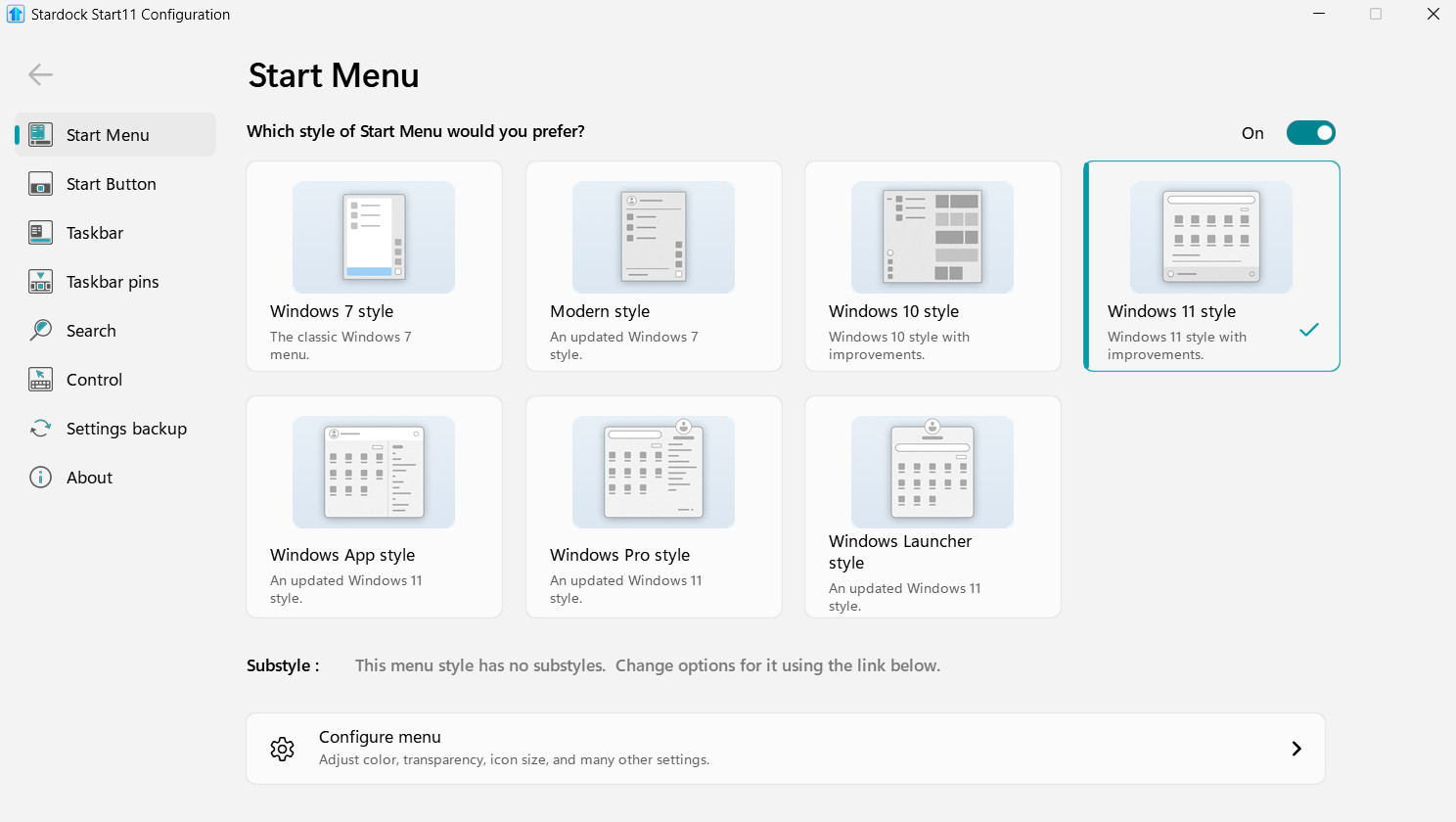
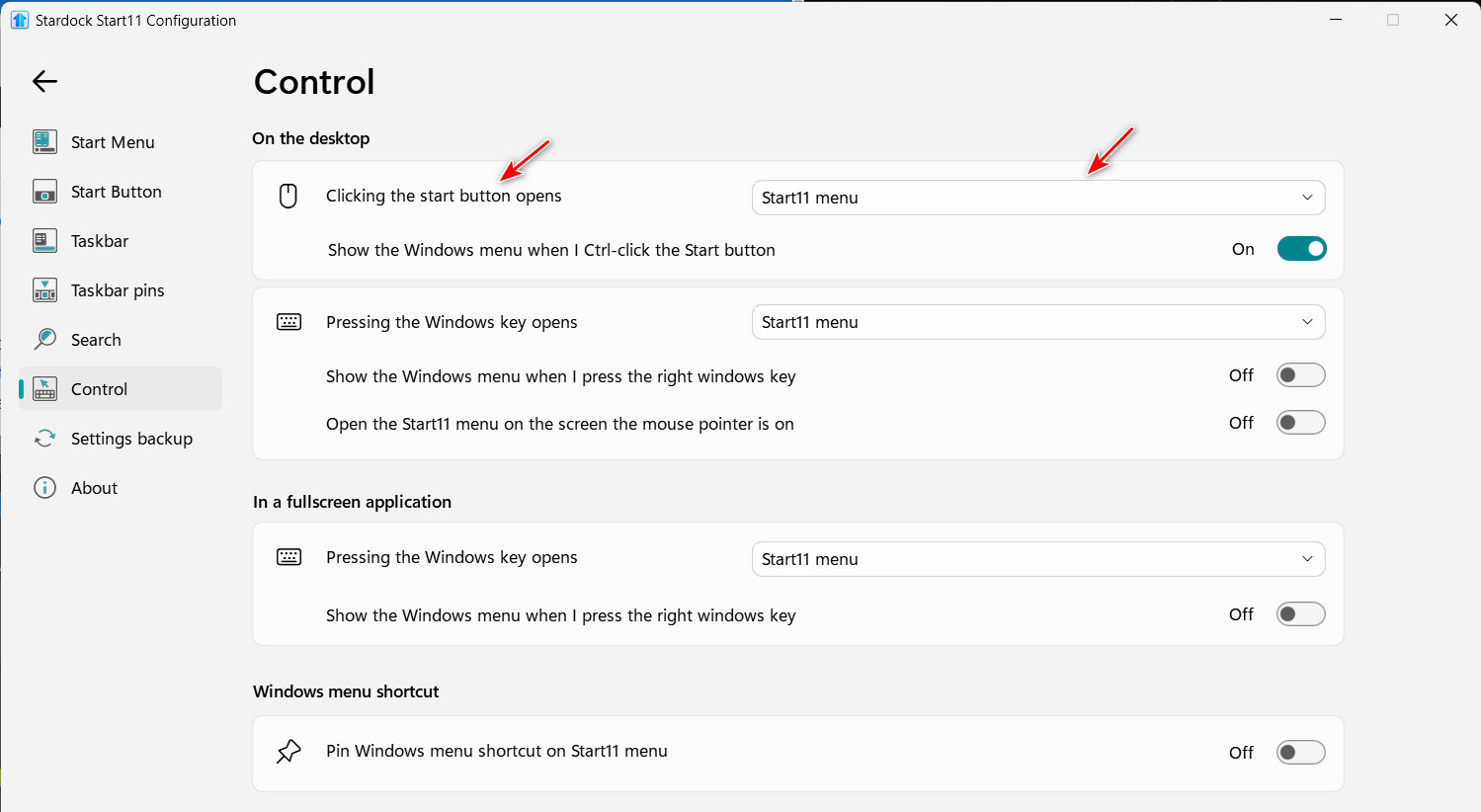
I'm confused by this statement. Are you able to open the Start11v2 config app? If so, check the "Control" settings and make sure Start11 is set to open the Start11 menu when the Start button is clicked.

It's possible the style is set to Windows 11 style.

Reply #2 Top

I'm saying that when I click on the Start11 icon, it runs "C:\Program Files (x86)\Stardock\Start11\Start11Config.exe" which opens a web page at https://www.stardock.com/products/start11/update.

I have uninstalled the V1 and V2 app and installed the free version because I was unable to get anything activated.

The v2 app brought me to the same web page as does the free version.

I am the only user on this computer, but I did try it as Administrator, but I got the same results.

Reply #3 Top

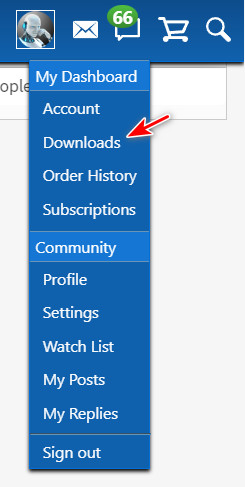
Did you purchase Start11v2 or are you using a Trial version? If you purchased it, go to your downloads page https://store.stardock.com/myaccount/products and download the 2.07 installer.

Then uninstall your existing Start11 install; reboot; now install using the freshly downloaded 2.07 installer; and reboot.

Reply #4 Top

OK.

I did all that and the Windows 11 menu still comes up.

If I click on Start11Config.exe it just opens the web page I have been telling you about.

Reply #5 Top

Hello,

Sorry to hear you have issues, please try purge and reinstall steps as mention here : [Link]. Just make sure to redownload the latest version from your account page. Reboot after the purge. Reinstall and reboot again after the installation. Retest and report back here.

Thank you,
Basj,
Stardock Community Assistant.

Reply #6 Top

I just reloaded v1 and the config form opens as it should.  Unfortunately all of the icons I had in it are history.

Any ideas on how to get them back?

I'll wait a few months until you get v2 debugged.

Thank you for your help.

Reply #7 Top

What version of Start11v2 did you originally install? If it was prior to 2.07, that would explain the link to the upload page.

Did you ever click the "Download" button on this page?

I used your link to open this page and it indeed downloads the version 2.07 installer.

Reply #8 Top

I downloaded from the web page download link for 2.07.

What is the exe file name I should see when I download 2.07?

Reply #9 Top

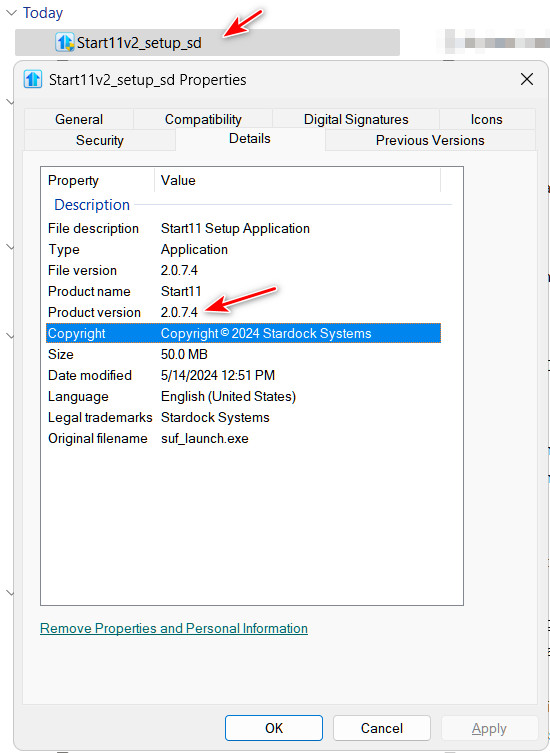
The file name of the installer is "Start11v2_setup_sd" and if you check the Properties of this installer, the Product version is 2.0.7.4.

Reply #10 Top

OK.

I ran that exe (with the same properties as your example), and after rebooting, it brought up the same web page.

And the Start menu is Windows 11.

Now I have to reload V1.

Reply #11 Top

At this point the only solution is to perform the purge as Basj recommended in reply #5. This will remove all traces of Start11 and allow you to make a clean install of Start11v2. After you have run the purge, download the latest version (2.08 released today) from your account download page and install. It's important to reboot after the purge; reinstall; and reboot again after the installation.

Let us know if this process resolves your issue.

Reply #12 Top

I get a similar result... The download / install / start software is a total piece of ___Fill In_______________ and now the asking price for this product is showing it's reasoning. I am so disappointed and I'm going to find another product after I get my much deserved refund for wasting 3 - 4 hours on this XXXX.

Reply #13 Top
Quoting glockstr, reply 4150026

I get a similar result... The download / install / start software is a total piece of ___Fill In_______________ and now the asking price for this product is showing it's reasoning. I am so disappointed and I'm going to find another product after I get my much deserved refund for wasting 3 - 4 hours on this XXXX.

End of glockstr's quote

I am sorry you are experiencing issues, issues like this usually means your computer is lacking updates and is missing critical root certificate updates.

What version of Windows 11 did you install and did you just install it?

As you can see from the lack of posts in this thread, this isn't a common issue.

Reply #14 Top

Perhaps you don't see complaint on this post but take a look on the the internet in general, you will find enough. I am a retired Software Developer and feel qualified to make judgement and so i stand by my original critique.. Had I produced such a poor executable as this and I would have been fired!


Reply #15 Top
Quoting glockstr, reply 4150279

Perhaps you don't see complaint on this post but take a look on the the internet in general, you will find enough. I am a retired Software Developer and feel qualified to make judgement and so i stand by my original critique.. Had I produced such a poor executable as this and I would have been fired!


End of glockstr's quote

Thankfully this is not a common issue and always comes down to the root certs on your PC are simply out of date or it is a pirated copy.  Without that the files are deemed to be corrupt and it will take you to the website so you can download again.

In this case it is almost certainly the root certificates being out of date.  Windows controls how these update and anything newer signed needs newer root certs as the root certs shipped with Windows expire.  Windows update is responsible for these updates and we cannot force the update ourselves (or we would).

V1 would have been signed with an older (now expired) cert which is why it was happy, v2 with a newer cert which relies on a newer root cert.

Right clicking on the file and checking the digital signature on it and then checking if it is valid may trigger the OS to check assuming you have not prevented Windows from connecting up to critical online services.

Reply #16 Top

If you are willing we can work with you to find out why you have this issue as we don't want anyone to experience issues like this, otherwise I am sure support can provide a refund.  You will need to create a ticket for that as that cannot be handled via forums as it involves your private information.

Reply #17 Top

After the update to 2.82 my taskbar is completely unusable - it is blank / empty and while it is set to autohide, it will NOT show when i move the mouse over the bottom or with the opt/start button. 

For now I've turned off the Let Start11 enhance the taskbar in the hope that your next update will fix this.

Reply #18 Top
Quoting Lionel, reply 4150340

After the update to 2.82 my taskbar is completely unusable - it is blank / empty and while it is set to autohide, it will NOT show when i move the mouse over the bottom or with the opt/start button. 

For now I've turned off the Let Start11 enhance the taskbar in the hope that your next update will fix this.

End of Lionel's quote

Hello,
Sorry to hear you are having issues. Please try, uninstall Start11, reboot immediately (important), download latest version available in your account product download page: https://store.stardock.com/myaccount/products. Install it, reboot immediately again. Retest it and report back.

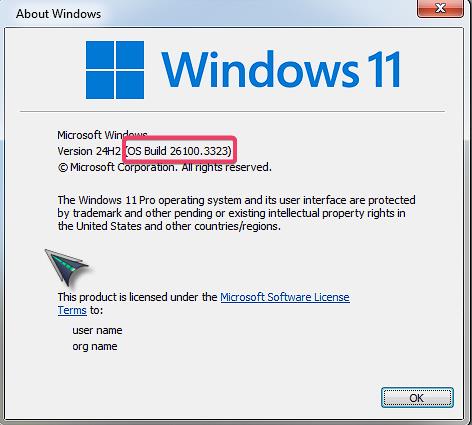
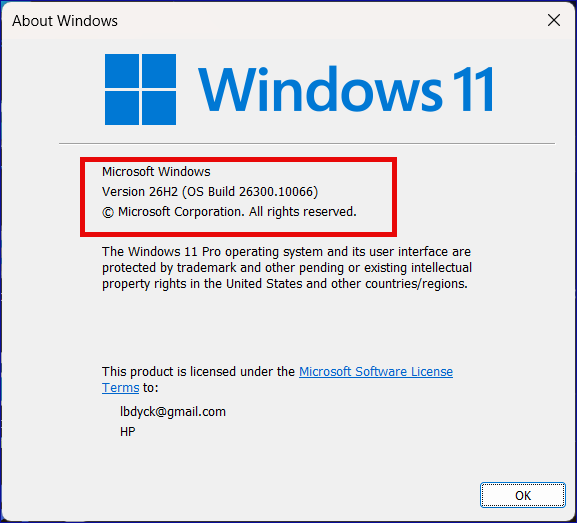
If the issue still appear, we need to know your Windows 11 full version and OS Build number. Use Winver.exe.

Thank you,
Basj,
Stardock Community Assistant.

Reply #20 Top

No hurry, do when you're free, also we need full OS Build number. Please use Winver.exe. You will get something like my screenshot below. Also, Winver.exe do come with all modern Windows installation.

Thank you,

Basj,
Stardock Community Assistant

Reply #21 Top

here is the winver - just uninstalled - about to reboot

Note that I did not remove any settings on the uninstall

Reply #23 Top

Look like you on Windows Insider version, which not officially supported. However, it is good to hear you have resolved your issue.

Thank you,

Basj,
Stardock Community Assistant