SD CENTRAL

I HAVE PURCHASED OBJECT DESKTOP BUT UNABLE TO DOWNLOAD STARDOCK CENTRAL KEEP GETTING ERROR 1001???UNABLE TO FIND OUT ANYTHING PLZ HELP?
7,806 views 39 replies
Reply #1 Top
All right, would you explain further?

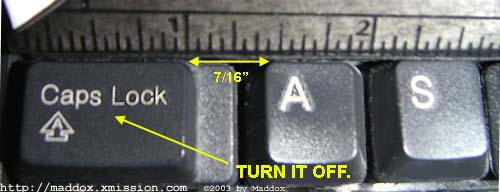
Also, please turn off CAPS.


Powered by SkinBrowser!
Reply #2 Top
Have you tried http://www.sdcentral.net ?


Powered by SkinBrowser!
Reply #3 Top
been here yet? https://www.stardock.com/sdnet_login.asp
Reply #4 Top
The page Travis linked to is a login page for Stardock.net. You need to enter your username "Elizabeth121" and your password. From there you will be able to download Stardock Central. The site isn't down, I just checked it.


Powered by SkinBrowser!
Reply #5 Top
If you get the "Error 1001" after trying to run Stardock Central, it might be a firewall issue. Do you have ZoneAlarm or any firewalls running? If so, try turn them off and then run Stardock Central.
Reply #6 Top
Could it be a firewall? I have ZoneAlarm up and I've never had a problem. Although I had to bypass Proxomitron.

Is it that you can't download SDcentral, or just not download IN SDcentral?


Powered by SkinBrowser!
Reply #8 Top


Powered by SkinBrowser!
Reply #9 Top


I also like how she hasn't replied yet.

Let's start from the VERY VERY beginning....Is your internet connected? (Is your computer...on?)

Maybe she's on like an older version of Windows, like 95 or 98.


Powered by SkinBrowser!
Reply #10 Top
SDcentral should work on all versions of Windows. I haven't had a problem with it.

You want help, you have to reply to your post.


Powered by SkinBrowser!
Reply #11 Top
#5 by Sir Hus - 1/1/2004 2:09:18 PM If you get the "Error 1001" after trying to run Stardock Central, it might be a firewall issue. Do you have ZoneAlarm or any firewalls running? If so, try turn them off and then run Stardock Central.


Never would I shut down a Firewall like that for anybody or thing.

I get as many as 100 - 150 access attempts on my computer an hour that my firewall blocks, it would be like comitting computer suicide. There is no need to turn OFF a firewall, just check your settings to see if you have ALLOWED Stardock/WC access or not.


Powered by SkinBrowser!
Reply #12 Top
Glad you said that, White Moth......i have the same problem where i can get quite a few malicious attacks an hour and all it takes is one to get through and you have got a disaster on your hands.
Reply #13 Top
Ah, the wonders of a wireless router...


Powered by SkinBrowser!
Reply #14 Top
DoctorNick, those have there own problems if you don't cover yourself.


Powered by SkinBrowser!
Reply #15 Top
You need to enter your username "Elizabeth121


Actually you need to put your E-mail addy....

I think the Author fell off the planet, but for what it's worth...What Firewall are you using?


Powered by SkinBrowser!
Reply #16 Top
DoctorNick, those have there own problems if you don't cover yourself.


True, but I seriously doubt that anyone near me can steal my bandwidth (I'd doubt if anyone in my whole town has a laptop or computer with a wireless card or centrino), plus I have Norton running constantly.


Powered by SkinBrowser!
Reply #17 Top
They had a small special on my news channel about that. Showed how it could be done and what you needed to do to stop it.


Powered by SkinBrowser!
Reply #18 Top
All I really have to do put a password on the WAN, but it's not necessary since anyone sitting out on the street (i'm in North Tonawanda, a small city in between Buffalo & Niagara Falls, and no one goes outside in the winter here ) would only get around 1 mbps, probably a lot lower. As of now I haven't had any probs with h4xx0rs.


Powered by SkinBrowser!
Reply #19 Top
My bad. Sorry. DoctorNick, wireless network security is still in its infancy. A firewall does not do everything. WEP was an early standard for security, but was not widely used because of its slowness. WPA is a new technology that is implemented in most new hardware. I don't know if you have an 802.11b or g network. You can get a firmware upgrade for most b routers, and I think most g routers have the protection built in. Hijacking a wireless Internet connection may not a grea concern because of the odds, but I certainly wouldn't want a hole in my system I was capable of fixing.


Powered by SkinBrowser!
Reply #20 Top
I have a Linksys 802.11 G Wireless Router here.


Powered by SkinBrowser!
Reply #21 Top
I can't use wep with my wireless router and card. It doesn't work for some reason. So I set my router to only detect my computer. Unless somebody has stolen my computers identity I am set from people stealing my bandwith. And the router has a very good firewall so I don't think my computer has ever had a malicious attack. woot to wireless
Reply #22 Top
I'm currently on a Gateway 450X with Centrino, so it automatically picks up everything!


Powered by SkinBrowser!
Reply #23 Top
What are we up to kiddies Running another abandoned thread off topic There seem to be a lot of them lately. People ask a question or actually it's more like "AKS DA QWEZSHUN" and then they're gone 'poof'. What happens? Do the caps-locked bad-grammer AOL'er police come along and vaporize them?
Reply #24 Top
did somebody give Jafo a ray gun for Christmas?
Reply #25 Top
Jafo starring in Terminator 4