neone6 neone6

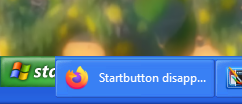
Startbutton disappeared after update.

Startbutton disappeared after update.

WB11/Start1

I had a Windows update yesterday and after that the Start button doesn't show anymore :(  

-Tried different settings in WB and start11 to No avail.

Windows 11 Core 22H2 (22621.ni_release.220506-1250)
WindowBlinds 11.01 (012 x64 - Windows 11 Edition) - 64 bit OS

Window titlebar blur features are enabled on this operating system

Wblind.dll 2023/01/17 18:25:18
Wblind64.dll 2023/01/17 18:25:22
Wbsrv.dll 2023/01/17 18:25:33
WB11Config.exe 2023/01/17 18:25:29
Wbload.dll 2023/01/17 18:25:38
Screen10.exe 2023/01/17 18:25:45

-----------------------------------------

Start11 version 1.41

56,480 views 99 replies
Reply #76 Top

The Startbutton is not Behaving like it's supposed to...

-With the latest updates to everything, the startbutton basically: -Only shows with something active on the Taskbar, -Only Reacts more or less properly by Clicking FAR Left (where the button sometimes isn't even is skinned)

Reply #77 Top

Has this been Read and acknowledged by someone working with this ?? :|  

Reply #78 Top

For me it just is cut off. I do not have any missing start button issues.

Reply #79 Top

Quoting neone6, reply 77

Has this been Read and acknowledged by someone working with this ?? :|  

This was addressed in the latest Start11 beta.

That said one word of warning.  Absurdly wide start buttons may introduce compatibility issues which will be responded to as skin issues.  If your button is for example 200 pixels wide you are really pushing things.

Reply #82 Top

nevermind, the option does exist, but only on the windows 11 machine i recently installed. but using start11 on windows10 the option is not there only on windows11

Reply #83 Top

Which makes perfectly sense as Win 10 had no cropped function taskbar and all problems here refer to Win 11.

+1 Loading…
Reply #84 Top

Quoting Psych0sis, reply 80

DrJBHL you must have some special build of Start11, because on my start11 v1.42 there is no such option..

I have no "special build" of any SD software. Look again.

Reply #85 Top

Quoting c242, reply 83

Which makes perfectly sense as Win 10 had no cropped function taskbar and all problems here refer to Win 11.

Precisely.

Reply #87 Top

So... I guess My skins have to come with special Instructions then.. PIN something to Taskbar for Startbutton Visibility & Press Far Left of the Button for it to Respond... -Happy days <_<  

Reply #88 Top

Quoting neone6, reply 87

So... I guess My skins have to come with special Instructions then.. PIN something to Taskbar for Startbutton Visibility & Press Far Left of the Button for it to Respond... -Happy days <_<  

No, the newest 1.42 build fixes that issue.

However you may find they have issues with taskbar button mouseover popups when using such an absurdly long start button.  Also if the user does not have Start11 then only the left most 55 pixels will show.

The ideal is 55 pixels wide.  The start button in insidian is 369 pixels.  This WILL cause issues and I cannot see why it is so wide given that about 50% of the right hand side is blank in every single frame.  Given that some users will also have a lot of visible system tray icons you could end up with very little space for taskbar buttons.


Reply #89 Top

Quoting Neil, reply 88

I cannot see why it is so wide given that about 50% of the right hand side is blank in every single frame.
It's a matter of Design, I didn't want the taskbar buttons too close to it or under the Startmenue...

Reply #90 Top

By all means of respect for Your Your designs, I can't think of anyone wanting the startbutton taking 20 % place of their taskbar on full HD with 1920 pixels (which I believe still is the most used resolution.)

Reply #91 Top

Quoting c242, reply 90

I can't think of anyone wanting the startbutton taking 20 % place of their taskbar on full HD with 1920 pixels
There is a screenshot, I have sales, you're wrong ;P

Reply #92 Top

Quoting neone6, reply 91


Quoting c242,

I can't think of anyone wanting the startbutton taking 20 % place of their taskbar on full HD with 1920 pixels

There is a screenshot, I have sales, you're wrong ;P

Perhaps a solution here is a wide start button version and a substyle thats a smaller one?

Target two markets?

+1 Loading…
Reply #93 Top

Quoting Neil, reply 92

Perhaps a solution here is a wide start button version and a substyle thats a smaller one?

Target two markets?

Sounds like a win-win to me. :thumbsup:  

Reply #94 Top

Although that IS a solution, I am not going to take the time to Update all my (MANY) blinds with Wide startbuttons in that fashion as that would take too long, and since Master-skinning soon is but a Memory around here I will Take the easy, less time consuming route and Inform buyers on this matter on My site and skin for the NEW requirements from now on... -Thanks for all the Help. |-)  

Reply #95 Top

Quoting neone6, reply 94
since Master-skinning soon is but a Memory around here 


Hm, any secret infos the rest of us does not have yet?

Reply #96 Top

Quoting c242, reply 95


Quoting neone6,
since Master-skinning soon is but a Memory around here 


Hm, any secret infos the rest of us does not have yet?


its pretty easy to tell when you only have 3 or 4 active skinners these days, when there used to be dozens and dozens back in the day...

Reply #97 Top

Quoting neone6, reply 94

Although that IS a solution, I am not going to take the time to Update all my (MANY) blinds with Wide startbuttons in that fashion as that would take too long, and since Master-skinning soon is but a Memory around here I will Take the easy, less time consuming route and Inform buyers on this matter on My site and skin for the NEW requirements from now on... -Thanks for all the Help. |-)  

You are by far, the best Master Skinner for my needs neone6, so this is a bit of a worry as i have loads of your and Vamps older stuff. I am reading and keeping up with current issues, waiting for my entry point back into using WBs 11 and Start 11. I do not fancy Starting my collection over again, so i think i still have to wait, read and watch things in these topics carefully. I really do hope we get to a point, were you feel free to "Create Master Skins Your Way Again" as mostly, that is how i like things too.

Reply #98 Top

Quoting naroon1, reply 97

You are by far, the best Master Skinner for my needs neone6
:blush:  :blush:  :blush:  

Quoting naroon1, reply 97

this is a bit of a worry
My Site WinCosmos  Will keep on living, being updated with New skins as usual no matter what happens Here on Wincustomize |-)  

Reply #99 Top

Quoting neone6, reply 98


Quoting naroon1,

You are by far, the best Master Skinner for my needs neone6

:blush:  :blush:  :blush:  


Quoting naroon1,

this is a bit of a worry

My Site WinCosmos  Will keep on living, being updated with New skins as usual no matter what happens Here on Wincustomize |-)  

Gotcha, Loud And Clear .:congrat: