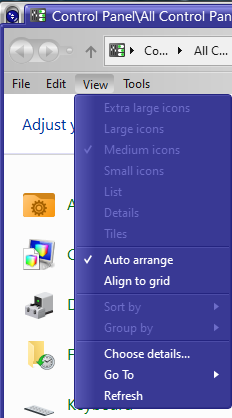
How to change the color of the test in a context menu
from  Stardock Forums
Stardock Forums
I have a couple of WB skins I really like but that have a light gray background with white text on the context menu, the right click on an icon menu. I'm runnning WB11 and Win10 22H2, but that shouldn't matter as this issue has existed for as long as I can remember. I've been using WindowBlinds since 1998.
Try as I might I cannot isolate in Skin Studio what precise item controls this color. So...
HELP!
TIA