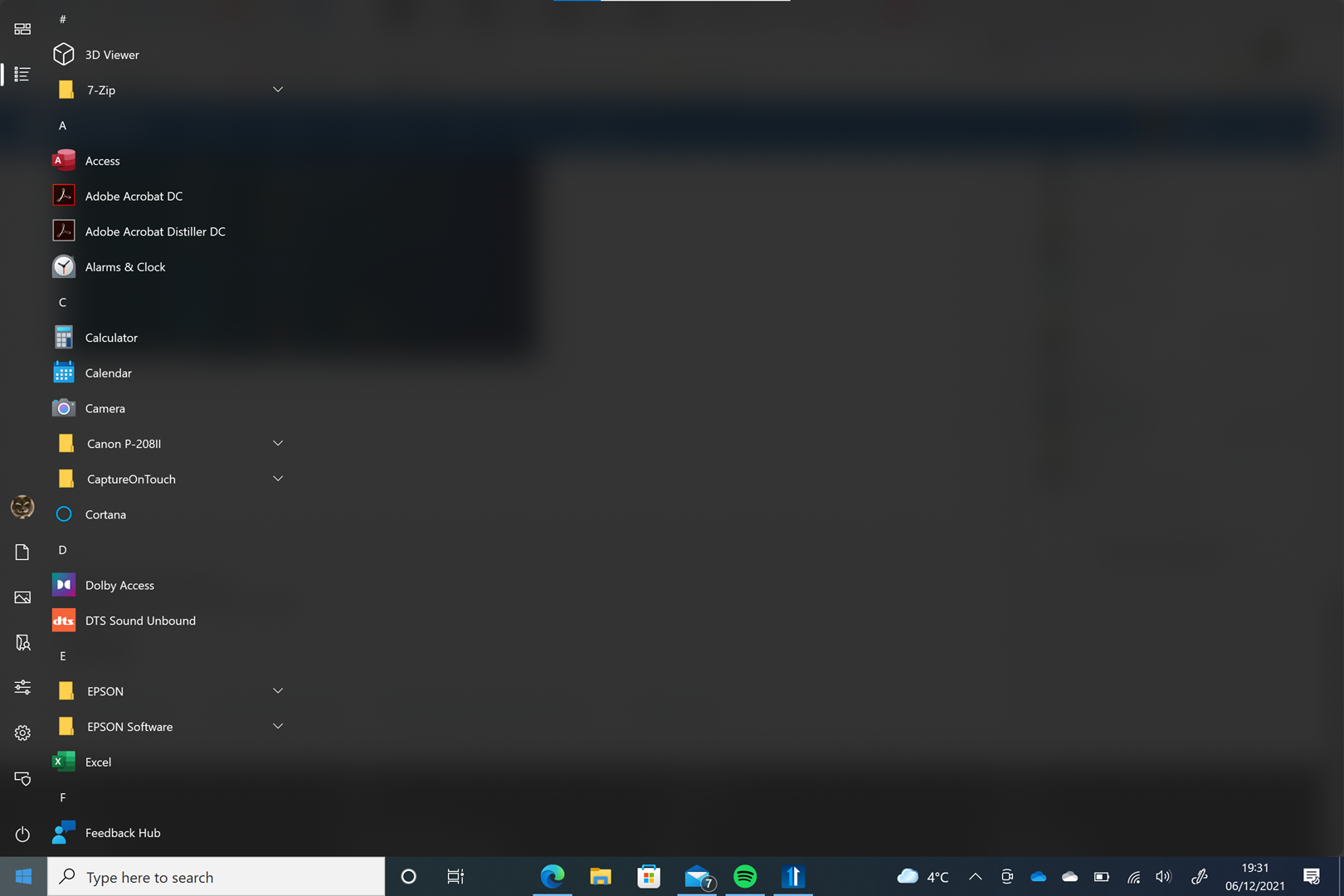
Full Screen All Apps

Display All Apps like Win 10 menu

Can the All Apps option display the menu like it was in Win10?
I just get a column list. My pinned apps are displayed as intended (using Windows 10 Style)

32,005 views 16 replies
Reply #1 Top

Hello,
Sorry to hear you are having issues. You are asking for Start10 or Start11? and which Style are you using?


Basj,
Stardock Community Assistant.

Reply #3 Top

Can you post a screenshot of what you want to see and what you have now.

Thank you,

Basj,
Stardock Community Assistant

Reply #5 Top

Hello,

I have forwarded your report to the Stardock support team for their review and recommendations.

Please keep an eye on this thread for any updates.

We really do appreciate your feedback, thanks.

Reply #7 Top

I like to expand this RFC by adding the two empty spaces (red boxes) to the app list overview as well. So, the full screen is used instead of a window (~60% of the screen). So the app overview should exist of five lanes instead of three requested (What I want) by @peter1969. If five lanes not fit on a full screen, please use/create four lanes.

Reply #8 Top

Quoting AzDude, reply 5

I have forwarded your report to the Stardock support team for their review and recommendations.

Hello AzDude,

Could you please be so kind to forward my addition to the Stardock support team as well? See the previous post.

Thanks in advance,

Ty-Rap

Reply #9 Top

Hello, Ty-Rap

I have forwarded your report to the Stardock support team for their review and recommendations.

Please keep an eye on this thread for any updates.

We really do appreciate your feedback, thanks.

+1 Loading…
Reply #10 Top

Quoting AzDude, reply 9

Hello, Ty-Rap

I have forwarded your report to the Stardock support team for their review and recommendations.

Karma point for AzDude :beer:  

Thanks,

Ty-Rap B)  

Reply #13 Top

A new version was released yesterday 1.2 

have you tried that version ?

Reply #14 Top

This has not changed in 1.2.  The list has to have only one item per line due to how it handles subfolders.

Reply #15 Top

Quoting Neil, reply 14
The list has to have only one item per line due to how it handles subfolders.

This is not correct. Please read the full post again including the addition of December 20, 2021. See the screenshots how it was in Win10 and how should be.

Reply #16 Top

Quoting Ty-Rap, reply 15


Quoting Neil Banfield,
The list has to have only one item per line due to how it handles subfolders.


This is not correct. Please read the full post again including the addition of December 20, 2021. See the screenshots how it was in Win10 and how should be.

You misunderstood me.

The restriction is in Start11.