
Start11 is Now on Steam
 Stardock Forums
Take complete control of your Start menu on Windows 10 or 11
with Start11 - Now on Steam
Get it now
Customize the Start menu and Taskbar in Windows 10 and 11 with several different layouts, positions, and aesthetic options using Start11! Make the Start menu appear as it does in previous versions of Windows, enhance its functionality, and customize your setup just the way you like it.
Get Start11 for multiple devices. If you'd like to bring the Start11 experience to multiple PCs, the multi-device upgrade will give you 5 active installs to distribute however you like among your machines.
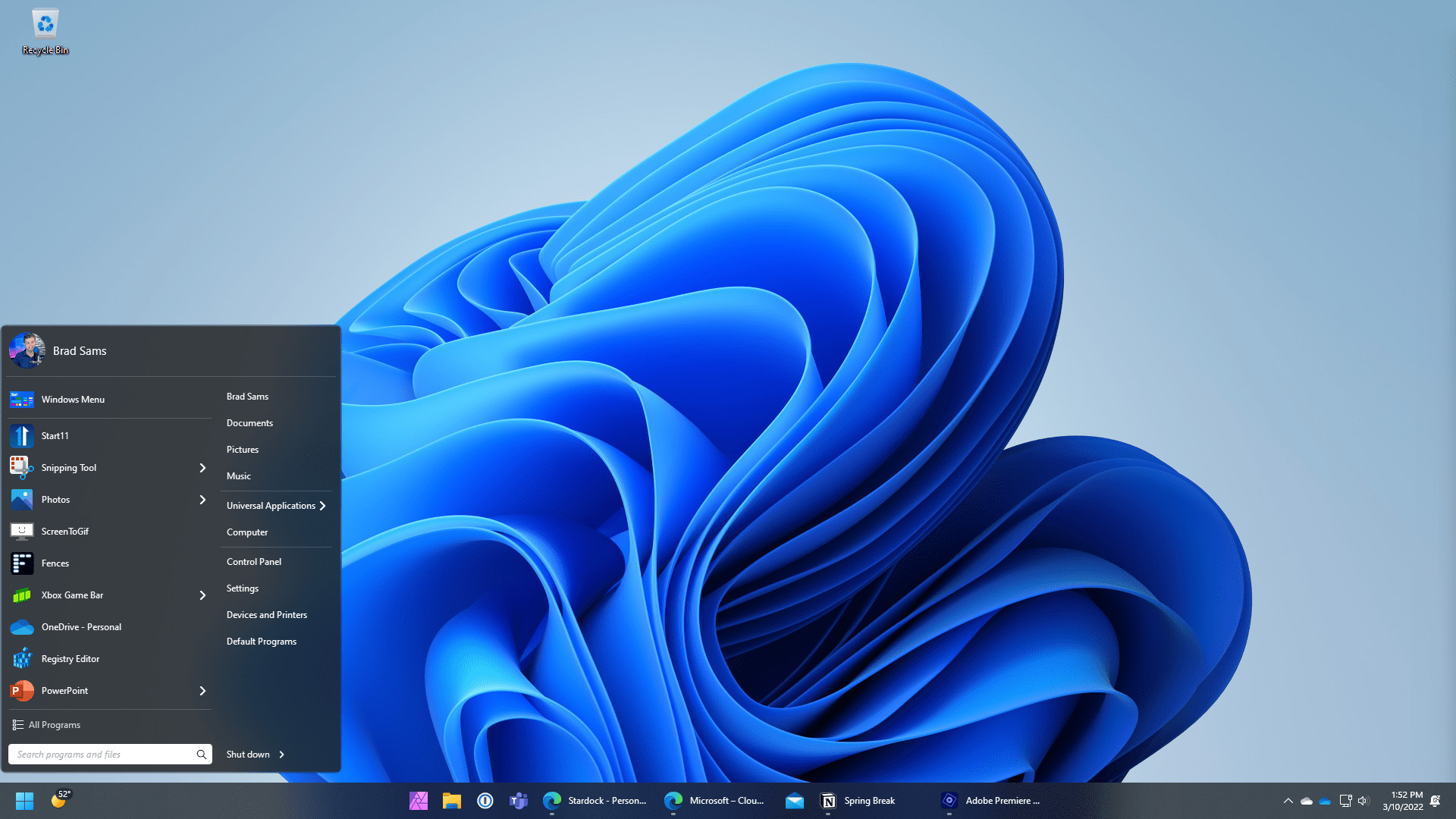
| Make your Windows desktop feel familiar Replace the Start menu with a classic version by choosing from several different styles, including Windows 7 and Windows 10. If you’re looking for something fresh but familiar, try a modern adaptation of the classic menus. |
 |
 |
Enhance your productivity Bring back ungrouping to your taskbar with a style that matches Windows 11. With advanced configuration options such as per-monitor configurations and removing labels, you can make your taskbar fit your workflow. |
| Experience enhanced search functionality A more integrated search experience will keep you centered on your content. The UI has been designed to be easy to navigate and also to support additional Start menu enhancements as well. |
 |
 |
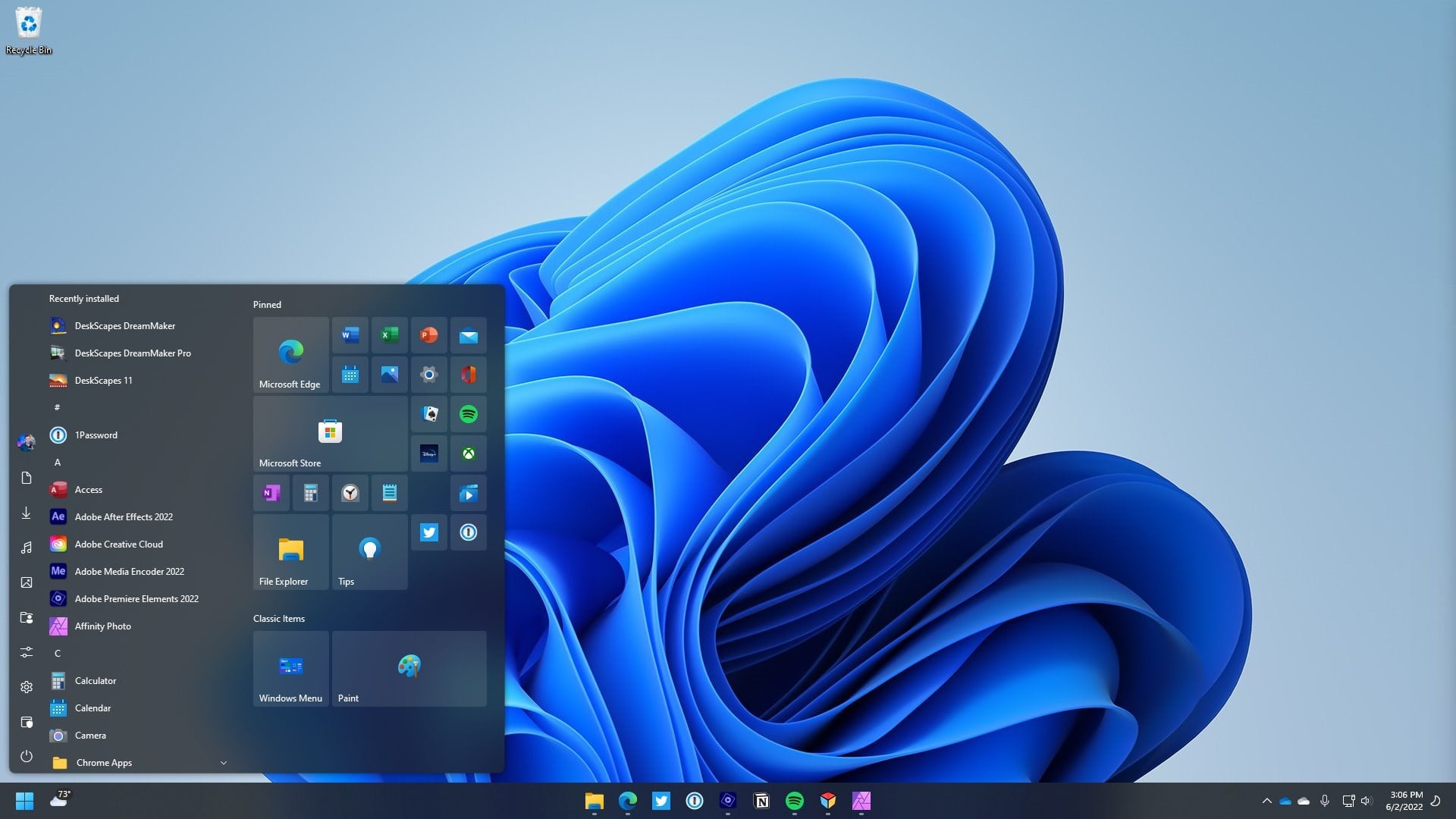
Personalize your Windows experience Make your Start menu match your personality with robust customization options that allow you to change styles, colors, transparency, shortcut links, rounded or squared corners, and much more. |
| Take control of your Start button Move your Start button to the center or the left, to the top of the screen, or change how it responds to clicks, keypresses, and more. Change the icon grid styles to find the right configuration for your workflow – keep it compact for minimalism or space it out for easier touch input. |
 |
Start11 is now available on Steam
Get it Now
   |
|---|
Features:
- Return the Start menu to the appearance of previous versions of Windows.
- Enhance Windows 10 and Windows 11 style menus with new functionality.
- Ungroup open windows on the taskbar with advanced configuration options.
- Reposition the taskbar to the top of the desktop for Windows 11.
- Enable Windows 10 style taskbar context menu for Windows 11.
- Center Start icon and menu on Windows 10.
- Pin drives, folders, and files directly to the Start menu.
- And much more.
 WinCustomize Forums