

Tatiora Tatiora

Sneak-peek at NEW WindowBlinds skins

Sneak-peek at NEW WindowBlinds skins

WindowBlinds is one of our software products that has been around for quite a long time - longer than I've been at Stardock, at any rate! If you're unfamiliar with it, WindowBlinds allows you to customize the look and feel of your taskbar, window frames, and more. You can make your desktop look unique by choosing from several different styles and skins and adjusting them to suit your personal tastes.

I think one of my absolute favorite features of WindowBlinds 10 is the randomization. If I like a bunch of skins, I can use this option to have my computer cycle through them at random intervals, giving me a fresh look and a bit of a surprise every time I boot up. The per-application skinning is great for variety, too - I can use one skin for my word processing software, and use a different skin for something like Premiere.

But, I digress! Recently, we've been developing some new skins for WindowBlinds and today I get to give you a little sneak peek of what's coming. PLEASE NOTE: These are not 100% final and some aspects of these may change before they are available.

Let's have a look!

Aero Executive


NeXTSTEP


Open Windows


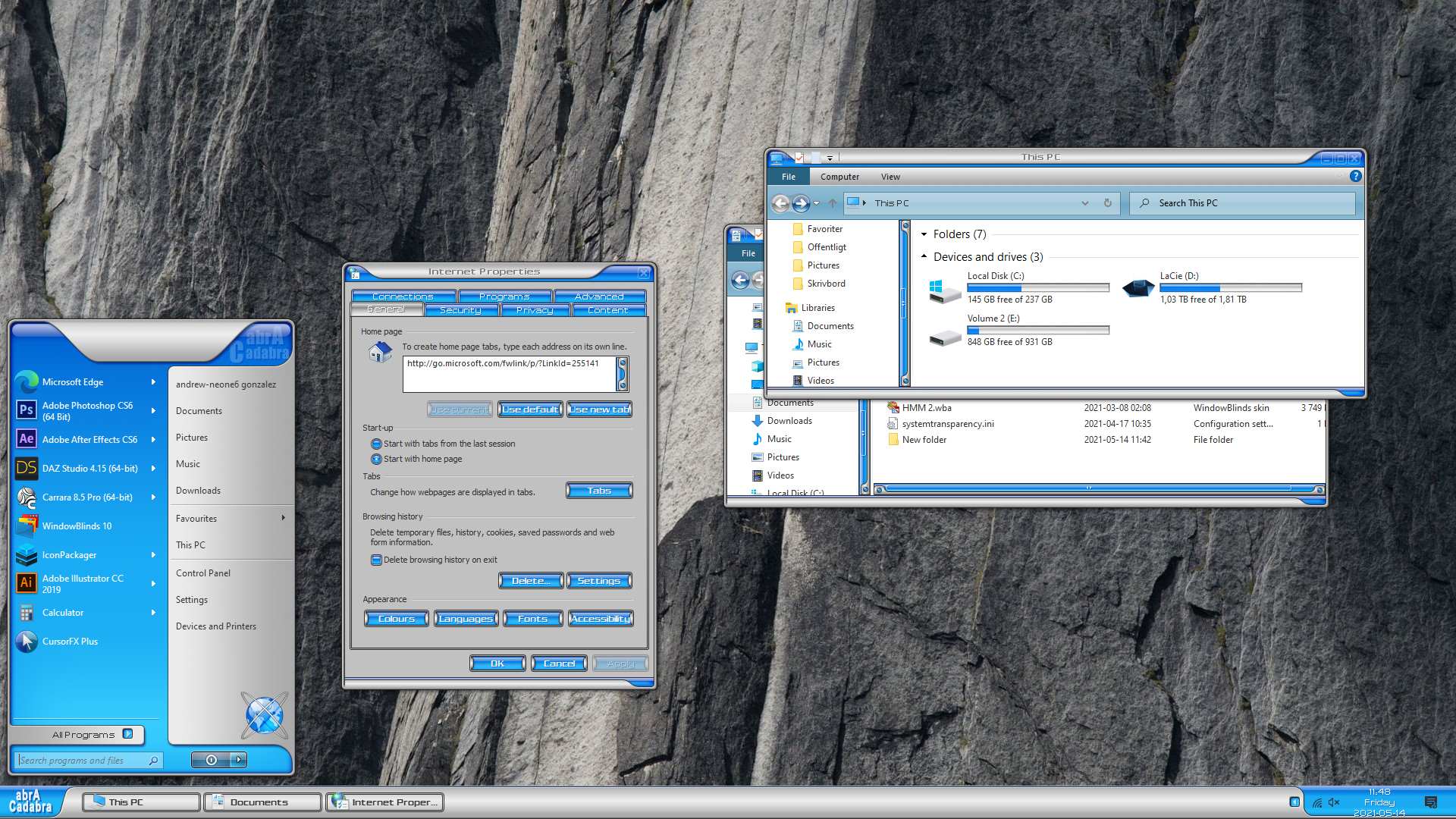
AbraCadabra
 

Aero Metal


Aquarium


Dragon


Elegance


Aero Midnight


Airframe


Driftwood


Parchment


PlasticXP

Whew! That's a lot of new skins. They'll be available soon, but in the meantime, let me ask you this: which one is your favorite? Share with me!

68,723 views 32 replies
Reply #26 Top

Great skins.

My favorite skin for all time is Psycho by skoriginals.  I am still using this skin (on windows 10). The skin has not been updated since 2006. and it would really be a gift to see it updated for windows 10.


Reply #27 Top

It's nice to see you're updating these classic WindowBlinds skins. Any chance you could do the same for old IconPackager sets? It's hard to find decent sets that work properly on new Windows versions.

Reply #28 Top

Quoting Weboh, reply 27

It's nice to see you're updating these classic WindowBlinds skins. Any chance you could do the same for old IconPackager sets? It's hard to find decent sets that work properly on new Windows versions.


I feel you, but i don’t think stardock will do that, only the author can do it, but don’t expect much.


but no worries, you could do it yourself if you have photoshop & iconworkshop.


the problem with old ip pack can’t work well with new windows is because icons size mostly only 128x128px, while it needs 256x256px at least. sometimes even old 256px also have problem, but it can be solved.


I’ve rebuilt  some old cool ip pack, always works, these are the steps:


1.       batch convert  128px ico to png with iconworkshop.


2.       batch resize from 128px png to 256px with photoshop.


3.       reconvert  256px png  to ico with iconworkshop again.


4.       create live folders  to be included in the ip pack. If you can’t create, just use live folders from other ip pack, recolor if needed.


5.       rebuild the new 256px icons to ip via  ip package builder.


6.       Save with different name.


all steps will be done in 15-20 minutes per pack when  you have done it several times :grin:

here some proof to encourage you, good luck :thumbsup:  


Reply #29 Top

Quoting beverly, reply 26

My favorite skin for all time is Psycho by skoriginals.  I am still using this skin (on windows 10). The skin has not been updated since 2006. and it would really be a gift to see it updated for windows 10.
Shawn has unfortunately retired permanently from skinning. I'd love to see him back, but that's not likely to happen, I'm afraid.