Groupy Portable or without admin access

Hi,


The title is self explanatory.

I would like to know if it is possible to install Groupy in a Windows 10 machine without admin permissions or a portable mode to run it within its own folder.

If not possible, I would like to request that feature.

Thanks and regards,


24,059 views 12 replies
Reply #1 Top

Hello,
I have forward your request to the Stardock Support Team for their review and recommendations. Please keep an eye on this thread for any updates. We really do appreciate your feedback, Thanks

Basj,
Stardock Community Assistant.

Reply #4 Top

Hi All, this post 2 years back and now with Groupy 2 in beta - can we have this feature? the app is great support especially with working. but convincing large companies it is not easy. while I am ok to pay a premium more than a  normal version for a portable option 

now i needed to move my work PC to Tidy tabs (which is a light good app) while i would love to have the options of Groupy 2 that  i use in my personal PCs

Reply #6 Top

I used TidyTabs Pro and have purchased Groupy 2 recently. I read that many people use both.

I want to know if there are any detailed comparisons between TidyTabs Pro and Groupy 2 available anywhere.

If not comparisons, at least, if there are detailed features and tutorials / documentation for TidyTabs Pro and Groupy 2, that may be useful too. 

Currently, I use TidyTabs Pro only to automatically group

  1. Browsers like Microsoft Edge, Google Chrome, Opera One, Firefox and Brave and
  2. Microsoft Office programs MS Word, MS Excel, MS Powerpoint, MS OneNote, MS Publisher, MS Outlook, MS Access.

As I have purchased Groupy 2 only recently and not yet used it. I have installed it with default options.

For now, I have disabled Automatic Start With Windows in TidyTabs Pro. 

Any major use cases for Groupy 2 are available, I will be glad to see if I can use them too.


Reply #7 Top

Hello,

I don't use Tidytab, so I can not help on comparison with Groupy 2. Hopefully user that use Tidytab, mentioned in their command above could come in and share some input on it.

Thank you.
Basj,
Stardock Community Assistant.

Reply #8 Top

Quoting esdu, reply 6

I used TidyTabs Pro and have purchased Groupy 2 recently. I read that many people use both.

I want to know if there are any detailed comparisons between TidyTabs Pro and Groupy 2 available anywhere.


  1. Why you install competing software on one system is beyond me. But,it always known doing that is the recipe to disaster. 
  2. If you want to know which one is better,only you  yourself know. :rolleyes:  
+1 Loading…
Reply #9 Top

I am not installing competing software at the same time.

As I mentioned in the above post, for now, I have purchased and installed Groupy 2 with default options and am exploring its features. It is a must have utility as per PC World and other articles and liked well by many people. So, learning it for now.

Tidy Tabs I have disabled auto start with Windows so is not in use currently.

My post was to know the features in detail if someone has used both as well their experience about the same.

I will have to go through the documentation and other tutorials, reviews it appears by searching for them if not much is available in a direct way to use them or compare them quickly.

Reply #11 Top

and we are in mid 2026 and still this is a "Wishfull" thinking - 

So beside the heavy-resources groupy 2 is  , and no standalone version... tidy tab 40 USD is not much.. actually i bouhgt 2 licence already and keeping the subscription here just for the sentimental part that i have been with stardocks since windows 98 :) 

Reply #12 Top

Quoting walaamaher, reply 11

and we are in mid 2026 and still this is a "Wishfull" thinking - 

So beside the heavy-resources groupy 2 is  , and no standalone version... tidy tab 40 USD is not much.. actually i bouhgt 2 licence already and keeping the subscription here just for the sentimental part that i have been with stardocks since windows 98 :)  

Hello,

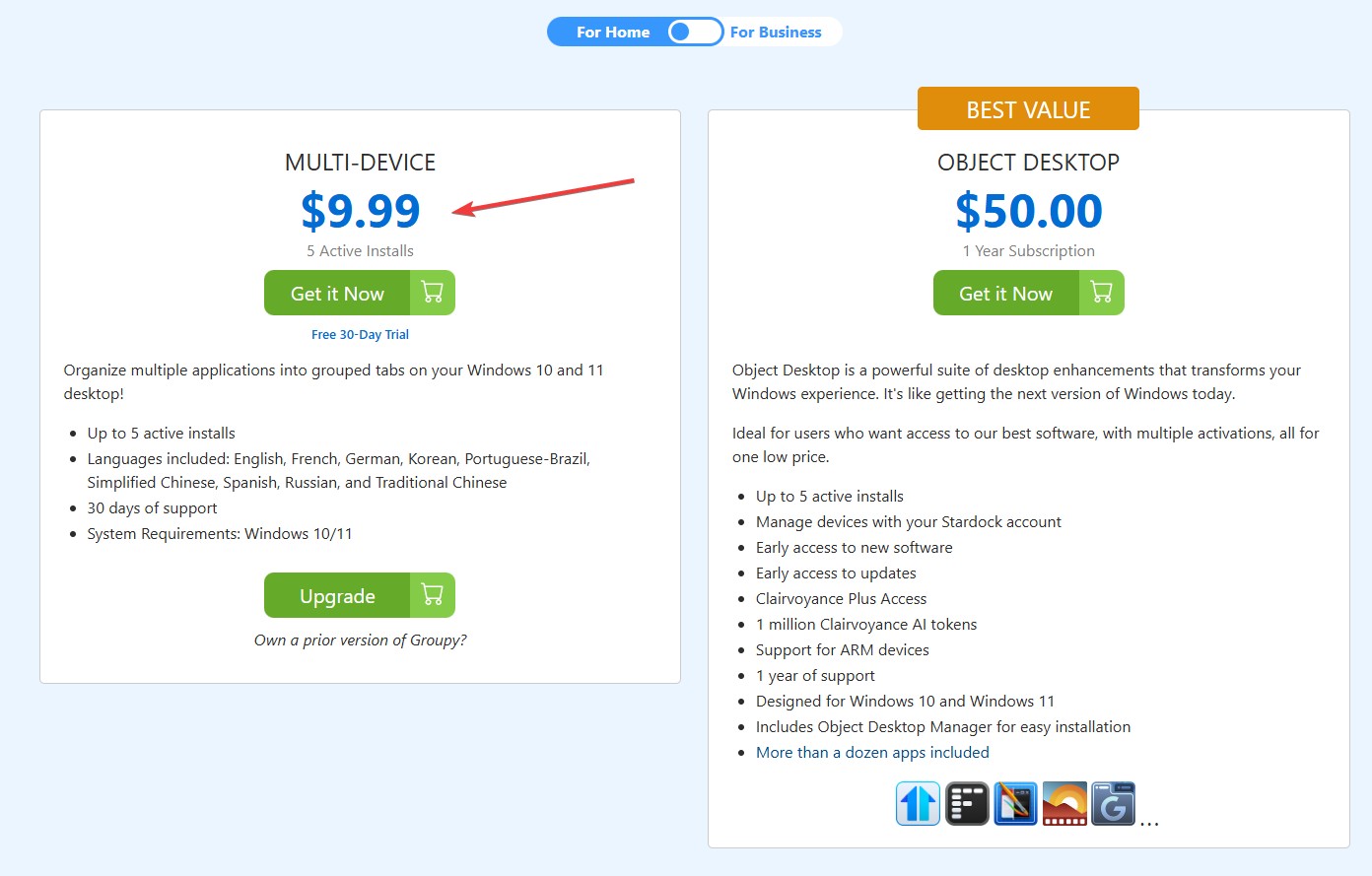
I’m sorry to hear you’re feeling frustrated. Just to clarify, Groupy isn’t subscription‑based — it’s offered as a permanent license. At $9.99 USD for up to five active installs, it’s designed to be a more accessible option compared to some alternatives.

If I’ve misunderstood what you meant by “subscription,” please feel free to elaborate so I can better understand your perspective.

Thank you,
Basj,
Stardock Community Assistant.