Start10

Or Not?

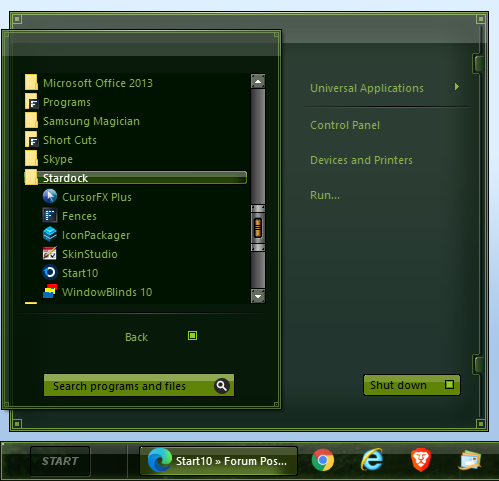
Guys, for some reason, the Stardock folder is no longer in my all programs list in Start10.


Anyone else?  Any idea how to fix it?

11,447 views 16 replies
Reply #1 Top

All here on my end. :grin:  

Reply #2 Top

I still have it too.  What I see is, if I right-click on the Stardock folder in Start10, it is referencing an empty folder located in

C:\Users\[UserName]\AppData\Roaming\Microsoft\Windows\Start Menu\Programs

Again, that's just an empty folder.  You might look in that path and see if you still have an empty folder named Stardock there, and if it's not, create one.  Don't know that would fix it, but maybe?

The Start10 Stardock program items themselves are individual shortcuts located elsewhere, you could probably recreate them, but seems like that would be a pain in the neck and hopefully there's a better way. Those are in

C:\ProgramData\Microsoft\Windows\Start Menu\Programs\Stardock

if you want to see if they're still there.

Reply #4 Top

Mine used to be there, dunno what happened.  

Reply #5 Top

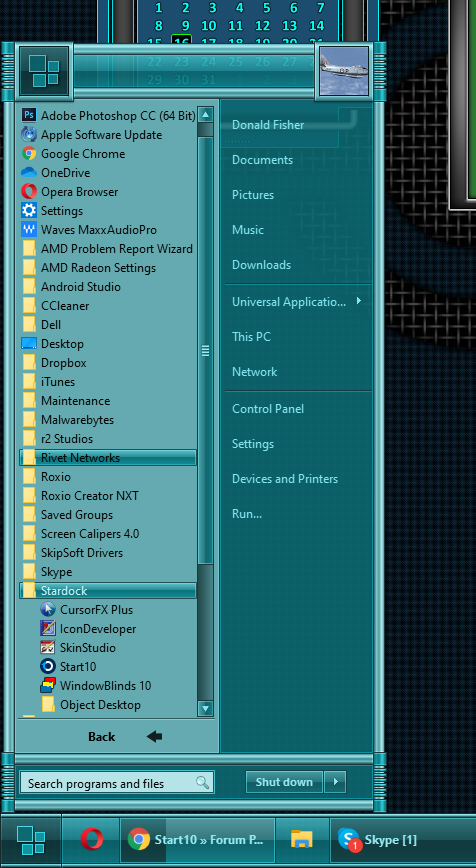
Don, you sly dog, you....


What hack made the skin you're running?    :P  

Reply #6 Top

Quoting DaveRI, reply 2

C:\Users\[UserName]\AppData\Roaming\Microsoft\Windows\Start Menu\Programs
Nope, missing.

Reply #7 Top

Do you have the Stardock folder here, with all the program shortcuts in it?:

C:\ProgramData\Microsoft\Windows\Start Menu\Programs\Stardock

If not, maybe see if it/they are in your recycle bin.

Reply #8 Top

or pull it from a backup

Reply #9 Top

Thanks Dave. I gave up on backups ( as for system backup ) when MS added the reset button.  I do keep all important things on separate storage drives, and redundancies as well.


Quoting DaveRI, reply 7

C:\ProgramData\Microsoft\Windows\Start Menu\Programs\Stardock
Only CursorFX is there.


Reply #10 Top

Jim what if you reinstall the programs again over top the one’s that are already there.

Reply #11 Top

That may work, Al. But I just made shortcuts and remade the folder.

On another note, could someone nudge a dev and see why the user image control in Start10 isn't working?

Reply #12 Top

Doesn't work on mine either. 

Reply #13 Top


Guys, for some reason, the Stardock folder is no longer in my all programs list in Start10.
Seems I'm missing a lot of shortcuts.

I ran a duplicate cleaner not too long ago, hhmmmmmm.....

Either that or AdvancedSystemCare.

Reply #14 Top

Jim, unless I misunderstood the whole thing, I think, you can create a shortcut on each Stardock software you have installed. And just drag that shortcuts into that folder. C:\ProgramData\Microsoft\Windows\Start Menu\Programs\Stardock. That should bring it back in your Start10 All Programs.

Thank you,

Basj
Stardock Community Assistant.

Reply #15 Top

Jaz, I did that already.

Quoting RedneckDude, reply 11

That may work, Al. But I just made shortcuts and remade the folder.