ANNOUNCING: SoundPackager 10 - Customize your Windows Sound Scheme

NEW SoundPackager 10 Beta available for current Object Desktop Members

Stardock Announces SoundPackager 10:
Customize the Windows Sound Scheme
NEW SoundPackager 10 Beta available for current Object Desktop Members
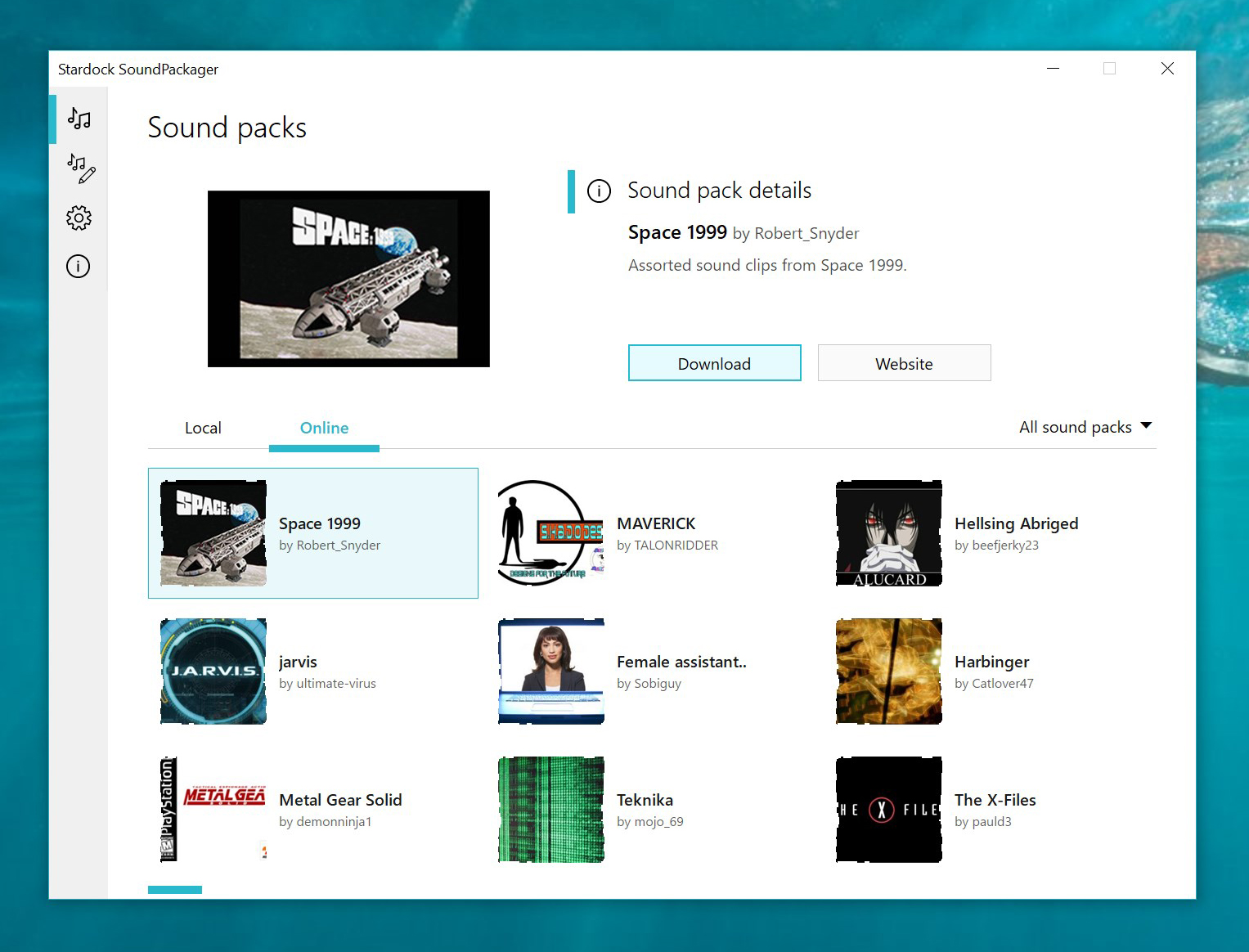
SoundPackager 10

Stardock announced the next-generation version of its Windows sound scheme manager, SoundPackager 10 today.

SoundPackager allows Windows users to instantly change the default sounds on their computer with themed sound schemes called sound packages. 

SoundPackager 10 adds cloud access to thousands of different sounds along with a number of all-new sound packages designed to give Windows users additional choices in how their PC sounds. Users can also create their own sound packages to share with others via an in-app editor.

"At this point we think a lot of Windows 10 users are ready for some variance in their PC sounds," said Brad Wardell, CEO of Stardock. "SoundPackager 10 not only includes several professionally produced alternative sound schemes for Windows, but also direct access to literally thousands of sounds created by users across the world."

SoundPackager will be released next month to all users for $4.99.  The beta version is available to subscribers of Stardock's' Windows enhancement suite, Object Desktop, now. Visit www.soundpackager.com to learn more.

15,440 views 10 replies
Reply #1 Top

By Installing the beta version Soundpackhelper.exe is blocked by Avira Antivirus with viruswarning, SoundPackager 10 is not working on my Windows 10 64 bits 1909 version so the only way is to uninstall, please what to do to install and use SoundPackager

Reply #2 Top

Quoting mikeskottke, reply 1

By Installing the beta version Soundpackhelper.exe is blocked by Avira Antivirus with viruswarning, SoundPackager 10 is not working on my Windows 10 64 bits 1909 version so the only way is to uninstall, please what to do to install and use SoundPackager

Hello,
I have forwarded your questions/problems to the Stardock Support team for their assistance. Please keep an eye on this thread for any updates. We appreciate you feedback and patience.

Thank You,
Basj
Stardock Community Assistant.

Reply #3 Top

Quoting mikeskottke, reply 1

By Installing the beta version Soundpackhelper.exe is blocked by Avira Antivirus with viruswarning, SoundPackager 10 is not working on my Windows 10 64 bits 1909 version so the only way is to uninstall, please what to do to install and use SoundPackager

If you temporarily disable your AV software, re-install, does it run/work then?

Sean Drohan
Stardock Support Manager

Reply #4 Top

"Stardock announced the next-generation version of its Windows sound scheme manager, SoundPackager 10 today.

SoundPackager allows Windows users to instantly change the default sounds on their computer with themed sound schemes called sound packages. "

It's working fine on Windows 10 build 1909 for me 5*  

Reply #5 Top

Where are the sounds stored? 

Reply #6 Top

Quoting RedneckDude, reply 5

Where are the sounds stored? 

Hello,

Follow this link C:\Users\your name\Documents\Stardock


AzDude
Stardock Community Assistant

Reply #9 Top

Thanks Mike!

Reply #10 Top

Quoting mikeskottke, reply 1

By Installing the beta version Soundpackhelper.exe is blocked by Avira Antivirus with viruswarning, SoundPackager 10 is not working on my Windows 10 64 bits 1909 version so the only way is to uninstall, please what to do to install and use SoundPackager

You should disable antivirus software and firewall before installing.