Icon selection and fences alignment issues

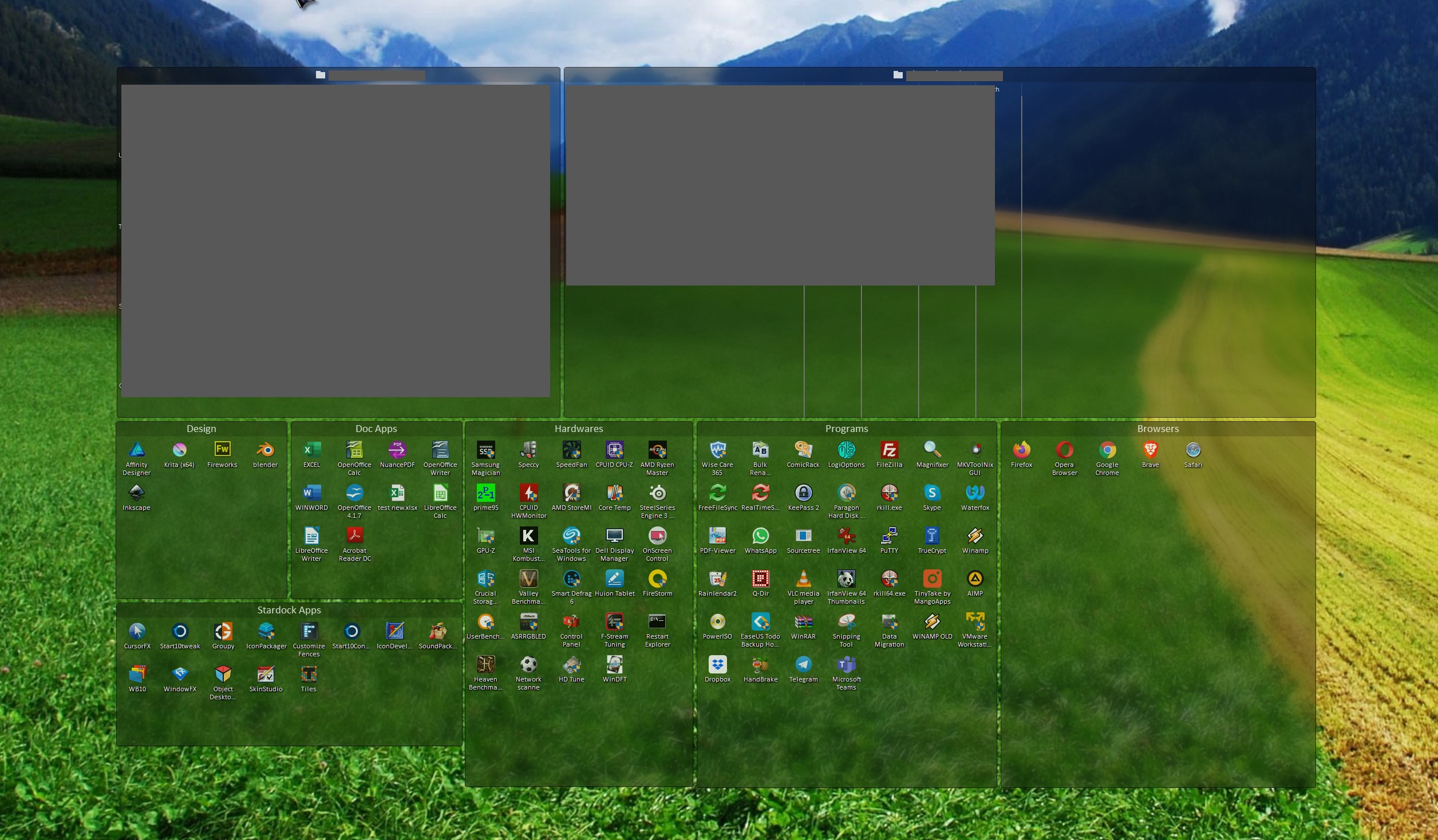
Using Fences 3.0.8.11 on Windows 10 1909. Came to report two issues. In the currect setup of fences I just created after having installed Windows when I tried to select all icons in the left fence the first icon on the left side does not get selected. Trying to resize fence didn't help.

https://i.imgur.com/E67qNDd.png

Also the two bottom fences size cannot be aligned. When I try to resize either of the moving the bottom edge it snaps slightly below or above the bottom of the other one.

https://i.imgur.com/YywC8tz.png

https://i.imgur.com/I8R9Zkd.png


38,578 views 17 replies
Reply #1 Top

Hello,
Sorry to hear you are having issues. If you set those icons too small some of it will over laps and that, I think, is the issue. Try to set bigger Icons size. That should solve the selection issue.

and on those fences not align nicely, try set the snapping/spacing option on the Layout & snapping as s/shot below.

and try to set the icons size of your portal fence and normal fence the same size.

If it still don't work. You might need to reboot the system.

Try it and report back.

Thanks

Basj,
Stardock Community Assistant.

Reply #2 Top

Yes, inceasing icon size solve selection issue. Kinds of annoying though that I can't keep them as small as I would like to.

When adjusting icon size in portal fence I can't tell when is it exactly same as in normal fences. Tried multiple variations, neither made both fences snap same way.

If I untick "Keep Fences sized to even multiples of icons" there is no snapping and I can adjust size of fences to be roughly equal. However I will proably will keep this enabled to have snapping as adjusting size without that is kind of inconvenient.

Rebooting doesn't change anything.

Temporarily untoggling snapping and adjusting fence size is ok workaround, but I would still consider this case of poor usabilty that deserves to be fixed / improved.

Reply #3 Top

Not really sure why you have issue but on mine I can setup it perfectly and it line up as what I wish.

Here a sample from my Fences Desktop Page

Would like to know more of your system.

1) Windows version. Please use Winver.exe for full version numbers.

2) Fences version.

Thank you,

Basj
Stardock Community Assistant.


Reply #4 Top

Windows 10 1909 (OS Build 18363.535), completely fresh install, full updated. Fences 3.0.8.11 (latest version).

Reply #5 Top

Need also information on

1) Monitor/s setup. Resolution, scaling, connection type on each monitors.

Thank you,

Basj
Stardock Community Assistant.

Reply #8 Top

I don't see anything relevant in the article you posted. I have not observed any issues relating to multiple monitors. I have fences only on main display and they appear and behave same disregarding how many dispays are connected.

Reply #9 Top

Hello,
I have forwarded your questions/problems to the Stardock Support team for their assistance. Please keep an eye on this thread for any updates. We appreciate you feedback and patience.

Thank You,
Basj
Stardock Community Assistant.

Reply #10 Top

You can keep snapping enabled in the configuration, but if you need to adjust the size of a fence you can just hold down Shift while resizing and that will temporarily disable snapping.

+1 Loading…
Reply #12 Top

Has there been any effort to address the icon size choice and its impact on the ability to select all the icons in a given fence? I saw the YouTube solution posted above to use 'medium' or above icon sizes, but I want to keep the 'classic' size icons so I can see everything on screen at once. The end result is the same as the OP in that I can't highlight the icons on the left side of any fence.

I upgraded to Fence 4 in hopes that this issue would be resolved, but I'm still having the same issue.

Reply #13 Top

Quoting aesics, reply 12

Has there been any effort to address the icon size choice and its impact on the ability to select all the icons in a given fence? I saw the YouTube solution posted above to use 'medium' or above icon sizes, but I want to keep the 'classic' size icons so I can see everything on screen at once. The end result is the same as the OP in that I can't highlight the icons on the left side of any fence.

I upgraded to Fence 4 in hopes that this issue would be resolved, but I'm still having the same issue.

Hello,
Sorry to hear you are having issues. Need to know few things.

  1. You on Windows 10 or 11? Also need its full version number. Use Winver.exe to get that.
  2. Fences 4 v number?
  3. Screen resolution and Scaling applied(100%,125% etc)
  4. A screenshot of your issue also would help.

Thanks
Basj,
Stardock Community Assistant.

Reply #14 Top

Hi Basj,

  1. Windows 10 Version 20H2 OS Build 19042.630
  2. Fences 4.10
  3. Resolution 1920x1080 and 100% scale. Same issue on both monitors with the same display settings.
  4. Two screenshots are included. The left picture is at 100% scale, whereas the right picture is at 125% scale. In both pictures, I'm attempting to highlight and select all of the icons inside the fence at once. When using 100% scale, the left-most icons on each row are not included in the selection. I have to manually add them to the selection. When using 125% scale, all icons are selected. 

The issue exists no matter the size of the fence (i.e., number of icons inside the fence) and the same happens on both monitors.

The obvious solution is to simply use 125% scale; however, I prefer the 100% scale. 

Reply #15 Top

Hello,

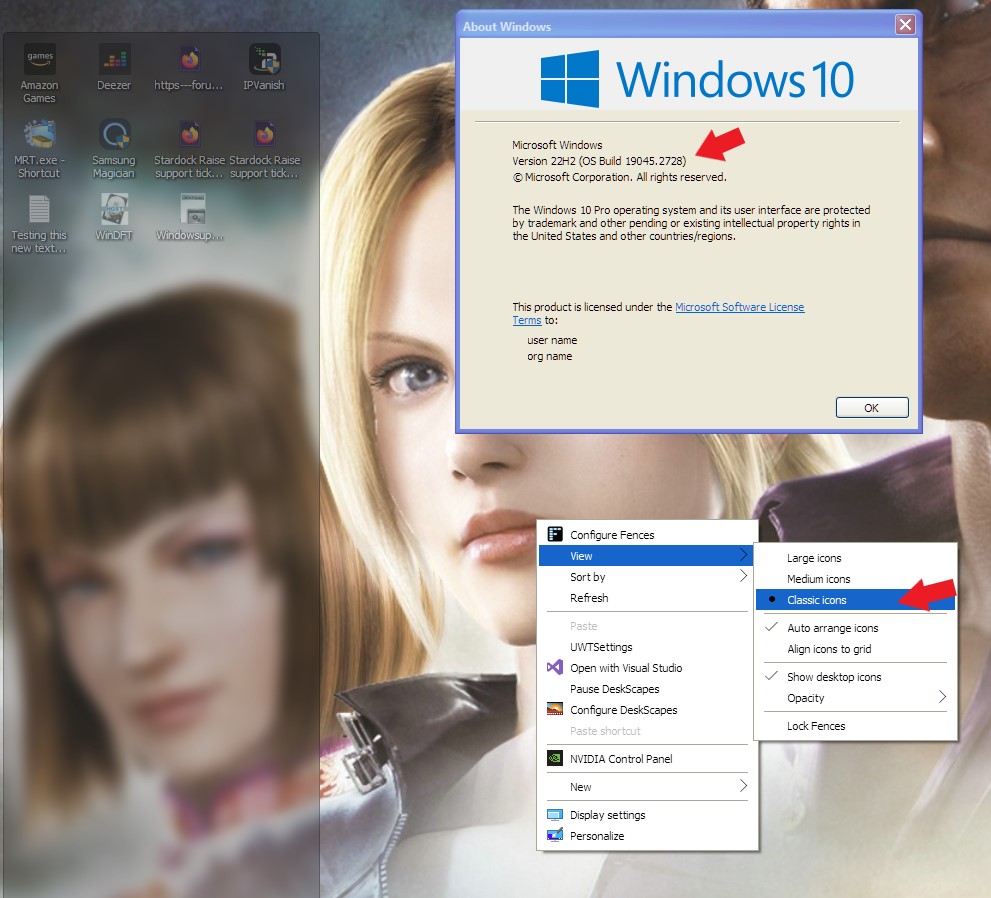
First, would like to suggest you to update your Windows 10 to the latest Windows 10 22H2 (OS Build 19045.2728).

Here is what I get on my system. Monitor is 4k but scaling is at 100%. Tested on 1920x1200 monitor with 100% scaling. Also same result.

All icons are selected without issue. Icon size is at "Classic Icons". So first try updates your Windows reboot, retest and report back.

Also, check this post: https://forums.stardock.com/500690/get;3868871. Check if iconspacing and iconverticalspacing have not been change to some other value. (-1125) : -1125 is what I saw on my current system.

Thank you,

Basj,
Stardock Community Assistant


Reply #16 Top

Updating to Windows 10 22H2 did not address the issue, but it seems resolved after changing iconspacing from -1125 to -1135. 

Thanks for linking to the solution.

Reply #17 Top

Great, glad to hear that.

Thank you,

Basj,
Stardock Community Assistant