Can't activate Object Desktop

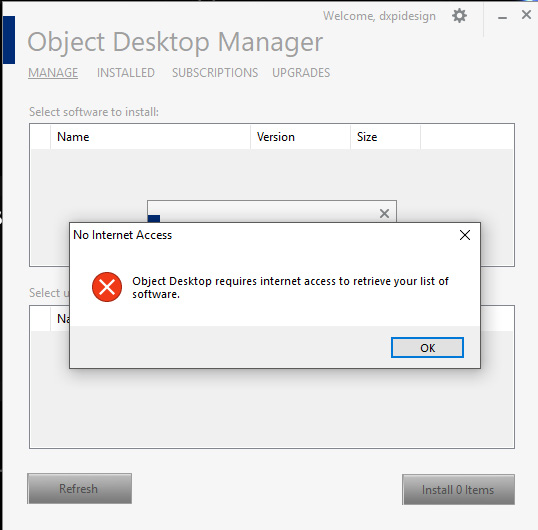
I'm having trouble activating the programs included in Object Desktop.  The Object Desktop Manager appears to have installed correctly, but when I open it, I only get an error message saying "Object Desktop requires internet access to retrieve your list of software."  I definitely have internet access and a solid connection.   The activation advice on your FAQ pages did not help with Object Desktop, as there does not seem to be any means do a manual or offline activation using the Object Desktop Manager (at least not that I've found). 

Please advise.
5,012 views 5 replies
Reply #2 Top

I have my product key, and I've already gone through that link prior to posting here.  I'm not seeing anywhere to enter my product key.  This is what I'm seeing:  

Object Desktop Error

Reply #3 Top

I would recommend just downloading the installers directly from your account.

http://download.stardock.com


Reply #4 Top

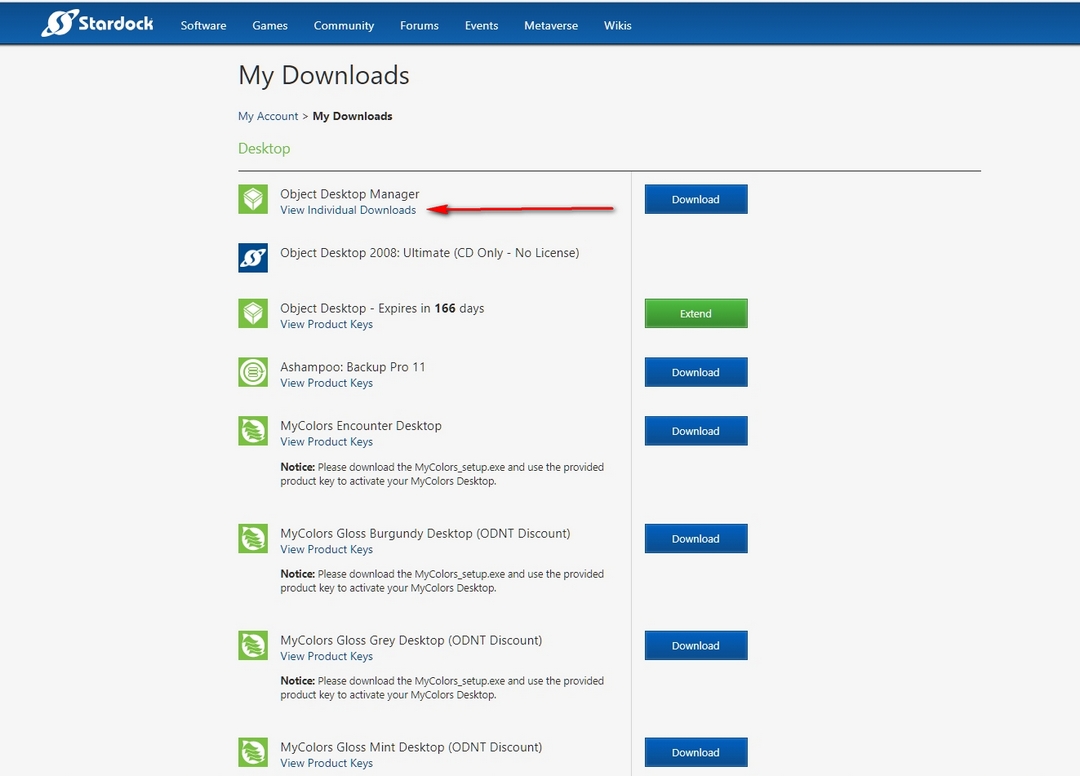
At first I didn't understand what you where suggesting since I had already downloaded the Object Desktop Manager, which is the only product that shows up next to a download button on the "My Downloads" page.  However, this time I noticed the "View Individual Downloads" link underneath, which reveals links for all the individual products included in the suite.

I tried downloading Fences, using the individual download link, and that appears to have worked.  It's a bit annoying to have to download each individual piece of software in this way, but at least it looks like it will work.

Thank you for the assistance.   This is my first time purchasing Stardock products, and so far the experience has been rather frustrating.  If I can provide any further information to help identify the problem with Object Desktop Manager, then let me know.  It would be nice if this program could be fixed so that it worked properly.