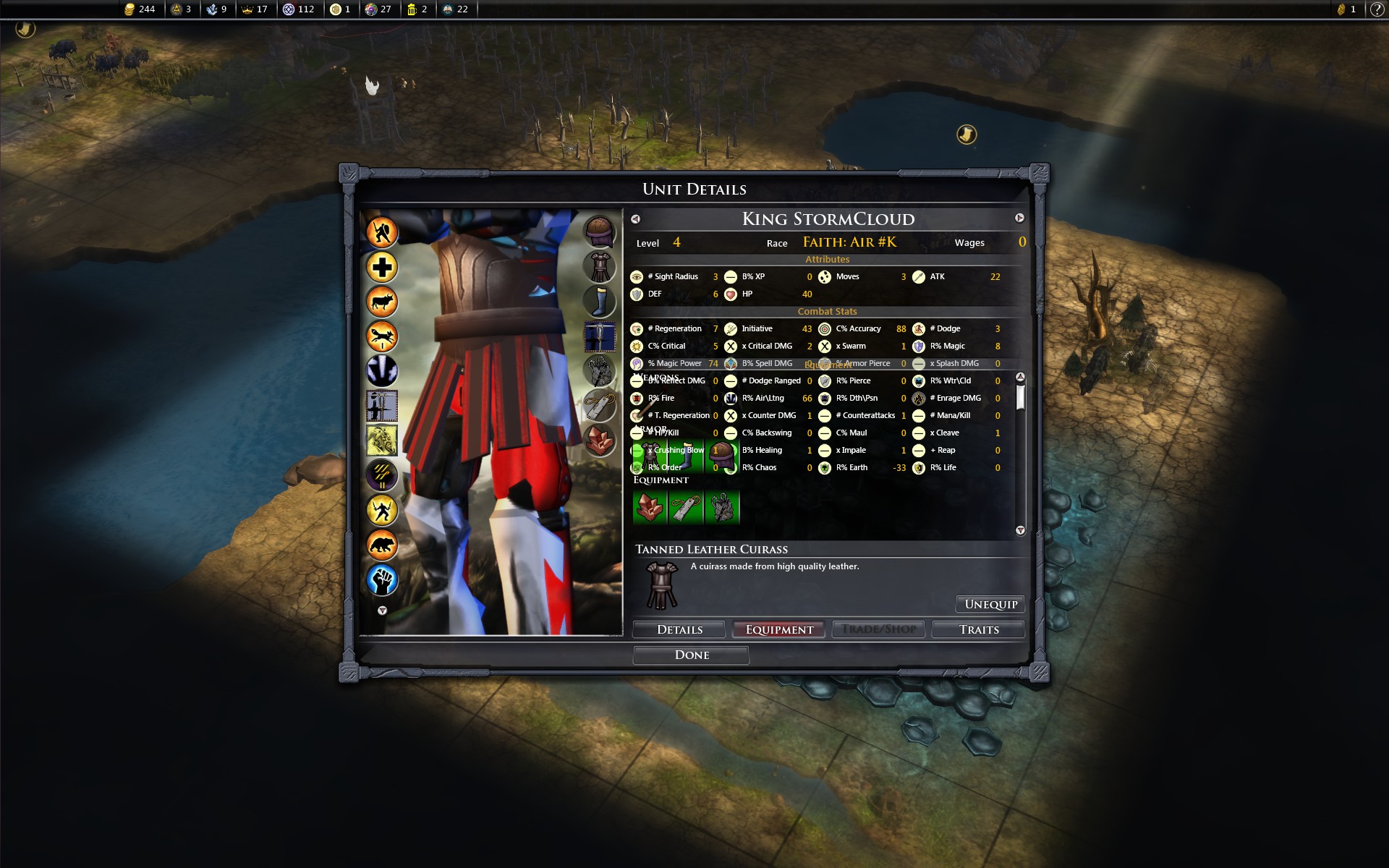
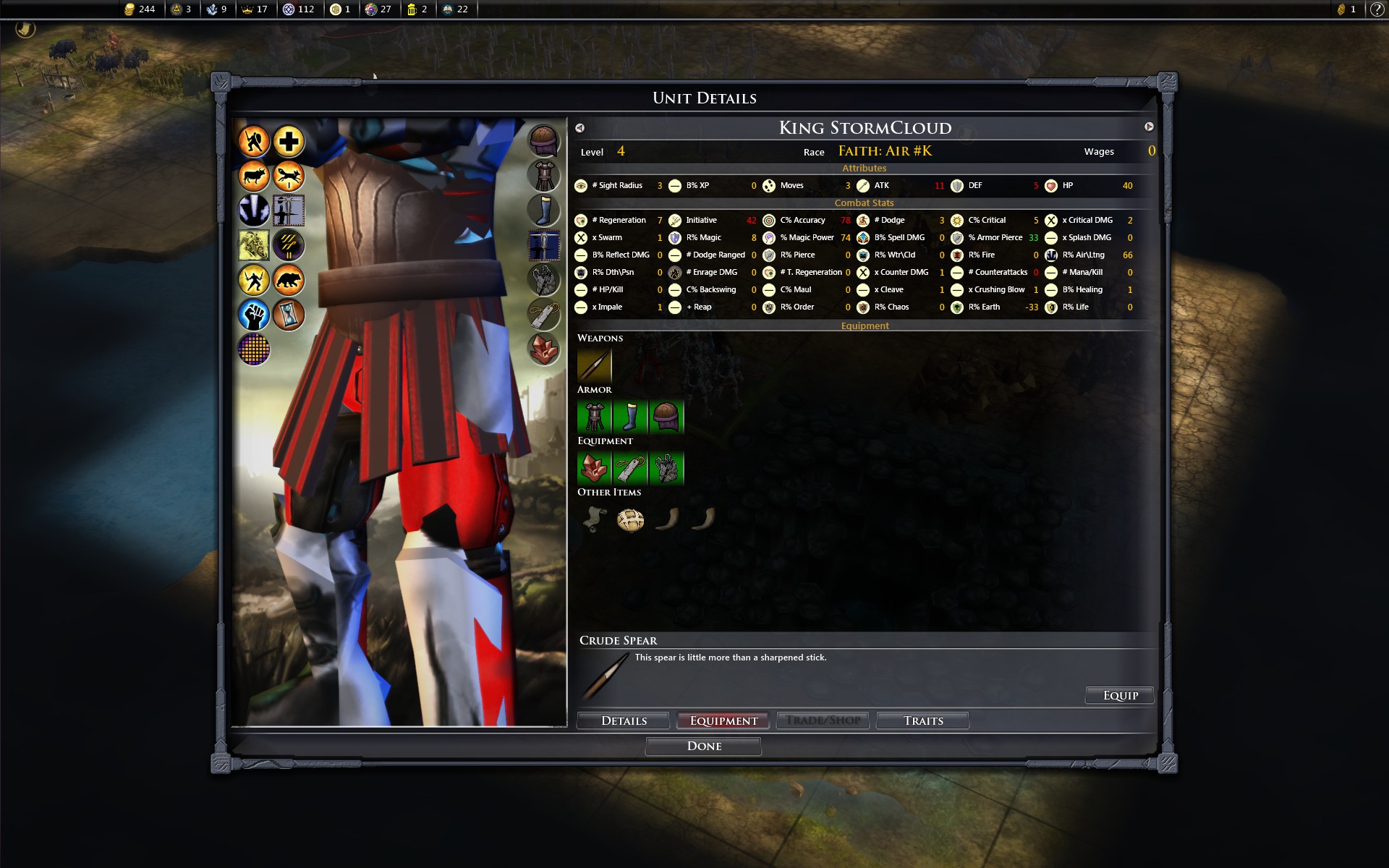
Unit equipment screen

Spillover issue

I can't seem to resolve the spillover issue on my system. I have installed the mod along with CoS, Bazaar, etc, and believe I followed the installation directions to the letter. I have also read A10 and M4 in the userguide text file and have tried all the different dxpacks to no avail. Modding the xml file which I opened leaves me not knowing where to start.

Is my problem more basic? In other words my default resolution i s 1920 x 1200. Does this need to be changed to 1024 x768 in order to match that dxpack? The larger packs do not appear to match exactly any of my display resolution options. I would like to use my default resolution or 1920 x 1080, if possible.

If that is not the issue, what specific Unitstat do I need to change?

Thanks for any help.

34,550 views 11 replies
Reply #1 Top

Hey,

Guessing this is for XtraDeconstruct...

To prevent spillover, you need to use either the 1380 x 1020 set or the 1550 x 1020 set.

I would recommend using the version I'm using (1550 x 1020), which is found, among others, in the XW_1920x1080_Primal directory.


You need to move ALL the .dxpack files from the selected MOD Directory:

...\Documents\My Games\LegendaryHeroes\Mods\XtraDeconstruct\XW_1920x1080_Primal\


To the Core Directory:

C:\Program Files (x86)\Steam\steamapps\common\FE Legendary Heroes\screens\


If/When asked what to do, click "Copy and Replace".


BEFORE

AFTER

(thanks BlackSmokeDMax for pics!)

Reply #2 Top

OK, thanks, but I still have the problem. I had not previously moved the files from XW_1920x1080_Primal directory to Screens, but had moved the the dxpack files from 1550 x 1020. If I understand your directions, moving the Primal directory would have the effect of overwriting the files I had already moved as per instructions in the userGuide.

Sorry to be so thick about all of this. Obviously it works on your system, so it should work on mine. Perhaps I need to do a re-install at this point.

Reply #3 Top

I don't think you need to reinstall (just yet anyway). A common mistake, or at least one I've seen a few times, is users moving the dxpack to the wrong screens folder (There's two such folders, one in the Mods directory and one in the Program Files directory).

If the game is still using the original dxpack rather than the modded dxpack, then the modded files aren't being moved/copied to the right folder. The modded dxpack must "physically" overwrite the original dxpack. At that point, it won't be possible for the original dxpack to load in-game, because they won't exist anymore (backup dxpack are included with the mod files).

So... there is a Screens subdirectory in the Mods directory, this is NOT the place to move the files.

...\Documents\My Games\LegendaryHeroes\Mods\Screens\

You need to move the dxpack files from the Mods folder to the Program Files folder (Assuming you have installed LH in the default folder):

C:\Program Files (x86)\Steam\steamapps\common\FE Legendary Heroes\screens\

Then, restart LH and you should be using the new dxpack.

If you've copied all the files from the XW_1920x1080_Primal folder, you should see the new interface right when you click New Game and select a Sovereign (Should be a list of 21 Sovereigns on the left instead of the original list/interface of 10 Sovereigns).

Reply #4 Top

I appreciate your patience.

In spite of your detailed explanation, I still have the same problem. I'm sure now that I have moved the files as you specify.

However, if one moves the Primal 1920 x 1080, I presume it is not necessary to move the 1550 dxpack as outlined in the text guide, and so the Screens folder in the Documents subs can remain empty? 

Incidentally, I have a list of 41 Sovereigns. Should that tell me that my install is duplicated and screwy?

In the end, I suppose I can live with this overlap since it is mostly cosmetic. I thought it would be easier to fix than it is turning out.

One last point...relating to versions: Since I am using the Steam FE: LH, it is version 2.0, so is that compatible with the Xtradeconstruct with CoS, Black Market, and Champion Bonanza as available on nexusmods?

Thanks again.


Reply #5 Top

The Screens folder in the Documents subs always remains empty as dxpack files are moved/copied to the core (local) folder.

You are correct that if one does the steps outlined in "H1. (UI\Optional) - XW_1920x1080_Primal", one can skip section "H10. (UI) - XW_UnitDetailsWnd"

There are 41 Sovereigns, but the original ChooseSovereignWnd.dxpack only shows the first 10 using 2x5 columns (and then you can scroll down to see the rest). The modded ChooseSovereignWnd.dxpack shows the first 21 using 3x7 columns (and then you can scroll down to see the rest).

Black Market Bazaar 2.1 and XtraDeconstruct 2.0.p. are only compatible w/ FELH 2.0. Champion Bonanza is for the most part, version agnostic. Children of Storm 1.8.c. is compatible w/ FELH 1.8, but it's playable w/ FELH 2.0 (Additionally, I've done some work through XtraDeconstruct files to make Children of Storm fully compatible w/ FELH 2.0). In summary, the BMB+CB+CoS+χD package is fully compatible w/ FELH 2.0.

Finally, the dxpack issue is, indeed, only cosmetic and if you can live with it you can live with it, but it should also be easy to fix (Cut & Paste) and I'm really not sure what's wrong here. However, I'm more concerned about other issues; step 2. of "A1. (XtraDeconstruct) - Full Download Installation Instructions" has you moving XML files to the Program Files folder and the mod won't work properly if the files aren't moved to the right folder. What I mean by that, is if the dxpack files you moved aren't doing anything, then I suspect the XML files you moved in step 2. aren't doing anything either. If that's the case, the mod won't work properly... So it's my turn to ask questions:

1. Is your FELH installed in the default folder?

C:\Program Files (x86)\Steam\steamapps\common\FE Legendary Heroes\

2. How many dxpack files do you have in the screens folder?

C:\Program Files (x86)\Steam\steamapps\common\FE Legendary Heroes\screens\

3. In the screens folder (see above reference), (a.) delete ChooseSovereignWnd.dxpack , (b.) then start FELH, (c.) then click "New Game". What do you see? (Alt-F4 if needed).

Reply #6 Top

Hi again;

In answer to your questions:

1. It is in E:\Steam\... Does that matter for purposes of what we are assessing? C: drive is my  SSD that I use mostly for my OS and such, and E  is my drive with quite a large library of games, including FE:LH

2. I have 341 files in Screens.

3. I deleted the file you identified, restarted the game, and everything started as normal...41 Sovereigns. Now, I didn't create a new Sovereign yet.

Is that helpful info?

Your interest is very much appreciated, and yes, I did follow the guide text to the letter.

Foster Loucks (LeotheJust

Reply #7 Top

Quoting fosterloucks, reply 6

1. It is in E:\Steam\... Does that matter for purposes of what we are assessing? C: drive is my  SSD that I use mostly for my OS and such, and E  is my drive with quite a large library of games, including FE:LH

Yes, there is at least one known issue with mods (STR files) when FELH is installed in a custom directory, see, in A_UserGuide.txt:

43. Some Tooltips are displaying 'string not found', is that suppose to happen?

It appears the DXPACK files are also problematic and, unfortunately, I don't know if that's the only other issue.

Quoting fosterloucks, reply 6
I deleted the file you identified, restarted the game, and everything started as normal...41 Sovereigns. Now, I didn't create a new Sovereign yet.

O.k., I think this might work.

1. Restore ChooseSovereignWnd.dxpack that you previously deleted.

2. Delete everything that is found in (not sure if that folder will be found on your E drive or C drive):

C:\ProgramData\Stardock\Elemental - Legendary Heroes\Screens\

Quoting fosterloucks, reply 6
Is that helpful info?

Your interest is very much appreciated, and yes, I did follow the guide text to the letter.

Foster Loucks (LeotheJust)

It is, but given my set up is on the C:\ drive, it will be difficult for me to come up with solutions and it might be difficult for you to spot issues since you don't know what the mod is supposed to look like or do. At any rate, let's see if the above fixes your DXPACK issue.

Also, is your ...\Documents\My Games\LegendaryHeroes\Mods\ found on your C drive or on your E drive?

Reply #8 Top

Interim reply:

I have seen quite a few references to 'string not found' and thought that sounded like an issue and the hashtags as well, I believe.

My documents\... are on my C: drive.

I obviously didn't read 43.

Update:

Success!!!! Wow, I can't believe it. Seems to change quite a bit of the appearance of Unit screens. I also took a quick peek for 'string not found' and didn't see any; mostly they were in the Spells text as I recall.

Look, thanks very much, makes a huge difference in the playability cosmetics. I can only hope that perhaps there was some value for you/others going forward.

Cheers, you're a star!


Reply #9 Top

Quoting fosterloucks, reply 8
...Update:

Success!!!! Wow, I can't believe it. Seems to change quite a bit of the appearance of Unit screens. I also took a quick peek for 'string not found' and didn't see any; mostly they were in the Spells text as I recall.

Look, thanks very much, makes a huge difference in the playability cosmetics. I can only hope that perhaps there was some value for you/others going forward.

Cheers, you're a star!

Awesome! :thumbsup:

I'll probably expand the FAQ and/or H10 to include that info, so yes, was certainly useful to bring up the problem.

Reply #10 Top

So you just deleted everything in: C:\ProgramData\Stardock\Elemental - Legendary Heroes\Screens\ ?

Who knows maybe this will help some missing images as i also had some "strings not found" (also have it installed on other disc, not c:/).

I checked that i already have this file ChooseSovereignWnd.dxpack in: D:\games\Steam\SteamApps\common\FE Legendary Heroes\screens

Reply #11 Top

When FELH is installed in a custom directory, rather than the default directory:

1. Installing the new UI DXPACK files as explained in A_UserGuide.txt sections H1 to H10 and then deleting everything in C:\ProgramData\Stardock\Elemental - Legendary Heroes\Screens\ fixes the UI issues.

2. Moving the STR file, as explained in A_UserGuide.txt FAQ #43 fixes the 'string not found' issue.

3. Missing images is not related to having FELH installed in a custom directory, I will explain what you need to do in XtraDeconstruct thread.

4. Not directed at you nor at the OP, but I think subsequent XtraDeconstruct users/posters ought to post in XtraDeconstruct thread for help re: XtraDeconstruct, even regarding the subject at hand.

https://forums.elementalgame.com/451107/page/82/#2026