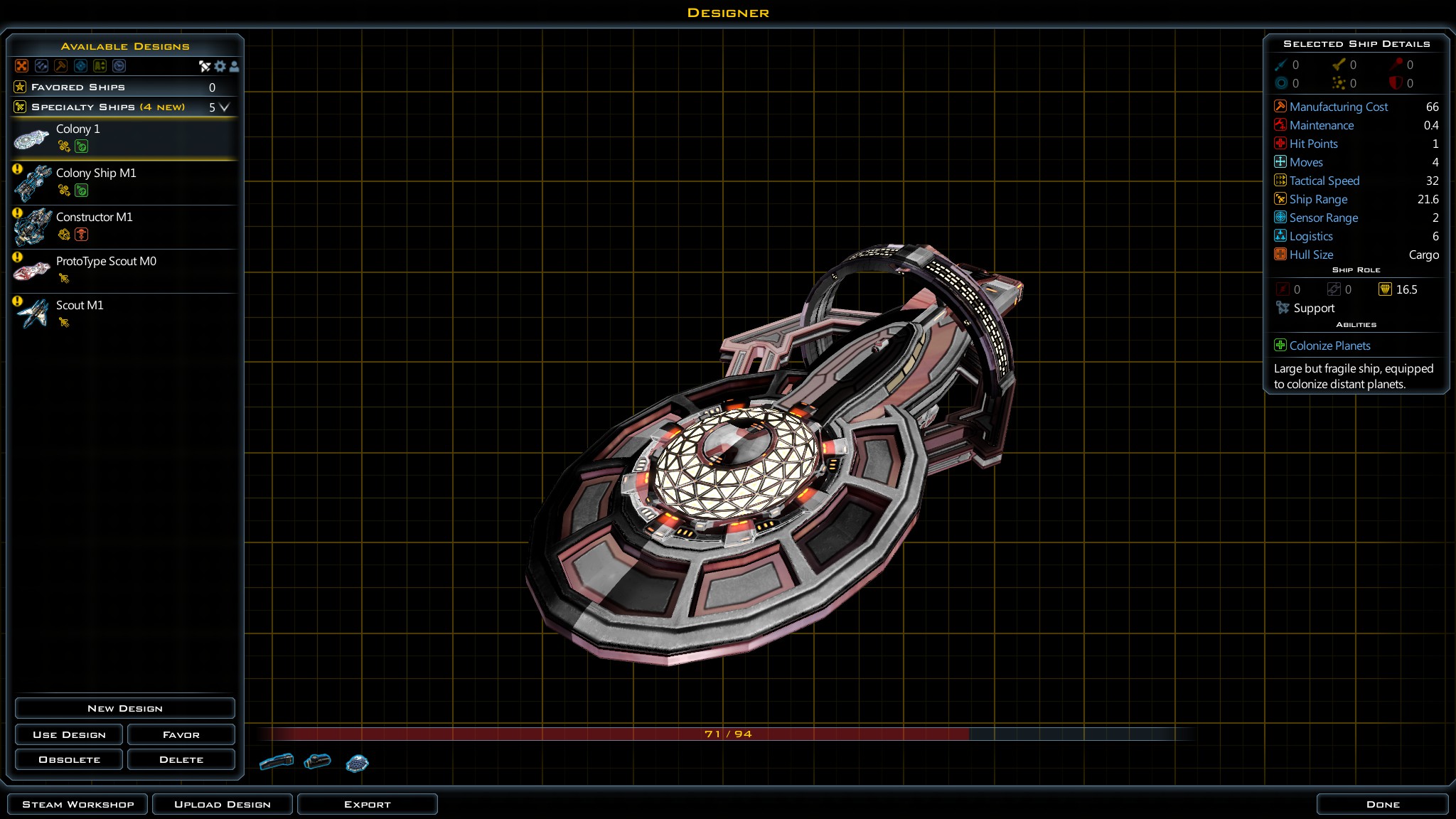
For some reason, all my ship parts are extremely shiny and the contrast is all messed up.  No matter what material i use (i've tried them all).

Ship parts come out looking like this:

28,496 views 8 replies
Reply #1 Top

Maybe your video card/drivers your screen shot looks normal to me?

Reply #2 Top

That looks normal to you? You don't see the sharp constrast between the left and right parts? There's a line going down the dead center of it where one side is deeply shadows and the other is not.

Reply #3 Top

I do not see such a sharp difference in the two halves in your screenshot.  There is some shadowing due to light source being on the right, but it looks like it would change if you rotated the ship.  And that doesn't match your description.  The "panels" have some dark panels, but I don't know if that is supposed to be there or not.  Should the entire saucer section be light grey with red trim?

You could post the ship on the Steam Workshop.  Then post a link.  It could be subscribed to and looked at on another screen.  Then a comparison screenshot could be posted.

Also, I do not consider that ship "shiny".  I have a deliberately shiny and reflective surface.  The result is a garish changing multicolored ship from reflecting the background colors from whatever skybox your ship is in.  If you get close up, you can see background stars in the reflections.  Now, that's shiny!  ;)


Reply #4 Top

Ulfsark9 - I have the same problem as your screenshot. Additionally, when zoomed out, that harsh contrast puts the ship completely in shadow (black). The light and gloss effects are not working properly.

I don't think its a video card/driver issue, because they used to look good. My issues started after updating to 1.9. Do you use DirectX 10 or 11?

Reply #5 Top

My card is dx11 capable, though i'm not sure if i'm using it or not. How would I check?

Reply #6 Top

If your card is nvidia you can check the processor i the control panel.

Reply #7 Top

Quoting Ulfsark9, reply 5

My card is dx11 capable, though i'm not sure if i'm using it or not. How would I check?

Click Start, and then click Run.
Type dxdiag and then click OK.
On the System tab, note the version of DirectX that is displayed on the DirectX Version line.

Reply #8 Top

I know my card itself is using DX11, i'm talking about the game though. I'm not sure if the game is running in DX11 mode.