Get Ready for the Creators Update with v10.6 of WindowBlinds!

WindowBlinds v10.6 Update Includes Creators Update Support,
High DPI Improvements, and More 
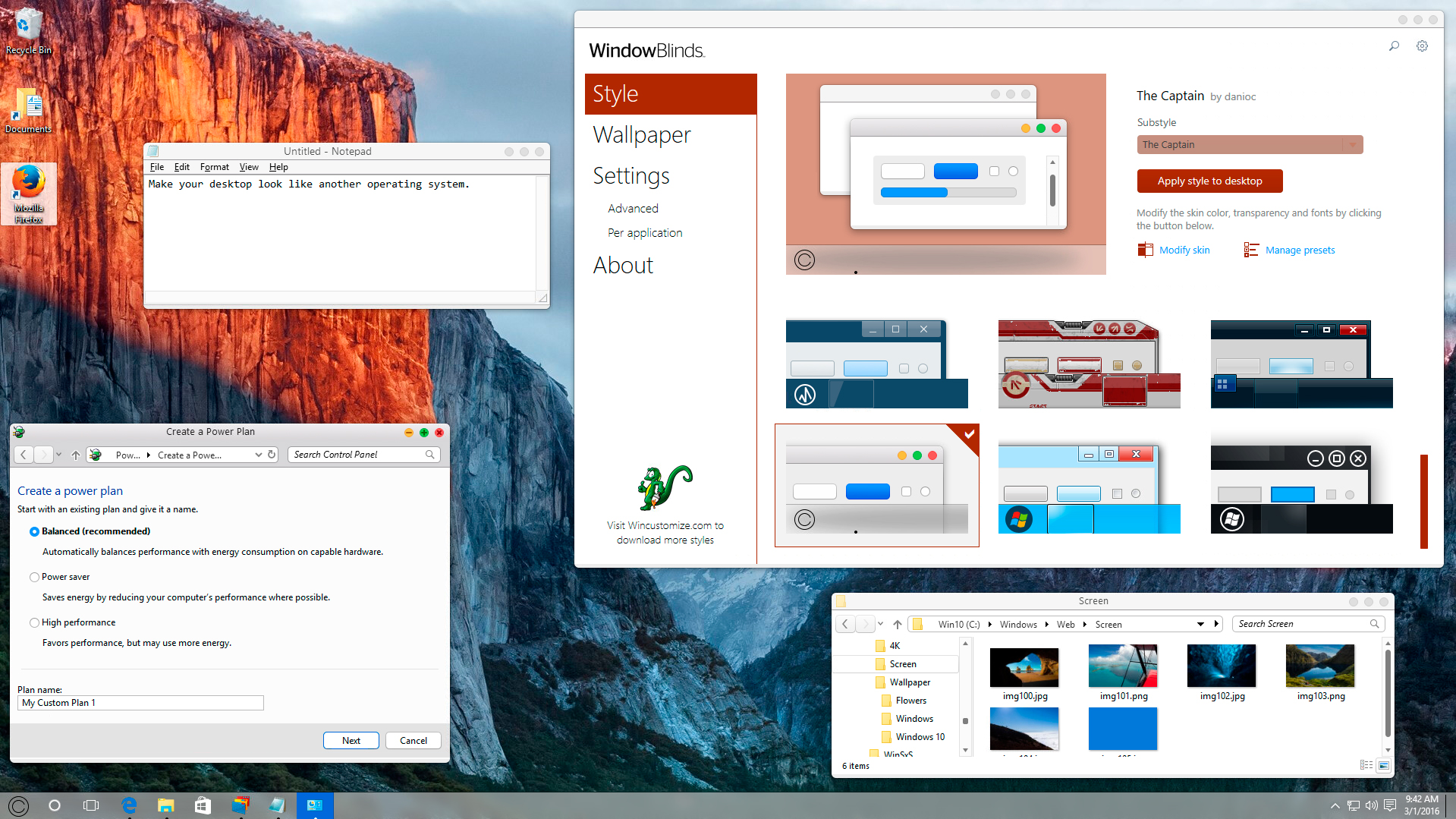
Buy WindowBlinds 10 now


WindowBlinds is known for seamlessly applying skins to Microsoft Windows. Now, as the Creators update draws near, WindowBlinds is ready.  

In addition to compatibility updates for the Creators update, WindowBlinds 10.6 also has performance improvements that will enhance windows' resizing on lower-end PCs and PCs with high DPI.

WindowBlinds 10.6 includes compatibility fixes which build upon the enhancements from 10.5 to include:

  • Mixed mode DPI - Skins scale up to look great
  • Apply skins to Universal applications
  • Blur the area behind skinned areas - Check out the Modern skin!
  • Skin OS ribbon controls and blend in better with titlebars
  • Completely hide the Windows Explorer ribbon
  • Match the system accent color to the applied skin
  •  SkinStudio update - Support for high-DPI skin files


Get WindowBlinds 10 for just $9.99!
For more information about WindowBlinds, please visit www.windowblinds.net 
 
Object Desktop owners get WindowBlinds 10 for free!
Get WindowBlinds along with other popular Stardock apps like Fences and DeskScapes
by joining the Object Desktop service. Learn more here.
91,471 views 21 replies
Reply #1 Top

Just downloaded the ISO for the Creators update. Trying now to put it on a USB. That sucker is 4 gigs heavy!

Reply #2 Top

Got rid of the glitch I had on the previous versions on Win 8.1. We'll see if it comes back. :thumbsup:

Reply #3 Top

Works nice with the creators update I must say so far no glitches or other stuff that could go wrong :) :thumbsup:

Reply #4 Top

10.6 seems to be pure cancer for my Windows 7 Ult machine.

Literally every program started to crash in succession and would crash instantly upon trying to reload them (even Explorer, and even WindowBlinds Config!). They did so again when I restarted, up until I uninstalled it. I guess I should try going back to 10.5 for now.

Reply #5 Top

I set my browser to visit the forums by HTTPS but you completely messed up in your image embeds by making them plaintext HTTP.  Please try to fix this.

Reply #6 Top

WindowBlinds 10 was designed to work with Windows 10. There may be conflicts between WB10 and Win7 because of the changes made to WB. A suggestion.

+1 Loading…
Reply #7 Top

Quoting Uvah, reply 6

WindowBlinds 10 was designed to work with Windows 10. There may be conflicts between WB10 and Win7 because of the changes made to WB. A suggestion.

WindowBlinds 10 is designed to work on Windows 7, 8/8.1 and 10.

Reply #8 Top

Quoting TryingToCustomize, reply 4

10.6 seems to be pure cancer for my Windows 7 Ult machine.

Literally every program started to crash in succession and would crash instantly upon trying to reload them (even Explorer, and even WindowBlinds Config!). They did so again when I restarted, up until I uninstalled it. I guess I should try going back to 10.5 for now.

That is not expected or normal.  Did you uninstall 10.5 reboot and then install 10.6, or did you install 10.6 directly over WB10.5?

Reply #9 Top

I had to go back too.

Win 8.1 Pro 64 (Laptop and Desktop occurs on both)

With WB10.6 using IE or Chrome, when right clicking on picture and choosing "Save picture as" explorer opens Picture folder and explorer freezes. Have to use Task Manager to close it out. Happen with the last 2 beta versions.

I have WB10.51 working flawlessly on both.


Reply #10 Top

Windows Blinds 10.6 working well on Windows 10 Pro Insider Preview, Build 15063.11

(very few minor glitches)

Reply #11 Top

Quoting ALMonty, reply 9

I had to go back too.

Win 8.1 Pro 64 (Laptop and Desktop occurs on both)

With WB10.6 using IE or Chrome, when right clicking on picture and choosing "Save picture as" explorer opens Picture folder and explorer freezes. Have to use Task Manager to close it out. Happen with the last 2 beta versions.

I have WB10.51 working flawlessly on both.


It would have been helpful if you had reported this to us in the beta so we could address this for the release.

What skin are you using and are you using anything that removes the ribbon from Windows explorer?

Reply #12 Top

Yes Neil I should have reported this sooner, sorry about that. The last 2 versions were put out close together and I waited for 10.6 to see if it fixed it.

 I'm using OldNewExplorer to remove the ribbon. This happens on all skins, but not the Default Win8 style. If you think OldNewExplorer is the problem I will disable it and install 10.6 again.

Reply #13 Top

Neil I uninstalled OldNewExplorer and reinstalled WB10.6, still doing it. The Explorer window that pops up is just a regular window with no ribbon.

As I'm writing this I disabled the ribbon with WB and it's still there, unless it's for Win10 users.

Reply #14 Top

Quoting Neil, reply 8

That is not expected or normal.  Did you uninstall 10.5 reboot and then install 10.6, or did you install 10.6 directly over WB10.5?

Ah. I wasn't aware this was necessary. The installer didn't attempt to uninstall 10.5 first, and the thread didn't tell me I needed to do that either. I'll give it another shot, but perhaps the installer could warn the user of this in future?

Reply #15 Top

Quoting ALMonty, reply 13

Neil I uninstalled OldNewExplorer and reinstalled WB10.6, still doing it. The Explorer window that pops up is just a regular window with no ribbon.

As I'm writing this I disabled the ribbon with WB and it's still there, unless it's for Win10 users.

I just tried this out with 8.1 Pro and WB 10.6 and unfortunately nothing is hanging.  I can save files perfectly.  You may want to open a support ticket so support can track down whats different between your install and my install.

The feature to disable the ribbon works on Windows 8 too.  It only works on newly opened explorer windows after you apply the change in WB.

Reply #16 Top

Beware Win 10 update with Windowblinds 10.5 installed!!!

Ended up with no desktop and needed to uninstall Windowblinds. It pretended to be version 10.6 when I checked it but said it was improperly installed. When I selected a dialog box to repair it destroyed the desktop instead. Pretty upset with the lack of compatibility and the app not even seeing a newer version when checking with 10.5 installed!

FAIL 

Reply #17 Top

As was mentioned before, at the login screen, press ALT and hold down SHIFT to prevent WindowBlinds from loading at boot. Uninstall WindowBlinds 10.5, reboot then install version 10.6. Reboot again and you should be good to go. Hope this helps. 

Reply #18 Top

Quoting Uvah, reply 17

As was mentioned before, at the login screen, press ALT and hold down SHIFT to prevent WindowBlinds from loading at boot. Uninstall WindowBlinds 10.5, reboot then install version 10.6. Reboot again and you should be good to go. Hope this helps. 

This is not correct.

Holding [Ctrl] during log in will disable WindowBlinds.

Reply #19 Top

Quoting ZubaZ, reply 18

This is not correct.

I know, I just realized it. Sorry... :blush:

Its holding down [Ctrl] while pressing [Enter]

Reply #20 Top

I have Windowblinds 10.5 on two computers. Tried installing the creator's update on my desktop and got the black screen after entering my password. You all are talking about Windowblinds 10.6 My blinds says there is no update available. Where are you getting 10.6 from?

Reply #21 Top

Quoting larry2004, reply 20

Where are you getting 10.6 from?
http://storage.stardock.com/files/current/WindowBlinds_10.6_setup_sd.exe 

Uninstall, reboot, and install.