Island Dog Island Dog

WindowBlinds 10 Beta with Windows 10 Support Available for Object Desktop Members

WindowBlinds 10 Beta with Windows 10 Support Available for Object Desktop Members

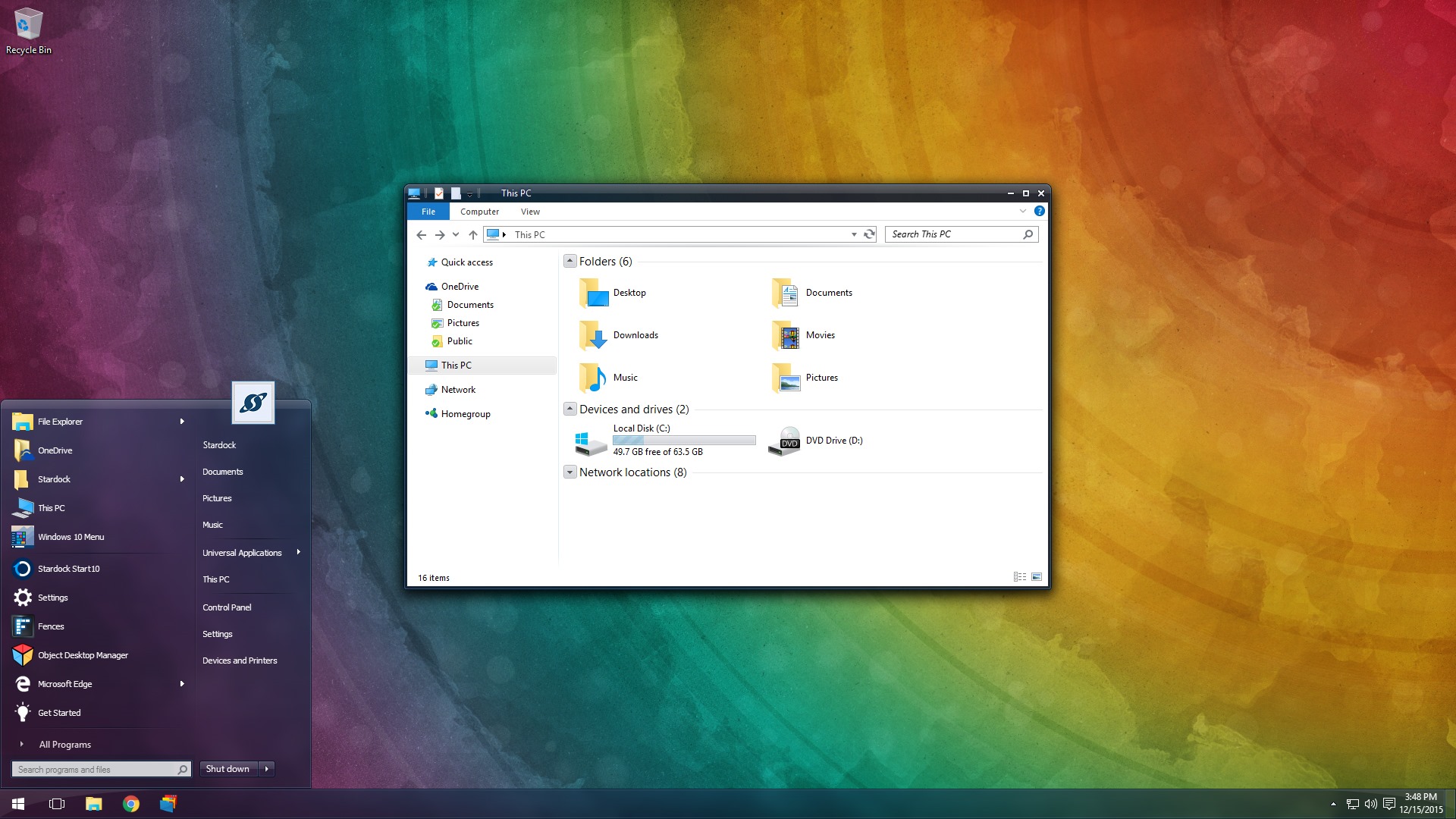
The first beta for WindowBlinds 10 is now available for active Object Desktop owners!
This beta includes support for Windows 10 and a new UI.

Active Object Desktop owners can now get the WindowBlinds 10 beta from your Stardock account hereIn future updates, we'll be including new skins and features.

WB v10.0.1 update:

  • Added skin rebuild list button
  • Fixed config screen resolution
WB10 14 WB10 21


If you're not an Object Desktop member, now is a great time to become one. You get over 10 Windows customization products such as WindowBlinds, DeskScapes, Fences, Start10, and many more. You will also get access to betas and updates first, like WindowBlinds 10 for one year. Get Object Desktop today!

414,496 views 91 replies
Reply #51 Top

I am Very Sure that it is very hard to figure out any new Windows version with Windowblinds.

Windows 10 is just three months old baby LOL ....so ... I think by this August, it will be all good !!!

Reply #53 Top

Quoting rules4u2010, reply 52

Okay, I own Windowblinds 8 but not Object dock so I can't test Windows 10 Blinds, yes? 

You need to be a member of Object Desktop to download the beta.

https://www.stardock.com/products/odnt/


Reply #54 Top

Quoting Neil, reply 47

In what way do existing themes need updating for Windows 10?
lol, Word! :thumbsup:

Reply #55 Top

You know what's really messed up about that?

I own all their games and all the products pertaining to windows 7-10 and yet I'm expected to pay for a subscription that would be totally useless to me to beta wb10. Sooo 50 bucks to beta test something that will cost me 20 when it comes out. It makes no sense..

Oh, and doing so is really hurting the content creators because I would have bought many themes over the past year as I have been waiting for wb10 to finally roll around and I'm just one guy. Sad thing is, I am not even sure I want to buy it now as I have gotten used to the way 10 is and rarely ever visit stardock anymore, it used to be a daily stop for me..

Reply #56 Top

Quoting BillStelling, reply 55

You know what's really messed up about that?
It was never intended to be a "Beta test" in the fashion you seem to think it was :cylon:

-Just wait for the real deal & be happy with your own decisions.

Reply #57 Top

Having access to the betas is a benefit of being a member of Object Desktop. You can certainly wait until release and grab WindowBlinds 10 when it's out

And even if you did pay for an Object Desktop membership (there's a great deal when you add something to your cart), you won't have to pay for WindowBlinds as it's included. :)


+1 Loading…
Reply #58 Top

Quoting Island, reply 57

you won't have to pay for WindowBlinds as it's included.
|-)

Reply #60 Top

I just wish that Stardock would update Iconpackager to a Beta in Object Desktop. That would be cool as well.

+1 Loading…
Reply #61 Top

Sadly wont install on latest insider build, says there is a sharing error with Screen.exe while trying to install and just loops, have to kill with task manager. Also WinFX install works and then on exiting config screen blanks out without showing explorer and icons. Have to shut down all services from task manager and uninstall WinFX to get screen to come back on.


Really wish MS would stop moving the goal posts.

Reply #62 Top

Quoting kfasheldon, reply 61

Sadly wont install on latest insider build, says there is a sharing error with Screen.exe while trying to install and just loops, have to kill with task manager. Also WinFX install works and then on exiting config screen blanks out without showing explorer and icons. Have to shut down all services from task manager and uninstall WinFX to get screen to come back on.


Really wish MS would stop moving the goal posts.

The issue with WindowFX is known and fixed for an update.

WB should be installing just fine though, it sounds more like a problem with defender causing problems with file access.  I checked WB (already installed I admit) with the latest insider build yesterday and it worked ok.

Reply #63 Top

I am curious with one thing.


Some themes do skin the whole explorer window,


Some themes do not skin the explorer windows.


For example..... dark theme called Hexagon ought to make the whole explorer window to be dark ... but it's not; however, the theme called Dark Agility does darken the whole explorer.


My question is :

Is it the theme ? Is it Windows 10? Is it Windowblinds?


Any answer? LOL

Reply #65 Top

I can't find Dark Agility.

Reply #66 Top

Quoting RedneckDude, reply 65

I can't find Dark Agility.


The theme is right here 


http://nardoxic.deviantart.com/art/Dark-Agility-WB-190513666

+1 Loading…
Reply #67 Top

Quoting christianbearslyclark, reply 66


Quoting RedneckDude,

I can't find Dark Agility.


The theme is right here 


http://nardoxic.deviantart.com/art/Dark-Agility-WB-190513666

Except for someone just posting wanting to know if it's for win10, the last post prior to that goes back to 2014. The skin goes back to 2010. I would bet if was made for win XP. You may find several things wrong with it.

The next beta version may let skinners able to adjust for more things on win 10. We will just have to wait and see.

Reply #68 Top

Quoting DaveBax, reply 67


Quoting christianbearslyclark,


Quoting RedneckDude,


I can't find Dark Agility.


The theme is right here 


http://nardoxic.deviantart.com/art/Dark-Agility-WB-190513666


Except for someone just posting wanting to know if it's for win10, the last post prior to that goes back to 2014. The skin goes back to 2010. I would bet if was made for win XP. You may find several things wrong with it.

The next beta version may let skinners able to adjust for more things on win 10. We will just have to wait and see.


... as far as I know ..... I just seen no major issues nor any skin issues. 

Reply #69 Top

Is anyone else seeing display problems in Google Chrome 49 when using WindowBlinds 10 beta?  After I updated v48 to v49 Chrome displayed black triangles and other corruption making it unusable.  I tried different skins, but the only solution was to go back to the default Windows 10 theme.

Reply #70 Top

Quoting Victechnical, reply 69

Is anyone else seeing display problems in Google Chrome 49 when using WindowBlinds 10 beta?  After I updated v48 to v49 Chrome displayed black triangles and other corruption making it unusable.  I tried different skins, but the only solution was to go back to the default Windows 10 theme.

This is a known issue that's fixed internally.  If you disable 3D acceleration in Chrome for now it should be fine.

Reply #71 Top

Quoting Neil, reply 70

disable 3D acceleration in Chrome

Neil...searched in Settings, but not found....

Did you mean hardware acceleration?

Reply #72 Top

Quoting DrJBHL, reply 71

Did you mean hardware acceleration?

That's what fixed it for me, just now, after the Chrome update came through.  Thanks for the heads-up everybody, glad I'd seen this earlier, it is rather disconcerting when it happens  :omg:

Reply #73 Top

Disabling hardware acceleration worked for me on Chrome version 49.0.2623.75 m.

Reply #75 Top

Quoting Neil, reply 70


Quoting Victechnical,

Is anyone else seeing display problems in Google Chrome 49 when using WindowBlinds 10 beta?  After I updated v48 to v49 Chrome displayed black triangles and other corruption making it unusable.  I tried different skins, but the only solution was to go back to the default Windows 10 theme.


This is a known issue that's fixed internally.  If you disable 3D acceleration in Chrome for now it should be fine.


Thanks for confirming the issue and for the workaround.  Is the fix going to be implemented in the next beta release?