DeskScapes 8.5 is hogging the CPU on Windows 10 as well

I've noticed lately that if I have DeskScapes running, my PC becomes very slow, and task manager says upwards of 90% of the CPU is in use.  As soon as I pause DessScapes, CPU usage drops to 15% or so.

I'm running Windows 7 Ultimate 64 bit.  Is this a known problem?  Is there a process I can stop that still allows animated wallpaper without killing the CPU?

6,770 views 5 replies
Reply #1 Top

Deskscapes 8.5 is for Windows 10

my dreams on win10 run very low CPU usage..

was running Deskscapes 8.3 for Win 8 before upgrade

I'm running 2 PC's now and using 8.5 for Win 10

My Windows 7 pc i'm running Deskscapes 3.5 , try that..

It does seem to me that Deskscapes is moving forward with Windows

so older versions of windows like win7 might find it harder to run lower

CPU usage for various reasons .... video formats , codecs etc.

Dreams using AVI format will run lower by 1/2 the CPU usage than WMV dreams.

Those are the only 2 formats that dreams can be made in ...

I note in my dream descriptions AVI or WMV being used ..

Az

Reply #2 Top

Thanks for the info.  I always download the latest versions of SD software.  If I can still find 8.3 I'll downgrade to that version.

Reply #3 Top

For Windows 7 ,  try Deskscapes 3

Reply #4 Top

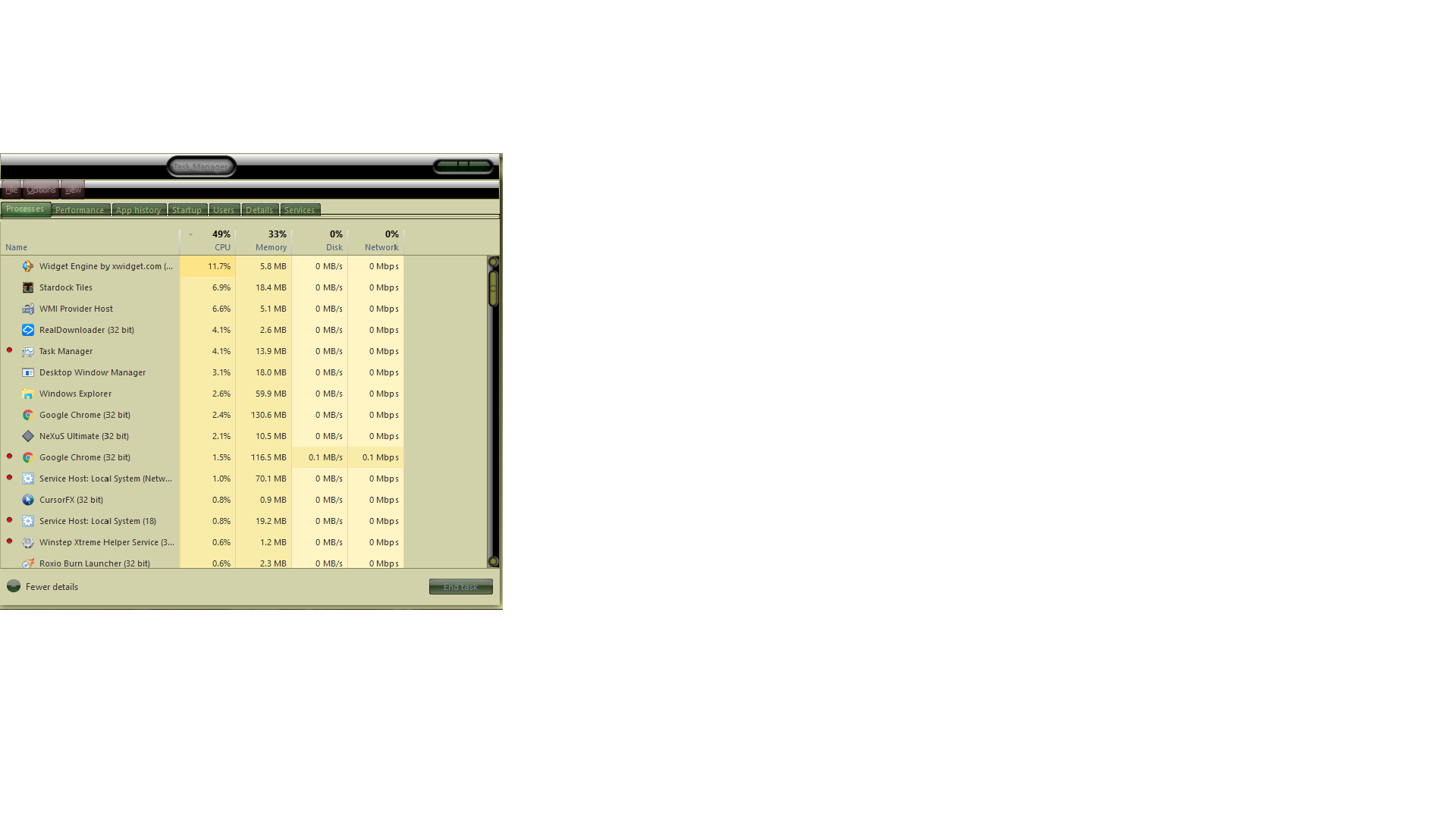
Still hogging the CPU under W10.  Between DS Host Application and the strain it outs on Windows Explorer 50% of my CPU is consumed by a dream.  Doesn't matter much which dreams I use.

Anyone know a faster decoder pack than KLite codec pack?  Maybe that would help.

Reply #5 Top

Here are images of the task manager with a dream paused and with it running.  Everything else is the same. Sorry about the different sized images.  I forgot to hold Alt down when taking the first screenshot.


Paused


Running