USB port color code

which indicates fastest connection?

My PC has USB ports - in three different color markings.

Which is the highest speed connecting port?  Blue, red, green?

(Searched www several times - immense amount of info - but the color that goes with each USB port seems to be 'common' knowledge.... and assumed.  Guess I'm not common... :)

Help please....


72,601 views 4 replies
Reply #1 Top

it depends upon the motherboard maker(and will be documented in the motherboard MANUAL), but a fairly common rating is the darker blue being usb3, but have no idea about the green and red usb ports.

btw just did a quick google for usb socket colour code, and fount a wikipeadia link that might help (http://en.wikipedia.org/wiki/PC_System_Design_Guide#Color-coding_scheme_for_connectors_and_ports)

harpo, the ghost NON-subscriber

Reply #2 Top

USB 3.0 = Blue ports. The Red ones denote "High Power". The green ones, I have no idea. Maybe Always On, like the yellow ones.  USB 2.0 ports can be all sorts of colors but the majority of them are black or grey.

A blue port/ USB 3.0  is much faster.  USB 3.0 ports don't have to be blue, however. They may be marked as "SS" (Superspeed) instead.

USB 3.0 has transmission speeds of up to 5 Gbit/s, which is ten times faster than USB 2.0 (480 Mbit/s) before taking into account that USB 3.0 is full duplex whereas USB 2.0 is half duplex, giving USB 3.0 the potential total bandwidth if utilized both ways to twenty times that of USB 2.0.


http://www.asprangers.com/post/2012/10/02/What%E2%80%99s-in-color-Yellow-Blue-Gray-color-USB-Ports-on-Lenovo.aspx


Reply #3 Top

Thanks all.  Summary.  Depends on MB maker.  But generally, blue = fastest, v3, red = better, and other is old usb v2 port. 

Reply #4 Top

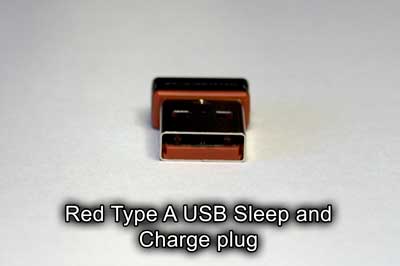
Red or Yellow USB connector - Sleep and Charge

Red Type A USB Sleep and Charge plug

This is not a USB specification, but more of a feature. This color indicates that the connector does not power off during sleep or standby mode. On laptop or desktop computers they are great for charging external devices like smartphones. Its specification can be any of the above, so check your computer or device documentation for the exact one.


http://www.geeksinphoenix.com/blog/post/2014/01/12/How-to-tell-what-type-of-USB-connector-you-have-by-color.aspx