Clean Crisp Styles Please

Chrome OS, Yosemite, Mac osX styles on Windows Blinds please

HI All


I first had Windows Blinds when I had Windows 95 (or 98) and wanted to make it look like XP that I couldn't afford at the time.

I have just bought this Software again on my New Dell 3537 Laptop (8gb ram, intel Celeron dual core, 320gb, 15inch). Had windows 8.1 and downgraded it after 8 months to windows 7, just not keen on Large tiles any more, even bought start 8, perhaps windows 10 will be better.


Currently work in IT on a lot of different kit, but just want this for my home Laptop.


OK, Thats my History out of the way ..


Currently have use of at work: Google ChromeBooks, Mac OSX Mavericks and Yosemite. ipads etc.

I am looking for a Windows skin much like the very popular MAC OSX Ultimate, which is nice and simple with small type, less besels, colour etc.


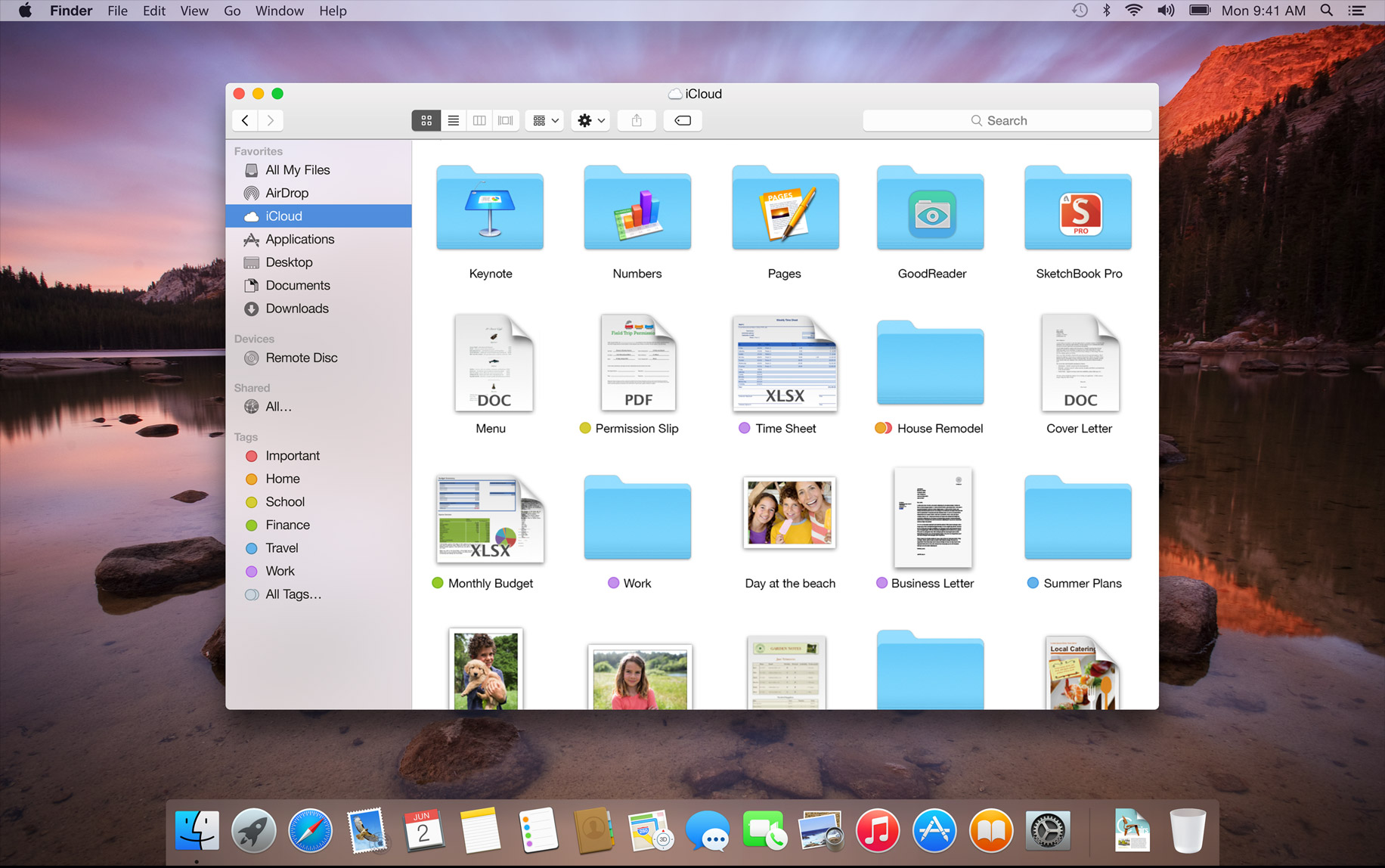
Chromebooks and Google OS, Apple with Yosemite all have a very similar theme of a crisp clean simple layout.

(And before you say it, no I don't want a chromebook as they are limited to Google Apps, and if I had the cash £900 for a Macbook then ...) 


Anyone out there currently working on a Crisper skin like the above OS? Doesn't have to have Apple logos or Google logos on it as it is still windows OS. Just think Windows 7 interface looks like an old shape car! out of date etc.

I am a member of Stardock but and have seen many screenshots of these themes but can't find any other skins to download. Are these not available?

I await your replies and links please.


Thanks  

9,621 views 17 replies
Reply #1 Top

I could recommend some of my own O:)


Xandar: https://www.wincustomize.com/explore/windowblinds/7728/

Ubuntu 11: https://www.wincustomize.com/explore/windowblinds/7431/

Reliant: https://www.wincustomize.com/explore/windowblinds/7407/

Midas: https://www.wincustomize.com/explore/windowblinds/7332/

Artemis: https://www.wincustomize.com/explore/windowblinds/7983/

Reply #2 Top

Thanks 2of3


Some of them are clean and crisp, but I want it really simple and whit or very light grey like the Chrome OS or Mac OSX.

Tried Edge default skin and that was nice but Black top didn't always work in Chrome Browers and some bugs.


A Mac/Chrome OS theme in white or v light grey with simple buttons style.

There is a transformation pack from Windows X Live that looks good but this changes the System files too much and Skinz software is full of Toolbars from Wagam etc that are just spyware.


I bought Windows Blinds as its a Great Genuine Product, just want a skin for it. How come nobody has done Yosemite or an Yosemite or Chrome OS inspired theme yet? Is Windowsblinds now becoming obsolete?


Many thanks for the fast reply.


Cheers

Reply #4 Top

Go to deviantART,it has tons of Yosemite inspired skins for Msstyle,and there is one Windowblinds master skin as iPhone in gallery,but based on your preference you may not like it.  

Reply #5 Top

Quoting therookiegb, reply 2

I want it really simple and whit or very light grey

'Corporate' by Dani...  :|

you can always lighten it...


Reply #6 Top


'Notepad' by Lightstar is ultra simple & light grey...


'Oblivion' by Madcat is another good simple grey one that can be lightened a little...


'Trident' by vStyler is another...   

http://skins13.wincustomize.com/16/36/1636296/1/7283/preview-1-7283.jpg


hope you find what you're looking for...  :)

Reply #7 Top

Quoting Gaspershooters, reply 4

Go to deviantART,it has tons of Yosemite inspired skins for Msstyle,and there is one Windowblinds master skin as iPhone in gallery,but based on your preference you may not like it.  

I would not recommend using MSStyles because it might well void your OS's warranty since it alters System Files.

Also, once you install MSStyles, you won't be able to use Windowblinds since MSStyles alters the file which Windowblinds uses to apply skins.

You will have to run cmd.exe as administrator (from start menu cmd>right click and "Run as Administrator") and fix the system file with  the DOS command sfc /scannow .

Reply #8 Top

Hmmm,on Win7,I altered that,Windowblinds 8.0 is working fine,no conflict whatsoever. Having said this,I did not encourage people doing this,case differed.  Proceed is your own risk.  Due to the OP seems to prefer Mac themes than usual ones,hence................

Reply #9 Top

WOW


Thanks for the replies ...


Corporate looks good. Do I lighten it in the extra options?

Tronnix seems ok but far too much still going on on bars.

Notepad, don't like notepad theme to startmenu.

Oblivion maybe worth a look.

Trident Ui is too complicated again. I love the Very simple one box curved edges, one top bar or look of Chrome OS.


Chrome OS:


Yosemite OSx


Notice just how clean and crisp these are without lots of bevel edges and effects, no double borders, easy on the eye and fast and great to use. (forget the Dock)

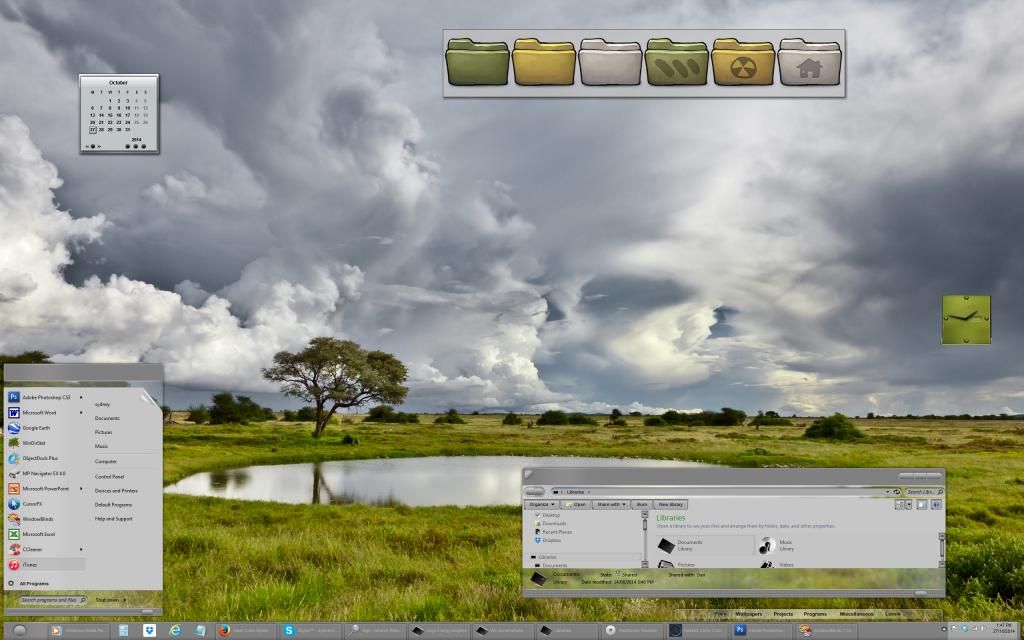
Compare this with this theme below (sorry WOM) and its just too complicated for me. too much going on at the edge of the top bar, No need for the white border then the black Shadow. Too many drop shadows.

I know that this skin is not meant to be what I am asking and in its own right it looks good.


OK .... So ....


I want to stick with WindowsBlinds as I have paid for it now and its the safest option for me.

Many thanks for your suggestion so far and I will look at all of them.

Let me know how to lighten the Corporate Skin.

Cheers All.


Reply #10 Top

Can you simply lighten the skins a bit  with recoloring from Window Blinds configuration application ( mean the one in which you select the themes not skinstudio.)


Reply #11 Top

Quoting therookiegb, reply 9

I know that this skin is not meant to be what I am asking and in its own right it looks good.

Ah, but instantly recognizable, and one of the best ever....;)

Reply #12 Top

Quoting therookiegb, reply 9

Corporate looks good. Do I lighten it in the extra options?

Let me know how to lighten the Corporate Skin.


Quoting therookiegb, reply 9

Oblivion maybe worth a look.


Oblivion lightened...


Reply #14 Top

that looks good in light grey fuzzy....


Aero Metal...    :|


Reply #15 Top


I am looking for a Windows skin which is nice and simple with small type, less besels, colour et

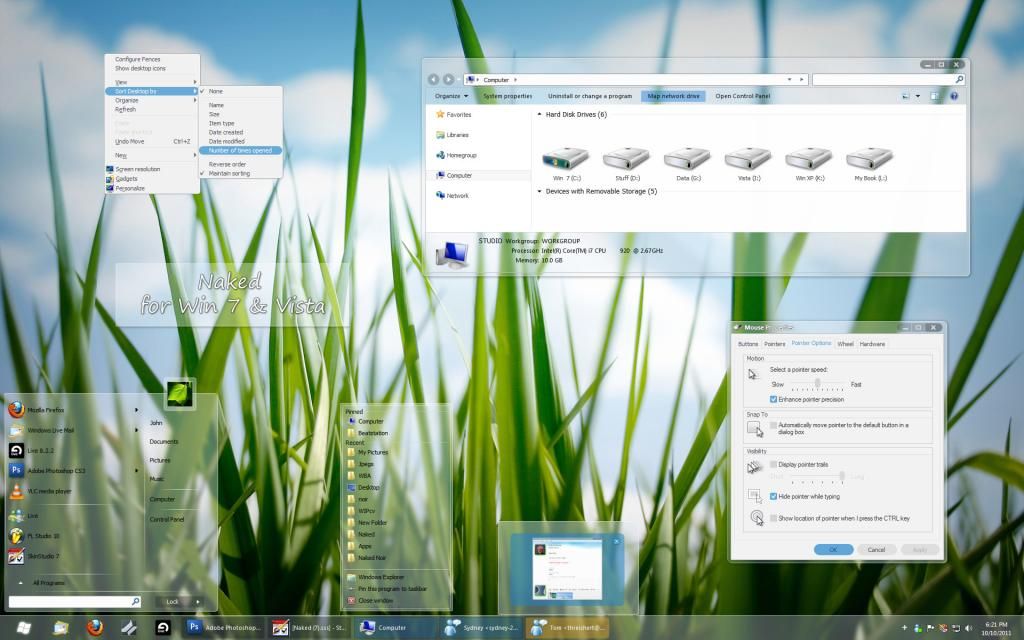
well... if you really want minimal... you could always go Naked...   ;)


Mac OS X Ultimate


Reply #16 Top

I tend to go for the moderately detailed blinds, no double bezels or extra doodads sticking out of the main window rectangle but I do like interesting close/minimize/maximize buttons.  I can see using some of the above "simple" blinds though.  There is some good work there.   :')


Congratulations to all the skinners who created them.

Reply #17 Top

Thanks Again Everyone.


All the light grey themes look good. I am currently using the MAC OX ULTIMATE Skin and love the light text and style.

Shame it has a Apple logo for the start menu but the rest is superb.


Any Takers for doing the Yosemite whiter theme skin?

Cheers All