(Suggestion) rotate button

Ive been playing around with the alpha for 2 days now and am very impressed on the playability and lack of bugs of the game.


One problem i have which i hope can be addressed before launch is the rotation button. I know this is set to the middle button on the mouse which for me is a mouse wheel. I dont know how many people this affects but I am unable to rotate the camera around in the ship preview or the map, which once the ship designer comes out will be crucial. I had the same problem with GC2 when i tried it a while ago and gave up on the game because of it.


Would it be possible to in the future remap the rotate key? or add a function to for example hold the alt key and have the screen rotate with the mouse movement?


Also why cap the alpha after all the tech has been researched?


17,413 views 13 replies
Reply #1 Top

What do you mean? Im not sure to understand. If you press the middle mouse wheel button and move the mouse around it does not rotate the camera for you?

It works perfectly fine here. I suppose it works for most people. I would try to solve the problem on your end. Does the middle mouse button work for other applications but only does not work for galciv 2 and 3?? That sounds strange.

Wait, you know that the mouse wheel can also be pressed right?

Reply #2 Top

Problem solved turns out that the middle mouse button contact are worn out or just defective. After testing it seems maybe 1 in 20 clicks will register... time to invest in a new mouse.


Reply #3 Top

You can try unplugging the mouse, pourring rubbing alcohol over the wheel so it seeps in the cracks then mash the button with your fingers. With some luck that might clean it.

Just wait till it dries before plugging it back ( I.E do it before going to sleep )

If you are feeling a bit more technical you can also unscrew it to do more of a precision job.

Reply #4 Top

thank for the tip, ill give it a try

Reply #5 Top

Just make REALLY sure there is no liquid in the mouse when you plug it back, you do not want the thing to go Shorty shorty.

Rubbing alcohol is quite volatile, you can blow canned air once you are done to help remove excess liquid. I can get the 99% ethanol here, it is my favourite to clean all sort of electronic.

Reply #6 Top

For your second question it's not actually capped that's a glitch they tried to fix earlier you can get around it by pressing the tilde (~) button and typing in the command " turnactions" might have a space can't recall ATM 

however this will eliminate all warnings of idle ship and idle colony as we'll 

Reply #7 Top

Quoting EvilMaxWar, reply 3
You can try unplugging the mouse, pourring rubbing alcohol over the wheel so it seeps in the cracks then mash the button with your fingers. With some luck that might clean it.

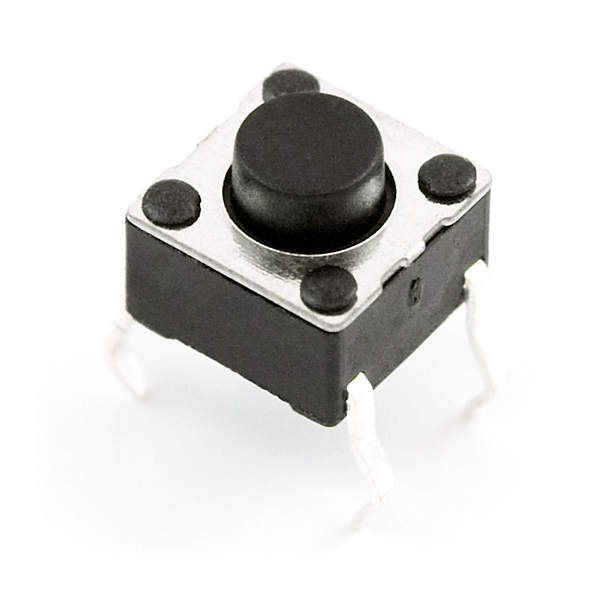
Given that the button for the wheel is generally to the side (so drenching the wheel wouldn't hit it anyway), and the switch is more likely worn and broken than dirty, I'd save the alcohol and just buy a new one. The actual contacts are sealed inside the switch so the only thing crud could do is prevent the lever from moving smoothly. If it clicks as expected, it's moving just fine.

Reply #8 Top

Quoting kryo, reply 7


Quoting EvilMaxWar, reply 3You can try unplugging the mouse, pourring rubbing alcohol over the wheel so it seeps in the cracks then mash the button with your fingers. With some luck that might clean it.

Given that the button for the wheel is generally to the side (so drenching the wheel wouldn't hit it anyway), and the switch is more likely worn and broken than dirty, I'd save the alcohol and just buy a new one. The actual contacts are sealed inside the switch so the only thing crud could do is prevent the lever from moving smoothly. If it clicks as expected, it's moving just fine.

Most of the times dirty contacts are the problem. Seldom is a switch that worn. Probably because Forgebear was not using it and it got crusted.

I fix electronics on a nearly daily basis, from motherboards to musical instruments to refrigerator you name it.   Normally I would take apart the mouse and clean everything.  Takes 20 min max. Alcohol works wonders most of the times. This is a more ecological approach. Is also more economical than buying new stuff all the time too. This allows me to spend my money on luxury items like a 100$ alpha access instead of new appliances :p

I suggested pouring alcohol over it in case ForgeBear was not technically inclined, still worth a shot. But obviously is not as good as a proper dismantle and clean.  I have fixed coffee spilled keyboards by chucking them in the bath tub for an hour.

Reply #9 Top

"Alcohol works wonders most of the times", well I can't argue with that. :beer:

+1 Loading…
Reply #10 Top

Quoting EvilMaxWar, reply 8
Most of the times dirty contacts are the problem.

Alcohol works fine on things with exposed contacts... microswitches don't normally have exposed contacts, so even if that is the cause, dumping it on top isn't liable to do much. My experience has generally been that button failure is due to plastic part wear, or the solder joints cracking. YMMV.

Reply #11 Top

Quoting kryo, reply 10


Quoting EvilMaxWar, reply 8Most of the times dirty contacts are the problem.

Alcohol works fine on things with exposed contacts... microswitches don't normally have exposed contacts, so even if that is the cause, dumping it on top isn't liable to do much. My experience has generally been that button failure is due to plastic part wear, or the solder joints cracking. YMMV.

Your typical microswitches are not hermetically sealed. You can spray inside them with contact cleaner spray usually from around the button opening.  I agree  the chance of alcohol getting to seep inside by pouring it on top of mouse openings are very slim.

I guess I should not have suggested that, but not much to lose if OP was going to buy a new mouse anyway.  Personally I would just open the mouse and clean the switch directly, It is worth a shot. 

Hell, simply mashing the button energetically might do it.  I have seen dead switches and bad solder joints of course, but very rarely compared to dirty switches. I have never seen a mouse with a bad switch, dirty mice and broken cords, yes. But not broken switches.

However I recently replaced all the microswitches in a vintage Roland synthetiser, about 50 in total. Even after cleaning they still worked badly. But it was this type of button, those suck.

Now I am curious about what OP did, hehe.

Reply #12 Top

cant argue about microswitches electronics was one of my worst subjects in college. I have not had a chance to pick up any rubbing alcohol and theres no screws in my particular mouse, so unfortunately i cant take it apart to see whats going on in there.


On a side note I found if i press the middle mouse button/wheel at a slight angle from the left it responds.


also thanks for the turnactions command.

Reply #13 Top

Quoting ForgeBear, reply 12

cant argue about microswitches electronics was one of my worst subjects in college. I have not had a chance to pick up any rubbing alcohol and theres no screws in my particular mouse, so unfortunately i cant take it apart to see whats going on in there.


On a side note I found if i press the middle mouse button/wheel at a slight angle from the left it responds.


also thanks for the turnactions command.

The screws are usually hidden under stickers. The idea is that it voids the warranty of you pierce it.