sydneysiders sydneysiders

March 2014 Desktop Screenshots

March 2014 Desktop Screenshots

put some Metall in your March ;)


It's March 1st here in Oz... and I'm testing my mettle.... er... Metall....   ;)


Our Community Project "Metall Tech" is steaming ahead with a number of accessories already uploaded and lots more to come.... something for everyone's desktop...  |-)


Edit:     the accessory list is nearly completed...a couple more walls and maybe a Rainmeter and we're just about done....   link...

below is a screenie of many, but not all, of the accessories available... just too many to include all... a real treasure chest for customisers...  :)

Thanks to all the skinners... cheerleaders and the blind creator, bleumart, for such a fun project...   :sun:


so go on.....put some Metall in your March...   B)

88,929 views 103 replies
Reply #51 Top

Quoting neone6, reply 31
Sydney... How do you manage to corrupt the high resolution smooth graphics on my Xionplayer on every suite compilation you post ???  Looks Crappy

Quoting Uvah, reply 35
What's the ppi count? Standard is 72. Others are 150 300 and so on. Maybe the difference is there. Just sayin'


screens are...  Dell 27"   at  109  ppi    and     Apple Cinema HD 30" at  101.65 ppi...   


Quoting neone6, reply 34
Must be something wrong on your settings for that screen applying Xion.

-Obviously I have Not made the Graphics Like that.

THIS is how it SHOULD look, NOT Jaggy like yours

Naturally, when you make graphics you make them optimal to your screen...  but it seems Xion adjusts to different screen sizes/resolutions... Uvah's Xion on the 1024 resolution is more blurred and lacks the crispness of yours also...  the screenies put it in some perspective......I've played around with settings with no change... If you can come up with any setting in Xion that rectifies this, I will happily adjust and redo the Metall screenshot with your Xion....  but, I suspect it's just a shortcoming of the Xion program in which case, at least you know your graphics will be viewed differently on different resolutions and can, if you wish, adjust your designs accordingly for minimal distortion... or perhaps include in your description that your Xion displays optimally at 1920x1080 (if that is your res).

below are 3 Xions by IRBrainiac, Boxxi and messiah on the same screen... obviously not as crisp as the creators made them on their screen, but do display better than your more intricate designs on my screens...

Legend, in your screenshot when zoomed, does look jaggie on the edges due to the angles, somewhat masked by the similar colour of your background wall... so naturally, when enlarged on my screen is going to accentuate the jaggies...hence, more straight forward Xion designs might be better viewed universally...  just an idea...

If anyone in the know has any other take on this or ideas to solve it... happy to hear... would be good to have a fix...


Reply #52 Top

Meanwhile.... back to screenshots.... Metall Tech pyramids...  sans Xion...   ;P

this is the first wallpaper I put on with Metall Tech... it needed something for that huge space.... now has it...  ;)

Reply #53 Top

Quoting sydneysiders, reply 51
If anyone in the know has any other take on this or ideas to solve it... happy to hear... would be good to have a fix...

That might have to be done with the original graphics. If they support large size and high resolution without 'fuzziness', then the screen size/resolution might well be the problem, as could the Xion rendering parameters. This Adobe document explains it pretty well. It could be that resizing was done with a resampling method which caused fuzziness - you'd need a copy of the original .psd to judge. https://helpx.adobe.com/photoshop/using/image-size-resolution.html 


Reply #54 Top

[quote who="sydneysiders" reply="51" id="3448605"]Naturally, when you make graphics you make them optimal to your screen...  but it seems Xion adjusts to different screen sizes/resolutions...[/quote]

If true, that would only make the problem more difficult to solve. I believe the 1024/768 might be the root of the problem, but the 'jagginess' might have something to do with a 'Free transform' of an image, or a lack of alpha blending? The problem is, I'm not a graphics person and really can't help solve this...perhaps getting the original graphics might help...if they have a 'history' attached (Ps Options Bar>Windows>History). That would give a good tool for analysis. The .psd would be required. A low res screen shot would certainly cause 'fuzziness' when viewed on syd's screen. The other artifacts look more image or program related.

One person I'd definitely ask to opine would be vStyler. 

Sorry I had to post twice. When I tried doing it in one box, the first quote and the second with the reply to the first appear in a blue text box. ;P


Incidentally, syd...that's one helluva wall for Metall Tech.  :congrat:

Reply #55 Top

Quoting sydneysiders, reply 52
this is the first wallpaper I put on with Metall Tech... it needed something for that huge space.... now has it...
  WOW!! Love this one sydney!!! :thumbsup:

Reply #56 Top

Nice shot, Syd!   :beer:

Reply #59 Top

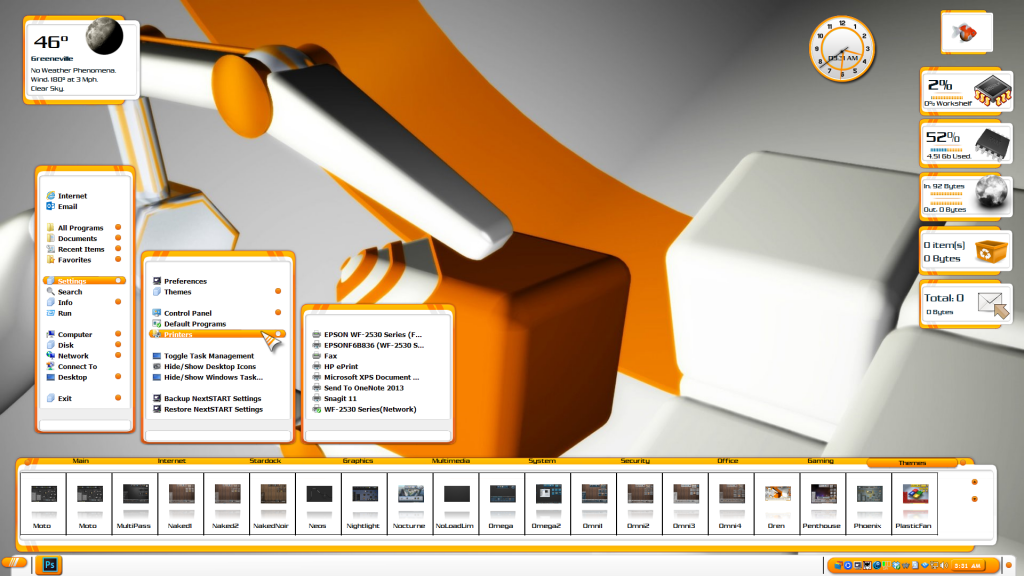
Barb, what's up with your start menu? What Limey are you running?

Reply #60 Top

thanks for your input Doc... I'll check out that article...   :)


Quoting DrJBHL, reply 54
Incidentally, syd...that's one helluva wall for Metall Tech.

Quoting teddybearcholla, reply 55
WOW!! Love this one sydney!!!

Quoting RedneckDude, reply 56
Nice shot, Syd!

Thanks guys...   :blush:       everybody did good...   |-)   :beer:  


Reply #61 Top

This is the Last thing I will add to the XION issue.

-My Xion skins are made on a setup of one 1366x768 + 1920x1080 screens.

What you´re implying does not add up as It´s the Same size on both screens, NO Pixel errors. 


It really doesen´t matter anymore, no one else has this problem so....:sun:  

Reply #62 Top

Quoting DrJBHL, reply 59
Barb, what's up with your start menu? What Limey are you running?
 Don't know...I didn't realize it was wrong until a few minutes ago. 

Reply #63 Top

so, you don't notice from the screenie.... that Uvah's Xion is smaller and blurrier on the 1024 screenshot... okayyyyy     :|


Quoting neone6, reply 61
It really doesen´t matter anymore, no one else has this problem so....

well... that doesn't half sound smarmie...


Quoting neone6, reply 61
This is the Last thing I will add to the XION issue.

perhaps that's best...   :sun:


Reply #64 Top

Next up, Oren DX!   :beer:


Reply #65 Top

Quoting sydneysiders, reply 63
perhaps that's best...
Of course it is as I said so.

Reply #66 Top

Quoting RedneckDude, reply 64

Next up, Oren DX!  


Reduced 31%Original 1920 x 1080


:grin: :thumbsup: :thumbsup: :thumbsup: :inlove: :inlove: :andrew:

Reply #67 Top

Quoting neone6, reply 65
Of course it is as I said so.

Quoting sydneysiders, reply 63
well... that doesn't half sound smarmie...

Reply #69 Top

Nice one Ross! :thumbsup:

Reply #70 Top

Just recently restarted in trying to customize my desktop & layouts, still quite a bit of tweaking to go.

But the initial layout is this


 Screenshot

Reply #71 Top

Quoting sydneysiders, reply 67
well... that doesn't half sound smarmie...
And this does ?? :rofl: :rofl:

Reply #72 Top

Quoting pgp_protector, reply 70
Just recently restarted in trying to customize my desktop & layouts, still quite a bit of tweaking to go.

But the initial layout is this


Reduced 15%

Original 3840 x 1080
Nice :thumbsup:

Reply #73 Top

Ditto!

Reply #74 Top

Uvah, Blue Espionage looks awesome!!