Jafo Jafo

February 2014 Desktop Screenshots.

February 2014 Desktop Screenshots.

New month...new thread...new display of what's on your desktops....;)

58,396 views 108 replies
Reply #76 Top

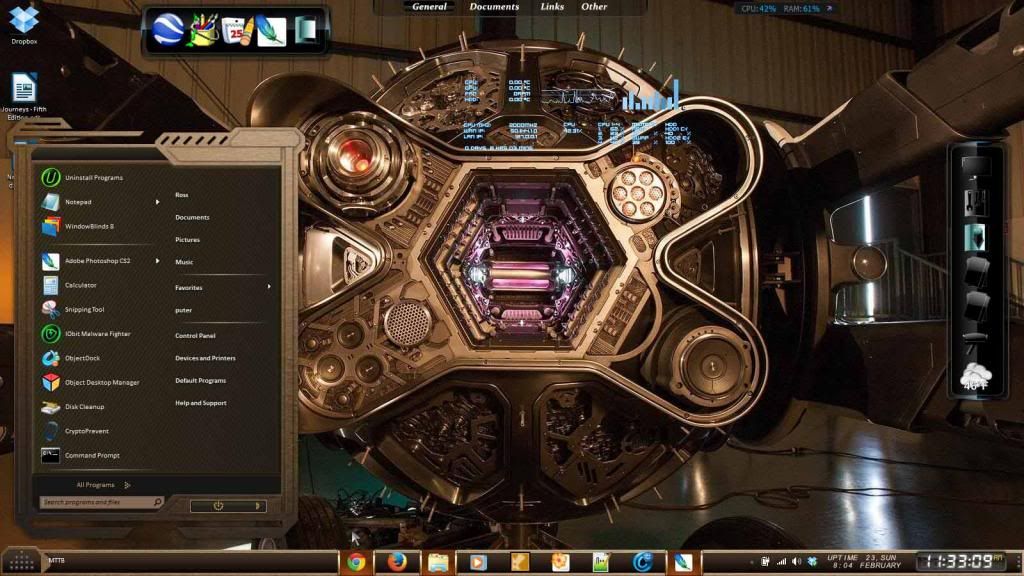
MidLand windowblind by doortech1... goes nicely with this wall...  :)

Reply #77 Top


Reply #78 Top

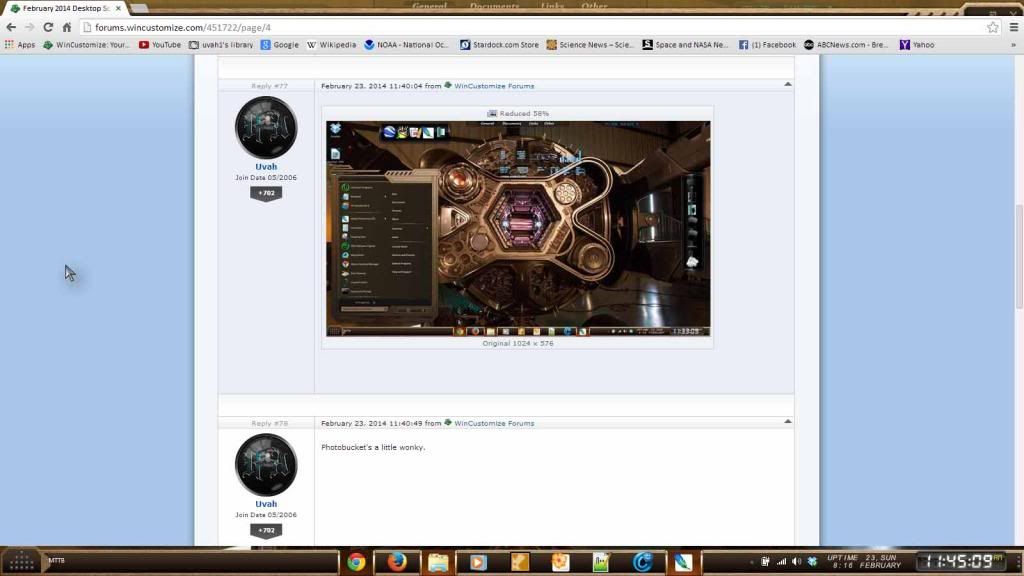
Photobucket's a little wonky.

Reply #79 Top

Just noticed this. The top frame is cut off and the min max close buttons are covered over and on the bottom there is a gap between the task bar and the page. Didn't do this with other WB's.
 

Reply #81 Top

What WB is that?

Reply #82 Top

Quoting Uvah, reply 81

What WB is that?
End of Uvah's quote

no problem buddy  |-) https://www.wincustomize.com/explore/windowblinds/7847/

Reply #83 Top

Quoting sydneysiders, reply 76
MidLand windowblind by doortech1... goes nicely with this wall..
End of sydneysiders's quote
...It sure does! And did you play that game, sydney?  I have it and I just love the graphics, and the game itself. I have not finished the game yet,, trying to make it last longer! lol!


Quoting Uvah, reply 79
Just noticed this. The top frame is cut off and the min max close buttons are covered over and on the bottom there is a gap between the task bar and the page. Didn't do this with other WB's.
End of Uvah's quote
  I noticed a gap at the top of the start panel, after I took this screenshot....


Reply #84 Top

Quoting Snowman, reply 74
Pixel 8 by Tim Dagger (aka essorant)
End of Snowman's quote
 Thank you!  

Reply #85 Top

Gosh. I have no screenshot. My desktop's... boring, I guess? I have nothing on it. And only two icons. (Music folder, Recycle bin) No apps, no widgets, no sidebars, no docks, nada. One wallpaper, two icons. And a partridge in a pear-tree. :grin:

Reply #86 Top

Quoting Matchbook, reply 85
And a partridge in a pear-tree.
End of Matchbook's quote
 well we could see that! ;)

Reply #87 Top

Just playing with creating textures...waiting for Spring!   ;)


Reply #88 Top

That's a huge start menu! Mine used to be like that. :P

Oops...it still is. o_O

Reply #89 Top

Quoting Uvah, reply 88
That's a huge start menu! Mine used to be like that.
End of Uvah's quote
...now that you mention it! :w00t:

What would make it smaller?  I thought it was just because of the Windows7 os.   I don't think it is that big with my XP. 

Reply #90 Top

Quoting teddybearcholla, reply 83
...It sure does! And did you play that game, sydney? I have it and I just love the graphics, and the game itself. I have not finished the game yet,, trying to make it last longer! lol!
End of teddybearcholla's quote

didn't know it was a game... just thought it a cute wall...  what game is it...  :| might check it out... 


Quoting Matchbook, reply 85
Gosh. I have no screenshot. My desktop's... boring, I guess? I have nothing on it. And only two icons. (Music folder, Recycle bin) No apps, no widgets, no sidebars, no docks, nada. One wallpaper, two icons. And a partridge in a pear-tree
End of Matchbook's quote

get to work girl.. and lose the partridge before he poops all over your desktop...   ;)

Reply #91 Top

Quoting sydneysiders, reply 90
what game is it...  might check it out... 
End of sydneysiders's quote
 Machinarium... You can get it at Steam. I think you would love it!  :X

Reply #92 Top

thanks.... it looks good.. very cute graphics..   :)

Reply #93 Top

Quoting teddybearcholla, reply 89


Quoting Uvah, reply 88That's a huge start menu! Mine used to be like that....now that you mention it!

What would make it smaller?  I thought it was just because of the Windows7 os.   I don't think it is that big with my XP. 
End of teddybearcholla's quote

Depends on how many programs you have listed on the start menu. If you want to decrease its size just right click on the ones you want to remove and then click on remove from list. You won't lose anything, just won't access it through the start menu. Its all a matter of personal choice.

Reply #94 Top

A Community Project has been started taking ID's Skin of the Week,  Bleumart's "Metall Tech"...and turning it into a Suite...

We have a number of people on board making a variety of skins.... and even learning new applications from scratch under the guidance of a few of our senior skinners...

If you would like to participate, please feel free to come over and join in... multiple skins are fine... and anyone able to do a dream or some icons would be cool..

If not, you can just wait for the end result... which is shaping up to be a pretty spiffy Suite...  ;)

The project begins here...   link...   :)


  (borrowed Adni's lovely wall... ;) )

Reply #96 Top

Aston2    Xaphire.


Reply #97 Top

Quoting Uvah, reply 93
Depends on how many programs you have listed on the start menu. If you want to decrease its size just right click on the ones you want to remove and then click on remove from list. You won't lose anything, just won't access it through the start menu. Its all a matter of personal choice.
End of Uvah's quote
 Thank you Uvah!  I'll give that a try!


Reply #98 Top

Bleumart even approved the Wall :sun:

Reply #99 Top

Quoting RedneckDude, reply 96
Aston2    Xaphire.
End of RedneckDude's quote

Nice!

Reply #100 Top

Thanks, Po!  :beer: