Texture Issues with GIMP

Hey folks,

I'm working on some ship textures in GIMP and am currently trying to get a a decent -cl texture, however, GIMP doesn't want to let me edit RGB channels without altering the Alpha channel. This means that my model's end up being coated in team colours because whenever I try to alter the ship's regular colour the alpha channel is also changed.

How can I edit a colour channel without affecting the Alpha channel (e.g. make red markings that are transparent) in GIMP?

Thanks in advance for any assistance.

46,215 views 8 replies
Reply #1 Top

Nevermind, it appears as though everything works, the small GIMP channel views, however, do not get updated for transparent colours. I should've done a bit more testing before creating this post and making myself into even more of a clown :rolleyes:  oh well, live and learn.

Reply #2 Top

I'm not sure what exactly you described above... but in Gimp if you want to edit a specific channel you need to decompose the image to RGBA layers. Then when you are done editing the individual channel layers you then recompose the layers.

The Decompose/Recompose options are under Colors->Components menu.


+1 Loading…
Reply #3 Top

Yes, I never did figure that out. I use gimp for everything now but the final step.

In Gimp, I save the final cl as uncompressed TGA, I also have 2 TGAs pure black, 1 512x512, 1 1024x1024, I open the new cl in an old photoshop and create an new channel called Alpha1, drag the black tga onto PS, CTRL+a, CTRL+c, go back to cl'c alpha1, ctrl+a, ctrl+v, save as DDS.

SOA2 does not use team colours, so all black, but if I open the cl.dds the alpha channel is gone because it is all black, but it still works as it should. That is why some reccommend 1 px of white in a corner somewhere.

If you don't have access to PS, zip me a folder and I can whip up a few for you in a few minutes. just specify if you want 1px white or solid, or your seperate team colour tga.

+1 Loading…
Reply #4 Top

:O maybe, just maybe....

If it does work, maybe you can whip up a quick video for us for Sins use and I will add it to the Texturing tutorial page.

to me it looks like you would not need the 1st layer mask, just copy the team colour tga to the cl tga's layer mask.

Reply #5 Top

I guess mt biggest problem is editing the RGB color channels of my texture when the Alpha has to stay transparent in order to prevent the entire texture from being team color. In the meantime I'm fumbling around with stock textures to try and figure out how to do what I want.

MyFist0, do you make your textures in GIMP simply as RGB then go into photoshop and add the all black alpha channel?

Also, thanks so far guys, I'm sure I'll have a eureka moment eventually and feel real dumb for months.

Reply #6 Top

Quoting WOEaintME, reply 5
MyFist0, do you make your textures in GIMP simply as RGB then go into photoshop and add the all black alpha channel?

yes  ;)

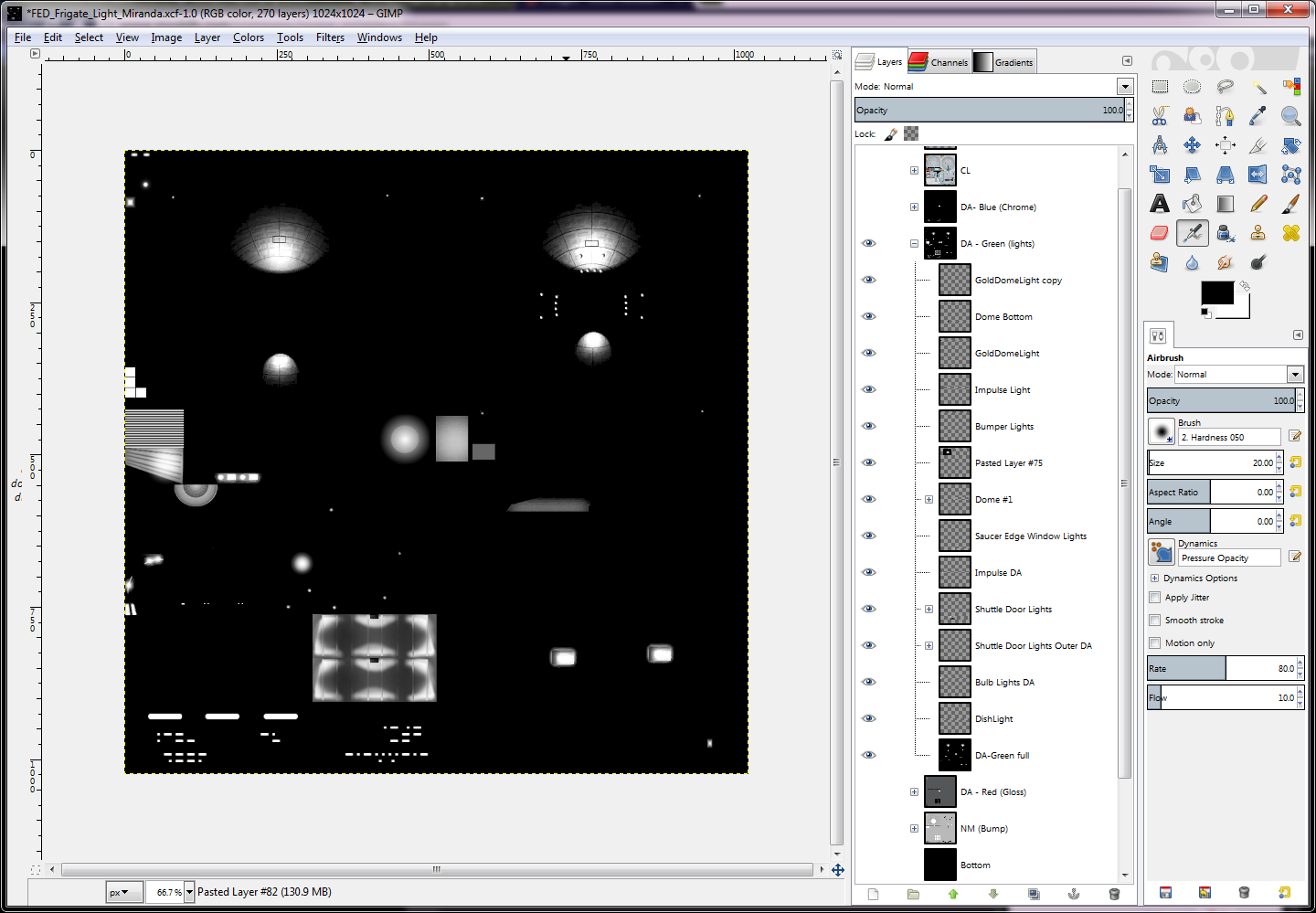
Gimp has had groups for a while, they are like folders for layers. My gimp project has all the texture parts, CL, NM (bumps), DA gloss, DA Light, DA chrome. I turn off/on the layers I want, save as uncompressed tga, and compose the finals in PS.

Reply #8 Top

I got myself a free trial of photoshop and I can now do what I want to do without scratching my head until it bleeds profusely (I'm sure I could do it in GIMP I'm just too feeble to use GIMP effectively).

Thanks MyFist & Zombie!