MS finding new ways to make folks hate them: Office 2013 license tied to one computer only.


MS has done it again. They must have a Division of Dumbassed Moves.

Their latest winner? You buy a license to MS Office 2013. Now it’s tied to that computer and that’s it. Anything happens to that computer, or you decide to upgrade to another system, you’d better keep the old one because the license cannot be transferred to the new one.

“Under our license we grant you the right  to install and run that one copy on one computer (the licensed computer) for use by one person at a time , but only if you comply with all the terms of this agreement.”

To my way of thinking, this is just plain nuts.

Under Office 2010

“You may reassign the license to a different device any number of times, but not more than one time every 90 days. If you reassign, that other device becomes the “licensed device.” If you retire the licensed device due to hardware failure, you may reassign the license sooner.”

Why? MS is also selling subscription-based packages now: Office 365 for Home allows users to install the software on up to five devices. On top of that, it is also available at no extra cost to all members of a household and it is possible to transfer licenses from one computer to another.

They’ll figure a way to disable Office 2013, or a way to track it. How? Who knows. I know I’m history for MS Office.

I’ve been using Libre Office, and I recommend it wholeheartedly to everyone.

You can get it here: http://www.libreoffice.org/#0

Or, you can get Open Office here: http://www.openoffice.org/index1-passthru.html?utm_expid=57643286-7&utm_referrer=https%3A%2F%2Fwww.google.com%2F

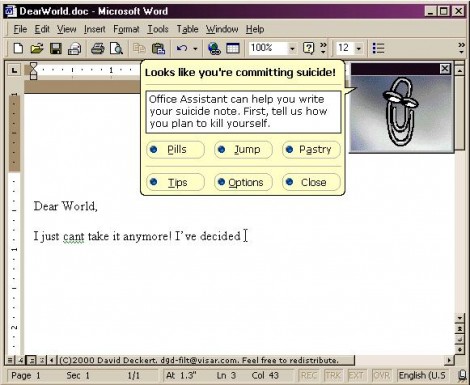
But MS Office? As dead to me as Clippy.

When Computerworld asked MS about this issue:

“Via email, Computerworld asked Microsoft, "Once an Office 2013 retail license is assigned through activation to a PC, it's connected TO THAT PC, correct? Just as is Windows. That then means it cannot be reassigned to ANOTHER PC owned by the same individual, correct?"

The response from Microsoft's public relations firm was simply, "Correct."


Source:

http://www.computerworld.com/s/article/9236818/Office_2013_retail_licensing_change_ties_suite_to_specific_PC_forever

77,548 views 37 replies
Reply #1 Top

:(O   -Well you covered it doc :thumbsdown: :typo:

Reply #2 Top

buy a Technet subscription

Reply #3 Top


Or just stick with 2010....or 2007 .....or 2003 ...;) 

Reply #4 Top

Why give up all the great stuff in Libre 4 or Open Office 4? 

I find they have far more than I need anyway.

It's not as if MS puts out Ps. Thank G-d!

Reply #5 Top

MS office 2013 was on this machine. I uninstalled it the day I fired it up for the first time. I've had first Open Office then Libre Office, basically the same thing only Libre Office is still open source. Beats the crap out of MS Office hands down. Never liked that one anyway. So here's to Microstuff and their un-ending stupidity! What a bunch of jerks.

Reply #6 Top

Quoting Uvah, reply 5
So here's to Microstuff and their un-ending stupidity! What a bunch of jerks.
End of Uvah's quote

Yet you still use Windows. Interesting.

Reply #7 Top

I'm one of those rare few who holds on to his MS Office 2003. I like it, for whatever reason, and I can't stand Ribbon, though I hear in 2010+ you can entirely disable it (or nearly so).

Reply #8 Top

Oh yeah, I need MS Office foor business reasons (programming in Access and most customers and the employer run MS) and the subscription thingie is funny also. Have a 365 subscription now and 2 things are really bugging me :

1. You don't have any offline media, not even an ISO-Download nor a serial (everything is based on the hotmail account)

2. You can't choose what components to install. Out of compatibility reasons I had to keep Access 2010 on my machine but I could'nt choose NOT to install Access 2013.


Reply #9 Top

Quoting Lavo_2, reply 7
I like it, for whatever reason, and I can't stand Ribbon, though I hear in 2010+ you can entirely disable it (or nearly so).
End of Lavo_2's quote

I was very skeptical of the ribbon, having used nothing but Office 2000 for years, and was determined to avoid it... until a new computer happened that came with O2010 pre-installed.

While MS took some steps back with certain macro functionality I had gotten used to, I am a complete convert to the ribbon.  It's intuitive, straightforward and out of the way if you want it to be.  And you can easily build a shortcut bar with all your commonly-used functions.  I particularly like the way they set up the new File and Home tabs.  I couldn't imagine they could improve on Office 2k enough to make a difference, but I'm far more productive with 2010 and very glad I was forced to make the move.

Reply #10 Top

whilst i do use libre office.. (eh.. that is.. the few odd times i do use any office stuff.. ) they are still rather limited in the autoupdate part. having to d/l the whole package every time there's an update quite simply means can't be bothered with updates.

that said. i only use it for basic word processing if i do need to use it.. so that's not too big a deal.


They’ll figure a way to disable Office 2013, or a way to track it. How?
End of quote
i imagine it's something like oem windows registration.. tied into motherboard.

heck.. they don't even sell retail win 8. afaik, the only win 8 they sell is oem. retails are upgrades.. so you need to buy some old windows to use the upgrade.. (unless exploiting some loophole somewhere i guess) not sure how that works because oem win is limited to 1 machine whilst retail win isn't, unless they've changed something else in win 8 again..

Reply #11 Top

MS Office 2010, until I am forced to switch to something else for whatever reason.


Reply #12 Top

What is this ribbon you all are talking about?

Reply #13 Top

Ribbon came with Office 2010 I think Kona. I don't use it so I'm clueless. As for Windows...if all the programs including SD worked on Ubuntu I would have 86'd Windows a long time ago. The way I see it Microstuff wants to do what Apple does....keep everything proprietary and cut out all the third party apps and only let you install what they say you can. But whaddya gonna do.....if MS wants to cut its own throat so be it.

Reply #14 Top

the 'ribbon' also came with orifice 2007,2010 & 2013(by picture of the user interface), and during the BETA for orifice 2007 I did a effectiveness test between 07 & 03 word by timing the time it took to create a single page business letter with typical business layouts and formating, in 07 it took 4 HOURS for me to create the one page letter, but in 03 it took 15 minutes (and this was after I had been learning the beta 07 for a couple of weeks, so after that test I uninstalled the beta, and have been adviseing all my customers that I found the later version of orifice to be so poor at productivity that I could NOT recommend it EVER

harpo


Reply #15 Top

Quoting c242, reply 8
everything is based on the hotmail account
End of c242's quote

Which you hope and pray will remain secure, Carl. 

What happens when hotmail/windows live gets hacked? What happens to your work product and your 365?

Reply #16 Top

I never store anything of my real important work in the cloud. ;-)

Reply #17 Top

such licenses are probably only valid in the U.S. and Australia.

Microsoft already said they will not enforce that nonsense in Germany. http://www.pcwelt.de/news/Office_2013_laesst_sich_auf_neuen_PC_uebertragen-Keine_Panik-7471674.html and no, that's not because they like Germans better.

Reply #18 Top

As harpo's post affirms, YMMV.

Reply #19 Top

Well, doesn't really matter as Office 2013 is a POS anyway. I mean, come on now, how many ways can you type a letter, or do a spreadsheet for cryin' out loud! Office 2013 is a total waste for the average home user. :thumbsdown:

Reply #20 Top

Ok so we have established that the ribbon comes with newer editions of office. Still my question is: what is the ribbon?

Reply #21 Top

It takes the place of the previous MenuBar and menus and sits across the top of the application window.  Different way of getting to the old places.  You should be able to google it & see what it looks like.

Reply #22 Top

Oh it looks like the Paint program in Windows 7? Kinda annoying.

Reply #23 Top

Not really.  It's 'hideable' as well.

Reply #24 Top

Quoting kona0197, reply 23
Kinda annoying.
End of kona0197's quote
so true,so understated

harpo

Reply #25 Top

My first experience with Word 2007 went okay until I wanted to print.  Took me 20 minutes to figure out where they hid the print function.  Since then I've given the ribbon the middle finger and went back to Office 2003, then later Kingsoft Office.