Jafo Jafo

November Desktop Screenshots

November Desktop Screenshots


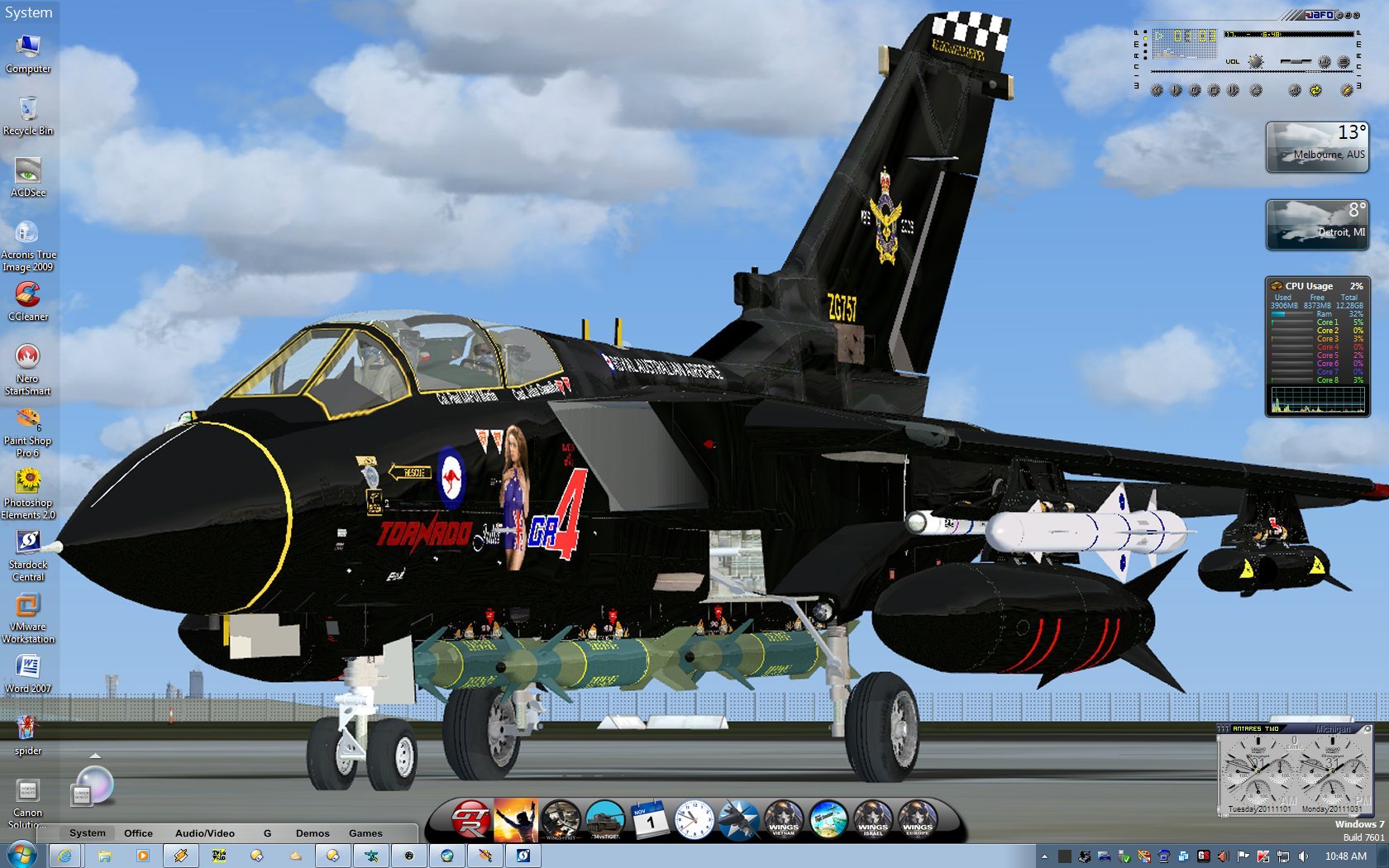
Nothing complicated desktop-wise....but the screencapped Tornado skin wall - there was a heck of a lot of work skinning that.....all the way down to 3 point font actually with the correct wording on the signage.  The jaggies around the screens...in yellow are due to the mapping of the model skin....where one pixel is unfortunately 'stretched'....almost impossible to compensate.

151,169 views 156 replies
Reply #52 Top

i made it today found a stock photo i liked but i couldnt use it so i made my own.I will upload a clean version without the blocks and send you the link...takes a few minutes

Edit: sended you a PM


Reply #54 Top

Nice one Doc, but I think you have the Vista sub loaded on Win 7!

Thanks for the support :smitten:

Reply #55 Top

I do. John... hate the user pic thing... so I use Vista. ;)

Reply #56 Top

but.. you're missing ALL the win 7 elements, Jumplists, tooltips, taskbar previews, correctly skinned start menu and explorer windows, search area in start menu, extended functions, correct loggoff buttons and on and on and on...

If its that big of a deal I can modify it for you, with no user pic.

Reply #57 Top

PLEASE!!!!!  That would be so great! That user pic thing is just so ugly... and a pointlessly stupid thing for MS to do... guess no one much uses the start menu anymore. So W8 was "born".

How does one get rid of the ugly chrome/silvery frame around the user pic and make it match the skin?

Reply #58 Top

Sure they use it... a lot of people like seeing the icons of the 'places' they mouse over, and being able to put ur own user pic in the box gives some folks a way to quickly identify what account is logged on just more personalization.. customization.

I can assure you, your more than likely in the minority on this one my friend.

I'll get u a modded version... don't expect it everytime tho :w00t:


The user pic frame was designed by me, I didnt want it to match exactly, I wanted it somewhat lighter.. I dont know if I would call it chrome, maybe your seering somethign else.? (check my screenshot in the release thread)

Reply #59 Top

+1 Loading…
Reply #60 Top

Quoting vStyler, reply 58
don't expect it everytime tho

awww..... reckon you're committed now mate.....  ;)  

Quoting DrJBHL, reply 57
How does one get rid of the ugly chrome/silvery frame around the user pic and make it match the skin?

looks like fairly flat mid gunmetal to me...  :|


pretty hot here today.... so cooling down a little...  


Reply #61 Top

Quoting vStyler, reply 58
Sure they use it... a lot of people like seeing the icons of the 'places' they mouse over, and being able to put ur own user pic in the box gives some folks a way to quickly identify what account is logged on just more personalization.. customization.

I can assure you, your more than likely in the minority on this one my friend.

I'll get u a modded version... don't expect it everytime tho


The user pic frame was designed by me, I didnt want it to match exactly, I wanted it somewhat lighter.. I dont know if I would call it chrome, maybe your seering somethign else.? (check my screenshot in the release thread)


Got a nice little utility to do the job, here:  http://www.door2windows.com/windows-7-user-picture-frame-changer-change-your-user-picture-frame-with-one-click/

Now it looks like this:

Reply #62 Top

Doc, not sure what your doing there but.... its looks like this... standard.

Not sure what you have going on over there.... or how it looked before .. whatever you.. did..


But even now, its not the right color, and not positioned correctly vertically.


Reply #63 Top

John, just send me the .bmp (or .jpg) and I'll substitute it. :)

Reply #64 Top

Sorry, image removed.  :moo:

Reply #65 Top

Quoting DrJBHL, reply 63
John, just send me the .bmp (or .jpg) and I'll substitute it.


It wont help Seth, it will be the same as the frame in the WB folder. Somethign tells me, with whatever u have been doing to remedy the 'sickness' you have regarding user pics... something has gotten borked.


I will make u a modded version... give me a day or two, got SO much on my plate right now.. should be illegal.

+1 Loading…
Reply #66 Top

Quoting RedneckDude, reply 64
Reduced 31%Original 1920 x 1080

Vampy is sleeping, but I think it looks Great so far... ^_^

Reply #67 Top

Quoting neone6, reply 66
it looks Great so far


Sure does.. and a nice original WB.. for sure.. nice Job Kitteh |-)

Reply #68 Top

Quoting vStyler, reply 65
Quoting DrJBHL, reply 63John, just send me the .bmp (or .jpg) and I'll substitute it.


It wont help Seth, it will be the same as the frame in the WB folder. Somethign tells me, with whatever u have been doing to remedy the 'sickness' you have regarding user pics... something has gotten borked.


I will make u a modded version... give me a day or two, got SO much on my plate right now.. should be illegal.

Thanks, John... appreciate this muchly.

Reply #69 Top

Muchly velcommen :sun:


Or, in Tagalog... Walang anuman!

Reply #70 Top

Quoting vStyler, reply 67
Sure does.. and a nice original WB.. for sure.. nice Job Kitteh

thankyou Johnneh, you should post a comment on the wb just for me.

Reply #71 Top

Madcat is Back!!!!

Reply #72 Top

Quoting DrJBHL, reply 57
PLEASE!!!!!  That would be so great! That user pic thing is just so ugly... and a pointlessly stupid thing for MS to do... guess no one much uses the start menu anymore. So W8 was "born".

How does one get rid of the ugly chrome/silvery frame around the user pic and make it match the skin?

John... the ugly user pic I was referring to isn't the one in your skin.... It's the one I was getting - the Aero one, don't know why. Borked install, probably.

Deleted and reinstalled... and got the right one.

 <- My current one.  Yours ->  


Allowing for capture size differences, my "A" distance (user pic to rt. panel) is larger than yours (still). Don't know what might be causing that... however, your user pic wasn't the one I was referring to as ugly... my Aero one was. That's why I tried changing it.

I could easily live w/o that pic altogether, if the Vista Start Menu could be used with W7 functionality. :)

Reply #73 Top

I usually do a subby without the user pic for 2 reasons:

1. not everyone likes 'em.

2. The user pic will not be centered in it's "area" for right vert taskbar users.....it will pull to the right. It also has the tendency to cover the start button as well which means that you open your user account settings every time you click the start button.

Reply #74 Top

WOW....people are actually using this thread for its intended purpose .... discussing current skins' issues and resolving them....;)


Ignore my input, of course...I went off on a tangent skinning planes....;p

Reply #75 Top

snappy little black number there Chasbo...   :sun: