
Get Textures for Your WindowBlinds Skins

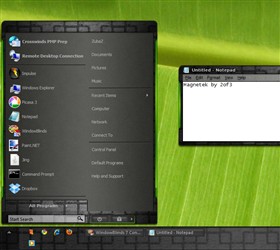
Back in November we launched a new gallery at WinCustomize for WindowBlinds Textures.  In case you aren’t aware, WindowBlinds 7 allows you to create and use custom textures in WindowBlinds skin so you can customize your desktop theme even more.

Here is a tutorial showing you how.

We only have a few submissions in this gallery, so if you have some textures come share them with the rest of WinCustomize.

https://www.wincustomize.com/explore/windowblinds_textures
ZuKnot

12,589 views 10 replies
Reply #1 Top

If I can do it, anyone can, right?  8(|

Reply #2 Top

I'm knot seeing this, right?

Goodonya, Zu!

Reply #3 Top

I have xp, so I can't make textures for others to use, right?  :S

Reply #4 Top

Why not? Open your Textures file and check what type of image file it is (.bmp, jpeg, png, tga...) then use photoshop to create an image of the same size and save it as that type of file.

Reply #5 Top

Quoting Zubaz, reply 1
If I can do it, anyone can, right?  8(|

Right...;)

Reply #6 Top

Quoting DrJBHL, reply 4
Why not? Open your Textures file and check what type of image file it is (.bmp, jpeg, png, tga...) then use photoshop to create an image of the same size and save it as that type of file.

Damn, Doc, you're good!  :D

Reply #7 Top

How do you save the whole thing and turn it into a .wba file for upload?

Reply #8 Top

Need SkinStudio for that I do believe.  While a .wba file is technically just a .zip file with a different extension, you need SKS to package up all the needed files & zip them into the .wba file.

Reply #9 Top

Quoting k10w3, reply 7
How do you save the whole thing and turn it into a .wba file for upload?
Take the tga and the textrue and zip them together.  Rename the zip to whatever.wba and all is well.

+1 Loading…
Reply #10 Top

Thanks, Zubaz -- karma for your helpful info!