vStyler vStyler

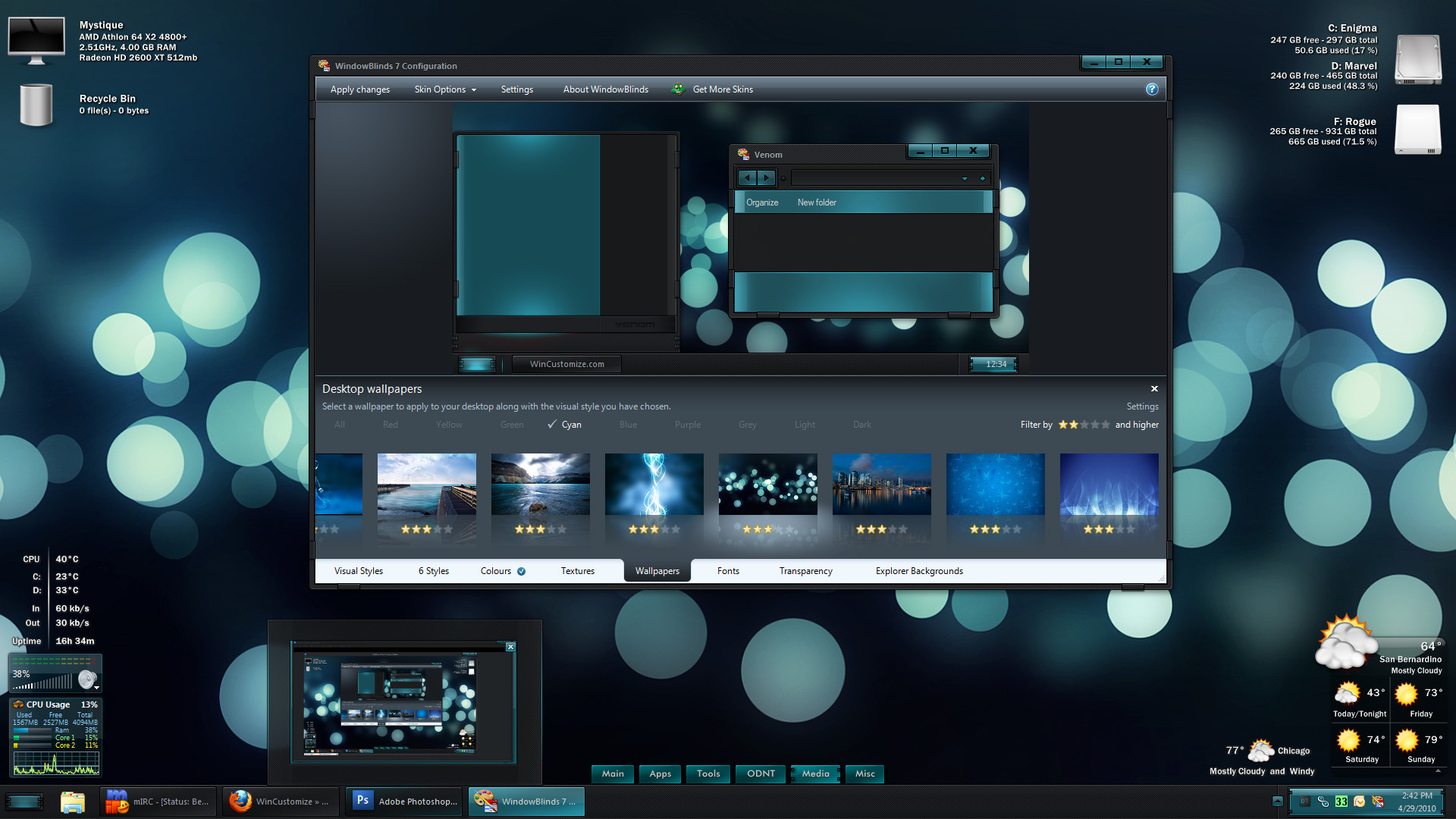
Venom for WB - Released

Venom for WB - Released

come to the darkside...

http://maxstyles.com/news.php

I wanted to make a red and black theme that took advantage of the dramatic contrasts that this color combo can achieve.

It's been described many ways by folks as I have been building it... devilish, menacing, provocative, wikked, luminescent, masterpiece, fierce, ''pushing the envelopes''  However you may feel about it after loading it up I truly hope that enjoy the experience. It has been a challenging and time consuming theme to construct.

All matching skins will be loaded soon on Wincustomize.com, and there are a bunch, and lastly as I have mentioned before all truly dark skins will have a couple of areas here and there that can cause problems, mostly in MS Office, I have included a light version for each OS. There is also a winflag Start button alternative included in the zip that can be dropped in the WB folder.

Please leave your thoughts on this theme, thanks and Enjoy VENOM!

}:)


Available on my site  http://maxstyles.com/news.php

Anyone who has made matching skins, please upload and leave a link here !


Links to accessories...

Venom cursorFX by theAVMAN....   link...

Venom DX by theAVMAN...    link....

Venom Tabbed & Side Docks by WebGizmos...    link...

Venom Tile by vStyler....    link...

Venom docks by Natas2.....   link...

Venom DX by RedneckDude...   link....

Venom Weather by RedneckDude.....   link....

Venom Animated Recycle Bin by NetaholicsAnonymous...    link...

Venom XP boot on the way.... tba


Wallpapers:

Venom    link...

Venom Rawr    link....

Venom 3     link....


link to suggested Venom matching wallpapers....

http://submicron.deviantart.com/art/Synthetic-v-12-143775957


This guy has a couple of super walls in his gallery that match the WB very well, including this...

http://submicron.deviantart.com/art/Biohazard-reflective-128192043


87,686 views 296 replies
Reply #126 Top

I don't know how you do it but you do it.:grin: The price is cheap in equal to your talent TYSM for sharing, your talent is venomous.:thumbsup:

Reply #127 Top

Thankya Ladyj :)

Reply #129 Top

Nicely done Roxors, super job on recolor and presentation, Syd and a few others have done a few cracking looking shots in the desks thread too.. thanks everyone }:) O:)

Reply #130 Top

Full on recoloring in action, it's purdy.

Black and teal, win!

that does look superb.....gotta link to that wall handy per chance?.... :|

Reply #131 Top

Found it: http://mikkoliini.deviantart.com/art/Underwater-102302793

Reply #133 Top

Thanks, Bebi!  |-)

Reply #134 Top

Special Key - WB was updated today, Svelte should be fine now.

Reply #135 Top

Sorry, John. The 7.09c just tested. Initially gave Svelte a rounded, short Taskbar like 'Krome'. Switched to 'Aero' and back. fixed the left end, but the right stayed sort of a composite between round and square.

Reverted to 7.01.  'Svelte' said, ""Tack, doktorn, jag mår mycket bättre nu!" ("Thanks, Doc! I feel much better now!")

Reply #136 Top

U should let Neil know about that Doc...I guess.

Reply #137 Top

Hi vStyler, Excellent work! I'm really enjoying this skin.

I thought I would post here about an issue I'm having.

Not 100% sure venom is causing this, but it does not happen with any other skin I apply.

When I'm uploading or searching for a file (The browse for file or folder pop up window),

When I try to navigate, The window locks up and then my computer freezes.

I have to do a hard reset to get things normal again.


This started happening last night when I bought this skin.

Everytime I try to navigate in that browse for file window, the same freeze happens.

When I reboot, and reapply a different skin, It does not freeze and lock up when I test.

The only changes I have made to the skin are, I took the red out and made it gray.

Also moved the titlebar fonts a bit on the normal caption.

This is the only issue I have with the skin, but when the pc locks up, it is annoying since I have to reboot to fix.

Any help you could give me would be appreciated.

Thanks Again and Great Job mate! :D

Reply #138 Top

If i can ever find a spare minute I'll be uploading this tile dock..

Oh yeah....sweet tile John! :thumbsup: I don't use tiles but it looks great!

Reply #139 Top

Quoting vStyler, reply 136
U should let Neil know about that Doc...I guess.

I did, John.

Reply #140 Top

I thought I would post here about an issue I'm having.


Are you using the latest version of Windowblinds Killasauce?  What OS are you on?

Reply #141 Top

Windowblinds Killasauce

XD  

Tom...I'm using Windowblinds Killedthesource.

Reply #142 Top

Tom...I'm using Windowblinds Killedthesource.
:grin:  

Reply #143 Top

hmm thanks vStyler \o/ and hmm the upload pic or whatever is acting weird maybe i'll post my screenshot later, just can't let Bebi show off lol ;P

Reply #144 Top

Killasauce - not sure whats going on with that, it seems recent versions of WB are borking diff things on different systems, I'm almost at my wits end with it all, If you havent updated today, recently, I would suggest it. If you have, might try rolling back. I can't really vouch for using it at anything other than default settings as well, lord knows what WB is doing when folks are trying to customize with WBconfig.


X-(

Reply #145 Top

Hey guys,

Windowblinds 7.1 build 267 64 bit edition

and Windows 7 64 home premium

Thanks!

Reply #147 Top

Hi again, I think I found the culprit.

I was using this little mod called ezgdi. It renders the windows fonts on 64 bit machines smoother like Mac OS X.

This mod is sill experimental so It does carry some warnings. But never had it conflict with any apps on my system before.

Other Windowblinds skins do not give me this conflict,

But I'm guessing Venom is different because alot of the fonts are white instead of the default.

When I uninstalled ezgdi, I have not experienced this anymore.

I will live without it since the fonts are pretty bold and smooth in this skin anyhow.

Thanks for the help tho. And again awesome job with this skin. Definitely my new top favorite!

P.S. I'm new to messing with the colors of skins. Is there a better way of getting light greys or other neutral colors?

As of now I just bring the saturation down all the way. Is there a better way with more options? Thanks!


Reply #148 Top

wonderful V love the color scheme  :thumbsup: :thumbsup:

Reply #149 Top

when using Venom or Svelte, i have the following problem with any office 2010 app (yes, it is the rtm of office2010): in order to minimize the app, i have to position the cursor at the very top of the minimize button. it's so close to the edge, the cursor changes to the 'resize' state.

positioning the cursor anywhere else on the minimize button doesn't work. i've tried a few other skins for Win 7 and haven't experienced this issue with those. any ideas, john?


Venom doesn't look bad in Colts blue, either.

Reply #150 Top

Should be getting Office 10 soon Pas, will have a look and get back with you :D


Special Key, I meant update Windowblinds not the WB. Although  you can also update the WB on Maxstyles as well, I have updated it.


Killasauce, glad you found the culprit, as far as making a skin greyscale all i know that is possible is removing the color and changing the lightness\darkness.


Thanks Storm!