
[Skinning] QoT
 Demigod Forums
QoT Skin Project Release #1 & 2: Updated 12/30/09
Installation Instructions
- Backup your original Demigod Skins
- For the QoT and current skins those files are
- ..\Stardock Games\Demigod\bindata\characters\Queen\queen_albedo.dds
- ..\Stardock Games\Demigod\bindata\characters\Queen\flower_Albedo.dds
- Create the Folder: ..\Stardock Games\Demigod\bindata\characters\Queen\Backup\
- Copy all of the *.dds files from ..\Stardock Games\Demigod\bindata\characters\Queen\ to this folder
- For the QoT and current skins those files are
- Download the skins you want to use
- Save the new skins to ..\Stardock Games\Demigod\bindata\characters\Queen\NewSkins\
- Delete the queen_albedo.dds & Flower_Albedo.dds from ..\Stardock Games\Demigod\bindata\characters\Queen\
- Copy the skin files that you want to use from the download folder to the base folder
- Download folder: ..\Stardock Games\Demigod\bindata\characters\Queen\NewSkins\
- Base folder: ..\Stardock Games\Demigod\bindata\characters\Queen\
- You may need to extract the files from an archive (i.e., unzip them)
- Rename the skin files
- Example 1: Queen_Albedo.dds
- You want to use the monarch_queen_albedo.dds
- You would copy it to the base folder and rename it queen_albedo.dds
- Example 2:
- You want to use the blue_flower_albedo.dds
- You would copy it to the base folder and rename it flower_albedo.dds
- Example 1: Queen_Albedo.dds
How to enable the Mod
Once you have copied and renamed the files, the skin change is automatically in effect. Only you will see the new skins.
Skins
Pictures for the skins can be seen either below in this post or in my other posts in this thread.
Queen_albedo.dds
- Skin 1: Black Skin tone, Monarch Butterfly Wings, Color enhanced vines, Black Hair
- Skin 2: White Skin tone, Monarch Butterfly Wings, Color enhanced vines, Black Hair
- Skin 3: White Skin tone, Monarch Green Wings, Color enhanced vines, Vibrant Red Hair, Red flower
- Skin 4: Dark Grey Skin tone, Black to Blue Fade Wings, Color enhanced vines, Vibrant Purple Hair
flower_albedo.dds
SpecTeam.dds
- The current skins do not rely on changing the *SpecTeam.dds. With more interesting skins changes to those files may be necessary.
Examples:
Skin 1 at high visual settings at close and medium distances.

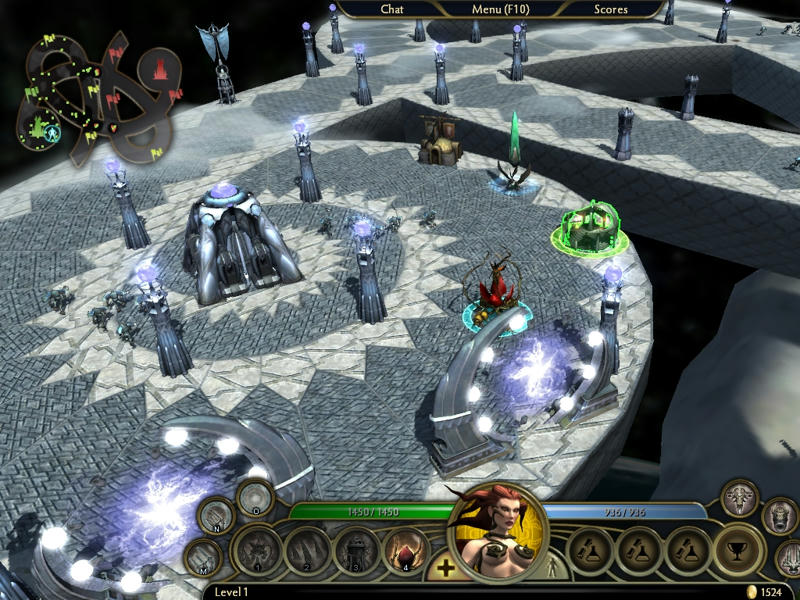
Skin 2 at high visual settings at close and medium distances.
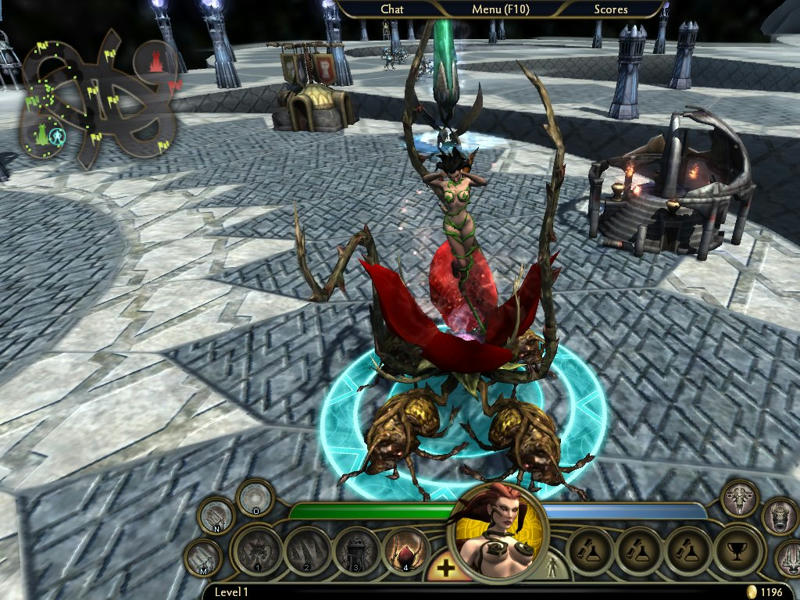
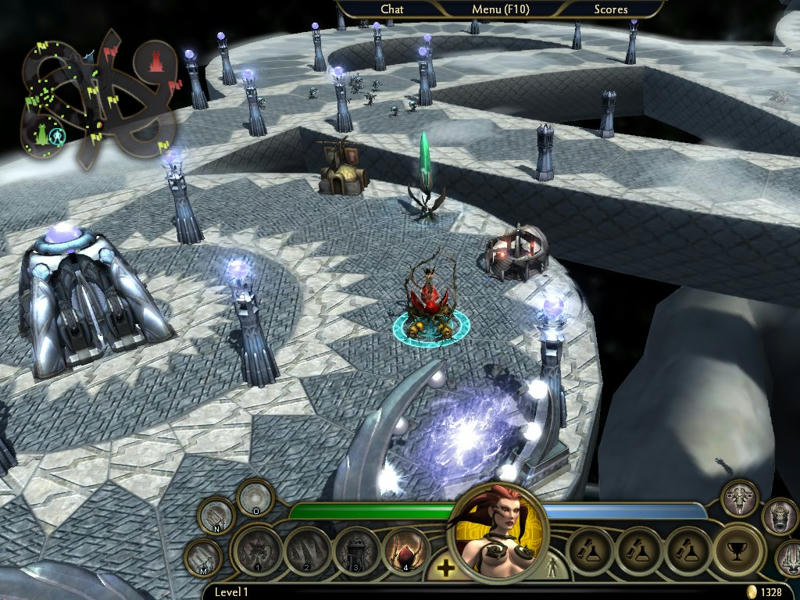
I would like to point out how much of the actual skin tone is visible at the medium distance. This is approximatelythe distance that I typically play at, others may of course use different settings.
Skin 3:
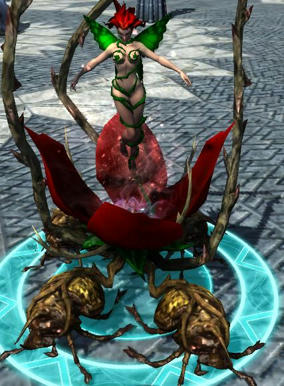
I'm currently hosting these files at mediafire. It may be necessary at some point to host them at a different location.
Here is the original Post I made on the subject. I've edited the above to reflect the current status of the project.
Skin changes seem to be relatively trivial to do. I was able to do it.
My first attempts have focused on the QoT. I posted some of my findings in Chirmaya's DDS thread, however I thought I'd move things over to a new thread as to not fill his with unnecessary graphics.
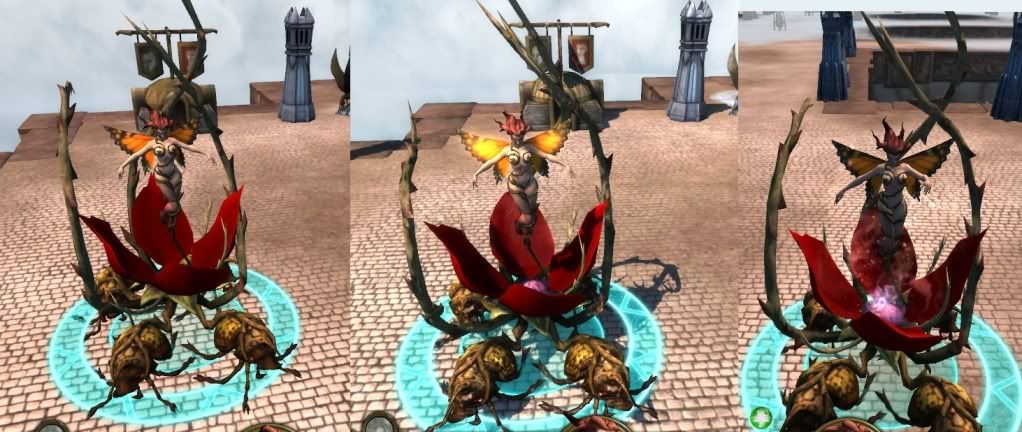
This is the work so far. I've successfully added in rough approximations of a monarch butterfly's wings and added a bit more color to the flower. The left image is at low visual settings, the middle at high visual settings, and the right at low visual settings and a slightly modified wing pattern (a larger dark line at the top of the upper wings).
My personal thoughts are that I should create something halfway between the two wing designs, a little heavier dark line, but not as much as in the 3rd image. I also should replace the red glow (apparent in image 2), with a softer or whiter glow.
Any thoughts from the audience?
Also, unless I am mistake, it should be possible to have multiple skins present and then create a mod that randomly selects one skin when you play a game. That should allow for some interesting effects. It should count as a UI mod, however I can also see that changing the model could impact gameplay, thus I'm not sure if it will work out in the long run.


