WindowBlinds 7: Fast skin changing

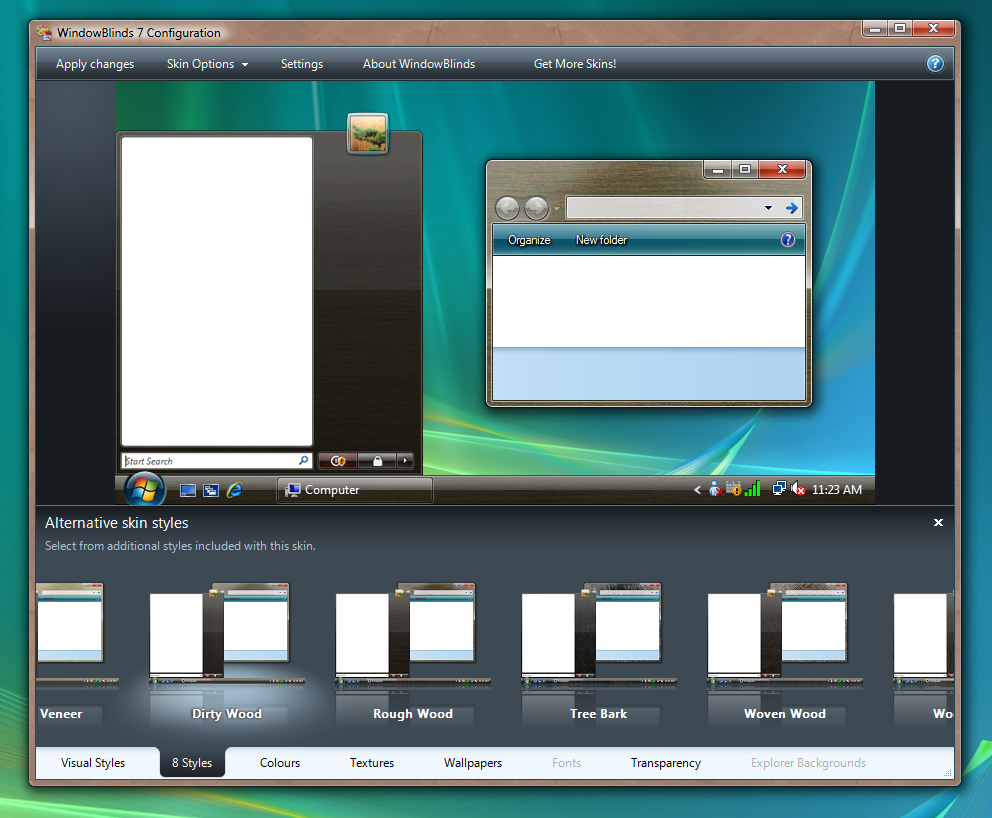
One of the areas that got optimized that is hard to demo is the speed of skin changing.  While not a huge deal for most people, being able to change skins quickly is something that we’ve been working on quite a bit for WindowBlinds 7.

This video is of the beta that will be going up this week for Object Desktop users. There is no editing. This is how fast it really is.
 

image

[Watch Screencast Video]

24,607 views 18 replies
Reply #1 Top

Wow that's fast , with a click and its there!:thumbsup:

Reply #2 Top

That is fast, is it as fast applying the non UIS0 skins? WB has gotten remarkably quicker in apply times, it's one area that used to frustrate me BIG TIME years ago, nowadays, hardly noticable.

one thing, if it applies too fast.. it will negate the use of animations in the please wait dialog.

I think it might be good to throttle it to exactly 3 seconds on newer PC's that can apply normally..immediately. Then we can custom make animations easily to fit the timeline.


Reply #3 Top
Must be one fast PC to apply that quickly! Nice though! Mine takes 3-4 seconds to apply a skin (XP), and it's an Intel I7 920.
Reply #4 Top

Excellent! :thumbsup:

I hope it'll speed up changing the more 'heavy' skins too. Getting pretty tired of waiting 15-20 seconds, sometimes even more, before it's fully applied.

Reply #5 Top

one thing, if it applies too fast.. it will negate the use of animations in the please wait dialog.

Yeah my first thought was how that was put into the last version and now it will be pointless. ;P

That is fast, is it as fast applying the non UIS0 skins?

and that was my second thought while watching.


Reply #6 Top
yeah, takes much longer than in that preview on my system as well. 3-5secs at best. i7 920 with 9Gb Ram and a 3870Pro. what system do you need to get from 3-5 down to 1sec? impressive...
Reply #7 Top

what system do you need to get from 3-5 down to 1sec? impressive...


Apply one of the Native Aero mods (UIS0), it's not having to apply a full WB, just make cosmetic changes to Aero itself, therefore reducing apply time.

Reply #8 Top

Love it!  Awesome!  Will we ever see Diamond again?  I really like that theme.  I have the original.  Wondering if it will be updated for Windows 7?

Reply #9 Top
It is impressive but no really complicated skins were shown. It has been annoying how long some skins took to load, so we'll see if this is really an improvement.
Reply #10 Top

Quoting Cameochi, reply 8
Love it!  Awesome!  Will we ever see Diamond again?  I really like that theme.  I have the original.  Wondering if it will be updated for Windows 7?


Already shows Diamond in my WB config with 3 styles

Reply #11 Top

one thing, if it applies too fast.. it will negate the use of animations in the please wait dialog.

I think it might be good to throttle it to exactly 3 seconds on newer PC's that can apply normally..immediately. Then we can custom make animations easily to fit the timeline.

Hardly...that'd be like forcing your OS to load more slowly so you can see a boot screen.

Retrograde step if at all....;p

Reply #12 Top
Apply one of the Native Aero mods (UIS0), it's not having to apply a full WB, just make cosmetic changes to Aero itself, therefore reducing apply time.
Actually you'll need the updated WB too. The current one takes as long to add a UIS0 skin as it takes to add any other.
Reply #13 Top

Hardly...that'd be like forcing your OS to load more slowly so you can see a boot screen.

Retrograde step if at all....


Well, actually i agree with your assessment.. but then what is the point of having animated please waits? :|

3 secs is hardly a long time and a lot of people enjoy the please wait screens, it is one thing that makes WB stand out over a VS for example and one area in which an author's creativity can shine as well.

Reply #14 Top

Quoting vStyler, reply 13

Well, actually i agree with your assessment.. but then what is the point of having animated please waits?

3 secs is hardly a long time and a lot of people enjoy the please wait screens, it is one thing that makes WB stand out over a VS for example and one area in which an author's creativity can shine as well.

Could be implemented as an optional splashscreen run at system start. That way it's more eyecandy than something that just loads when I hit apply on the blind.

Reply #15 Top
This isn't an accurate assessment. You only switched between Aero mods. I would like to see the time it takes to switch between two completely different skins.
Reply #16 Top

The latest beta is up on OD so you should be able to see the performance improvements yourself.

UIS0 to UIS0 is quicker than other switches, but UIS1/2 to UIS1/2 should be pretty quick too.  UIS0 to UIS1/2 and UIS1/2 to UIS0 does take a little longer but even those switches have been improved over the earlier builds.

I should stress that the performance tweaks mostly apply to Windows Vista/7, though one of the changes should help on XP too.

Reply #17 Top

Thanks Neil, good job on this. 5*

Reply #18 Top

Thank you for the info. :)