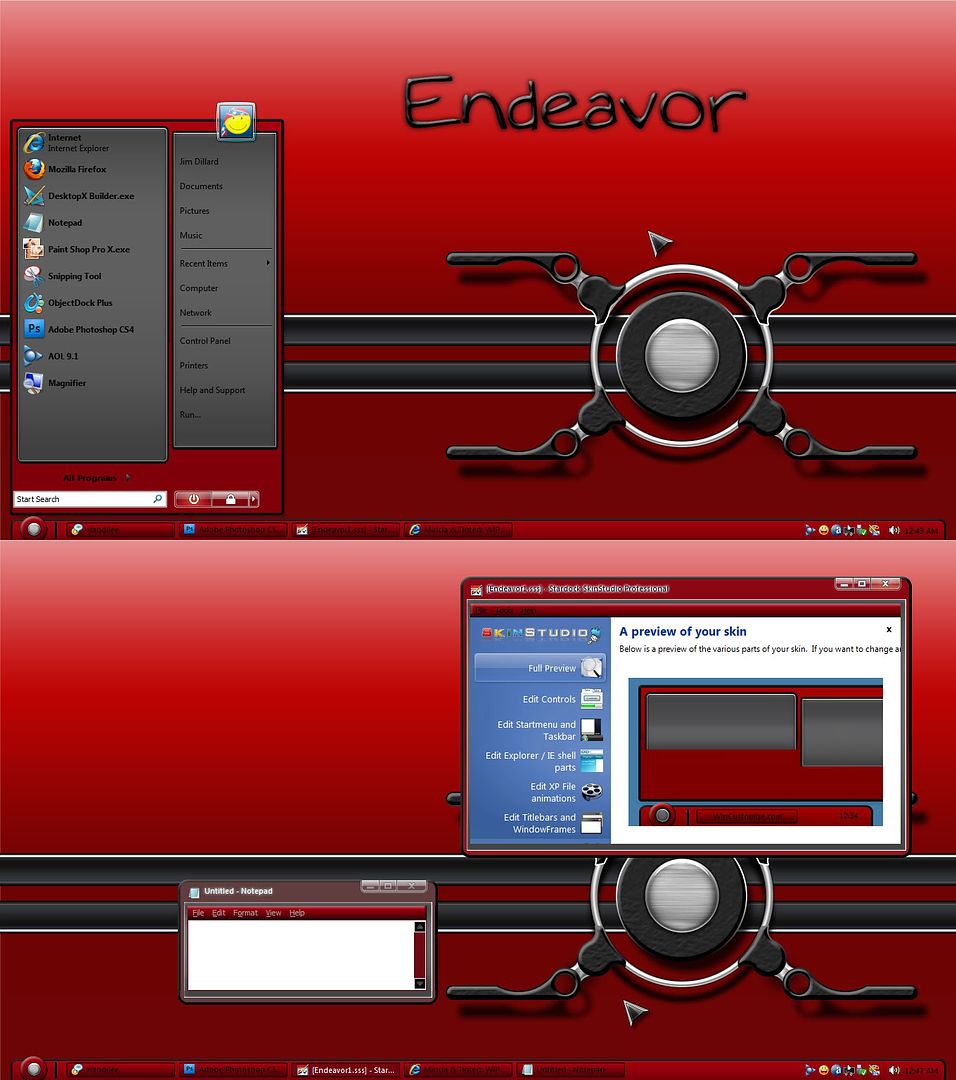
Endeavor WIP

My First Windowblind

Well, guys, be easy on me, this is my first one. Here is what I have so far. It is based on a wall I made a while back. Gonna be a plain, simple and useable skin for my first. Please zoom.  :grin:


18,482 views 40 replies
Reply #1 Top

Go ahead Dude...I'll download it!

Reply #2 Top

Thanks, Jack. I knew I could count on you...:beer:

+1 Loading…
Reply #3 Top

Hmmm... looks like some dock-a-roos will be in order... :-"

Reply #4 Top

Quoting Mirsguy, reply 3
Hmmm... looks like some dock-a-roos will be in order...

You got 'em, dude! :grin:

Reply #5 Top

looking good, but watch the font colour mate.....if its hard to read..it becomes difficult to use (talking about the taskbarbutton )

Reply #7 Top

I'm open for Vista testing...if you want, Great lookin' skin! I was wondering when you'd do #1  :grin:   :thumbsup:

Reply #8 Top

Hmmm... looks like some dock-a-roos will be in order...

You got 'em, dude!

Thanks! Send me the skin and some psd's when ready. I can test on XP, Vista, and 7. :)

Reply #9 Top

The design is fine.  How's it hue shift? (Because that red would make my eyes bleed)

Reply #10 Top

Hey Jim, this is looking good!  One suggestion, though.  Try moving your start panel to the right about 5 or 6 pixels....especially since your taskbar doesn't go all the way to the edge of the screen.  I move all of my start panels to the right, regardless of how the taskbar looks....my preference, though. 

Reply #11 Top

Try moving your start panel to the right about 5 or 6 pixels....especially since your taskbar doesn't go all the way to the edge of the screen. I move all of my start panels to the right, regardless of how the taskbar looks....my preference, though.

Yeah, startpanels right up against the edge of the screen look wonky.  Especially with the taskbar setup you have.

Reply #12 Top

I should mention that I'm having help from one of the best. None other than Lady X herself!!

I'll work on the start panel and the text. I still don't quite know what I'm doing...lol.

Zubaz, I'll try and see how it recolors. You don't care for red?   :P

+1 Loading…
Reply #13 Top

I can test on XP, Vista, and 7.

Yeah, like I'm gonna try to skin 7 on my first blind....lol...you have a stand up routine?

Besides, don't you have to have a 7 edition of SKS to skin 7?

Reply #14 Top

I still don't quite know what I'm doing

Welcome to my world.

*second try,my first reply disappeared. *poof*

Reply #15 Top

Zubaz, I'll try and see how it recolors. You don't care for red?

He likes green.


And stripes XD


I should mention that I'm having help from one of the best. None other than Lady X herself!!

She has told me that you catch on fast which is apparent from your progress 5*

Reply #16 Top

How's it hue shift?
It recolors very well. :grin:

Reply #17 Top

Besides, don't you have to have a 7 edition of SKS to skin 7?

Nope. If you can skin Vista, you can skin 7. Very few and minor differences.

Reply #18 Top

*second try,my first reply disappeared. *poof*

There goes the magician, trying to impress us with his wizzardry again. :P

Reply #19 Top

It recolors very well.

Hi Cyndie! Thanks for responding, I haven't had time to check yet...lol. I need to get together with you later, gotta go mow some now. 8|

Reply #21 Top

OK, new screeny. Made a few changes.

Reply #22 Top

good luck on yer first WB...watch that banding on the grey in the start menu...you might change the sizing method or add noise to the image or pull the gradient off pure vertical or add a gradient layer that interupts the banding. ;)


Unless of course thats just banding from overly compressing the screeny...then...nevermind. :P

Reply #23 Top

Quoting I.R., reply 22
good luck on yer first WB...watch that banding on the grey in the start menu...you might change the sizing method or add noise to the image or pull the gradient off pure vertical or add a gradient layer that interupts the banding.


Unless of course thats just banding from overly compressing the screeny...then...nevermind.

I see it, but I have to look close. I will try to get it fixed, thanx!

Reply #24 Top

but I have to look close

That explains a lot... :-" XD

Reply #25 Top

If you apply the gradient to the image itself rather than adding it through layerstyle it seems to be smoother in my experience.