Jafo Jafo

Check your zip....

Check your zip....

No, not your flies....

It's done!!!!

The greatest wall/WB/Screensaver/Logon the world has ever seen is finished!!!

Now, I MUST upload it immediately so all can gasp in wonderment.....


But...

Before you do....have a quick look inside that archive/zip/wba/bootskin/whatever and ask yourself....."are all these files actually necessary?"

Often there will be some 'strays'....left over from a time long-forgotten....or your system had a brain-fart during archiving...and archived an archive....bootskinned a bootskin....or just plain included 'junk' that had no relevance.

Real issue arises when any of that 'junk' is leftovers of something belonging to someone else...and here's you uploading/re-distributing it.....

Ooops.

Often the junk is actually your own [pst files, etc] but its inclusion simply makes the upload/file bigger than is necessary.

Best to check first...and 'keep it clean'...;)

46,990 views 55 replies | Pinned
Reply #26 Top

Well, since we're on the subject.........I don't want to seem like an idiot here, because I've been zipping and emailing for years. BUT, I zipped some skins that were the same design but different colors and started to send them and I couldn't figure out how to do it because you enter the file for the JPG. in one spot, and then the Logon file, in another, and I don't know where to put WHAT, and,.....and.......Help!

Where does that one zip get entered???!!!


:'(   


Reply #27 Top

If you're uploading to Wincustomize, the zip file goes where the logon file (or theme file) would go. |-)

Reply #28 Top

Well, since we're on the subject.........I don't want to seem like an idiot here, because I've been zipping and emailing for years. BUT, I zipped some skins that were the same design but different colors and started to send them and I couldn't figure out how to do it because you enter the file for the JPG. in one spot, and then the Logon file, in another, and I don't know where to put WHAT, and,.....and.......Help!

Where does that one zip get entered???!!!

Most skin 'files' are renamed zip archives...eg .wba, .bootskin, .wsz, etc.

An upload to Wincustomize comprises three things....

1. the 'file' aka [archive] ...either the skin archive format or a zip

2. a preview image/screenshot .... in jpg format

and

3. A description of 'what it is'....;)

Reply #29 Top

ROFL......Sometimes I don't know "what it is" I've made!

I just try to come up with a name that it might be,....like in the Inkblot Test!

But thanks for the info, ....zip in the logon box, and the Jpg and such as usual, right?

Reply #30 Top

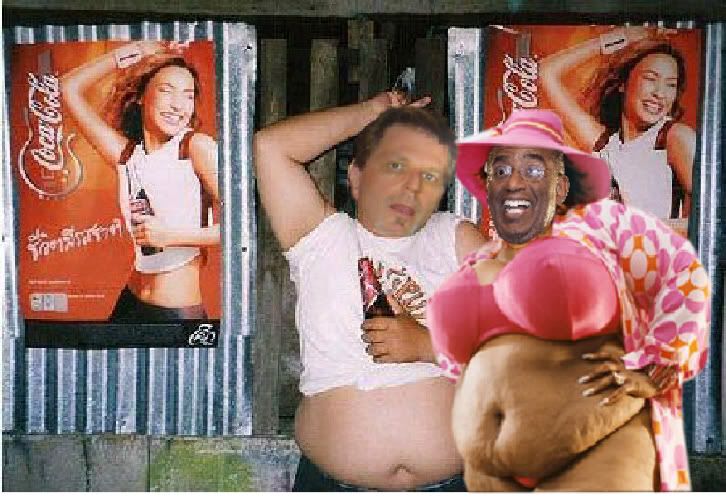
Actually, I inspired this thread. I just don't understand how nekkie pics of Al Roker got onto my computer to begin with.

Reply #31 Top

Quoting MouseGoddess, reply 4
...zip in the logon box, and the Jpg and such as usual, right?

Eggsaktlee

Reply #32 Top

Quoting PoSmedley, reply 5
Actually, I inspired this thread. I just don't understand how nekkie pics of Al Roker got onto my computer to begin with.

I don't think it's the Roker pics that did it Po', it's those damn Skinhit bikini shots.

Reply #33 Top

Quoting Phoon, reply 7

Skinhit bikini shots.

Gee thanks, Duane..... Now I'll have to go wash my brain to get rid of that mental pic.... X|

Reply #34 Top

it's those damn Skinhit bikini shots.

It's not a bikini. It's lingerie.


Reply #35 Top

I just don't understand how nekkie pics of Al Roker got onto my computer to begin with.

Reply #36 Top

/ Ahhh!!!  me stabs a fork in to his eyes...

Reply #37 Top

*Bumpty-dy-bump*

Time to remind people of this, again. ;-)

Check, doublecheck and re-check your files before uploading.
That goes for the WindowBlinds skinners, especially if you've built you skin based on another skin.
It is imparative that you make sure that no files from the base skin are zipped along when packing up the skin. 
Secondly, and this goes for everytime anyone of you  zip a WB for uploading; remove any and all temp files that are in the archive, and they ARE there!
They can cause the skin to not install properly or not apply properly - we've seen it so friggin many times.

What files to look out for: Any file with '~' in the extension. Eks: "ShellStyle.xps~" - "skinname.uis~" and all "*.wb4" as well.

Take special care to remove the .uis~. It's a down right focker. 
We've seen it many times that the .uis~ file is named differently from the actual .uis - 'askin.uis' and 'anotherskin.uis~' and that appears to cause all sorts of havoc when installing/applying the skin.

So, please do this every time. It makes life so much easier for us (the mods), and the users. ;-)
(Dunno why SKS does this..... I bet Neil just wanna make our lives miserable) ;-)

One other thing. Please don't re-zip .wba files. It's nonsense and a waste of time, both for the mods and those who download your skins.
If you have some extra files that goes with the skin like permission texts, wallpapers etc etc, just slap'em inside the .wba. 

Reply #38 Top

...and always clean your WB of unnecessary images and temp and backup folders before creating your .wba in SkinStudio too. :)

Reply #39 Top

Quoting Tailsgirl, reply 3
This topic came about because of a screensaver I made that had 'temp' files in it..

I got my hand slapped for thumbs.db when I first joined.

Reply #40 Top

Quoting PoSmedley, reply 39
I got my hand slapped for thumbs.db when I first joined.

Not for the file, bitch cake. For where the 'thumbs' had been first.

Reply #41 Top

TAILSGIRL FLASHBACK!!!


I need a drink now.


8C

Reply #42 Top

Quoting Snowman, reply 37
If you have some extra files that goes with the skin like permission texts, wallpapers etc etc, just slap'em inside the .wba


We need to be careful about this because of 2 reasons. I wouldn't want all .jpgs to show up in my wallpaper section in WB, nor do I want ALL sizes of a wall in there, just the size I use.


Just saying...

Reply #43 Top

{failed spammy looking stuff deleted by me}

Reply #44 Top

Quoting RedneckDude, reply 42
I wouldn't want all .jpgs to show up in my wallpaper section in WB
And they will, too. I've had to go delete userpic and permission jpgs included in a skins folder to get rid of them.

Ditto what RnD said about multiple sizes/styles of wallpapers.

Reply #47 Top

Quoting DisturbedComputer, reply 46
[quote who="RedneckDude" reply="45" id="3066956"]


?


 [/quote]Reply 43 is screwed up.

Reply #49 Top

Quoting DisturbedComputer, reply 48
how


2 Find again Later = 2fal
Look closely at my screenshot. That is what I, and Wizard1956, see on reply 43


Reply #50 Top

the > Leads to Duck duck go ... WTF  or the very very very faint text over My user picture which I can't make out... 

or Search with duck duck go ... as to wiz I don't see him commenting on it


and I to have that highlight text pug-in for FF


sorry I'm lost other then 2fal in it's self looks like to fail  but is 2 find again later... 2fal