Talisman: critical review

It might be not too honest for me to write about a competing application (I belong to a volunteer Aston support/design group), but all written below is my personal opinion. In other words, here I speak for myself as a user.

According to the official homepage , Talisman is a "desktop alternative and shell-replacement for Windows 9x/ME and NT/2000/XP". Actually it can work in two modes: together with Windows Explorer and as a standalone shell.


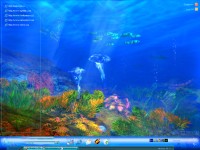
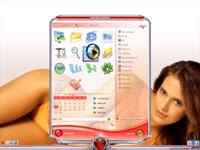
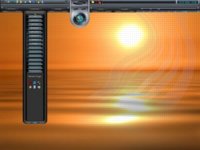
The thing, that amaze most people, new to the Talisman is a large number of beautiful themes. Actually I think, that Talisman is clearly one of the most beautiful shell replacement applications, available today. A theme can contain buttons, icons and plugins, which is normal for most modern shells. But unlike most of them Talisman can use HTML elements inside themes. That brings designers some really interesting features. For example, there are themes with dynamic content, like web pages and even games. Designers can easily guess, how much freedom it gives: flash animation, dynamic menus, even 3D graphics via VRML...

The rest is quite typical: multistate buttons, plugins, hotkeys for some actions... Combining all available eements it's possible to make some really interesting stuff, so skinners, who're looking for a good way to apply their imagination should take a look.


But like all the good feelings one's freedom euphoria has to pass as soon as you try to do actual work. Even in it's latest builds Talisman is buggy (though now it's much better, than a year before). For example, you can try loading a theme and finally stay with an empty screen and a lonely Taskbar with few flashing buttons. Or right in the middle of your work it just crashes without any reason. Another annoying "feature" is Talisman's resource usage. Talisman is slow. Sometimes incredibly slow (laters versions trend to work faster). From one side this is a retribution for embedded HTML elements, from another - numerous design flaws.


Overall Talisman, even in its latest incarnations is too crude for the daily use. Its performance and stability improve, but too slowly. It might be a good "one button" interface for media centers or libraries (where you don't change themes twice a day), but it's definitely not intended (yet) for active use.

Talisman Desktop is the main application, developped by Lighttek, Russian software company specialized on Windows customization software; other interesting Lighttek products are: Alteros and Icontoy.

48,183 views 37 replies
Reply #1 Top
Again, I use Talisman every day and I have had no crashes, none whatsoever, in the last year at the least. I am thinking that you need to work on your system a bit before you do software reviews. This is the same silliness you tried to pin in Windowblinds.

"It might be a good "one button" interface for media centers or libraries (where you don't change themes twice a day), but it's definitely not intended (yet) for active use."


I build my themes on top of PHP and MySQL, and can automate any number of tasks, local and remote. I have been using Talisman off-and-on since mid 1999, build my own themes, and I can do about anything I need to do with it.

Honestly, I don't think you have the expertise to do these reviews. You are careless when talking about crashes and bugs, you don't try to track down the causes because you don't use the software.

Anyone that wants to try Talisman should take this review with a grain of salt and see for themselves.


Reply #2 Top

I would concur with this review in the sense of stability.  I spent hours last night playing around with Aston and Talisman and it was pretty clear to see (to me anyway) that Talisman, while pretty, isn't really ready for prime time. It's too flakey.

Let me give you an example: In the default Windows XP like skin, my taskbar got totally hosed up (its taskbar I should say) simply because I had a lot of tasks running (Which it doesn't group btw, which I consider a pretty basic taskbar feature these days). It suffers from the same problems DesktopX does when it comes to themes. They LOOK good but they aren't always very usable.  They need, for starters, to clean up their default themes and focus on the basics in terms of productivity.

Aston, btw, wasn't a mecca either but it was a lot less flakey. 

Reply #3 Top
"I would concur with this review in the sense of stability. "


Stability? So it crashed on you?

I dunno about the flakey part, I'm not seeing what you mean, I guess.. I have yet to see a better taskbar setup in replacement shells, so I guess you have to decide whether you are comparing Talisman to other shells, or to the standard Windows desktop. My own taskbar is pretty damn sweet , though, yes, I have to do things differently than in windows. I use a single pop-up button with a tasklist. No big deal for me because I alt-Tab through them normally anyway.

Talisman and Aston don't have a lot of people making themes for them. I'm not sure what you mean by productivity, but the theme that I use is faster for me than the windows desktop. As for how it compares to Aston and the rest I wouldn't venture to say unless I ported my theme over and used them a while.

In day-to-day use I don't find it unstable or flakey, though. I have to say my theme has been streamlined over months to do what I need it to do. No default theme is going to do that. Do people really use software like this for pre-made themes? To me the real power is always in how you can individualize it.
Reply #4 Top

ObjectBar's taskbar is way WAYYYY better than Talisman's.  It's not techncially a replacement shell but Aston's taskbar is still better.  I took screenshots that I'll be showing.

But when I download something, I do expect the included themes to function correctly.  I know WHY they didn't. Talisman isn't well suited, just like DesktopX themes, for being used by third parties.  I bet it's quite good for use for creating shells that are used by the creator or in a very controlled environment. But that is the case of pretty much all of them.

Bakerstreet: I think we're on the same wavelength here.  The problem I think is that Talisman isn't as good at sharing themes as Aston and that is the critiera we judged them by.  How good they are for creating PERSONAL desktops is a different matter but at that point, DesktopX (in my biased opinion) is so vastly superior to any of them for creating personal desktops (I mean hell, it can even hook into security functions in NT) that I don't see the strength there.

I think Talsiman needs to improve its system tray support, its taskbar support, and it needs to get a lot better at performance.  I'm going by the included themes here. If those aren't representative, whose fault is that?

Reply #5 Top
Yeah, I have to agree with the general idea, though I haven't compared Talisman with Aston. The strength of Talisman is as a desktop replacement instead of a shell replacement. I think that is what Arkadiy was going for with Talisman all along, since many/most people kept Explorer going and just used the windows taskbar.

That has always been LiteStep's curse, too, hasn't it? Most people just want to download other people's themes, and when they do, by the time they re-fit them to their system, they might as well have just made it themselves.

I hate to show my ignorance, but I wasn't aware that ObjectBar was still going strong, I need to look back into it. I had a feeling that with ObjectDock and DesktopX out there that ObjectBar had taken a backseat.

This has made me wanna start skinning some again, lol. I have several shell-style themes laying around in pieces. Mine wouldn't make much sense without all the automated extras, but I could make some stuff that would.

Honestly, and I mean this with all respect to Arkadiy, the creators of Aston, and all the other shells, I don't see a lot of point in replacement shells anymore. My system runs Talisman fine on top of explorer, and the hit to resources isn't anything bothersome to me. .

I think apps like DesktopX are far more relavent than shell replacements, and will become more so as the OS improves. Shell replacements were cool when we were stuck with Win98, but the need to actually replace shells became less important thereafter.
Reply #6 Top

Yea, ObjectBar and DesktopX are totally different animals.  ObjectBar is about building USABLE shells.

ObjectBar 2 hasn't been released yet, it's still in development. But ObjectBar 1.6 is out there and is pretty stable.

Let me give you some examples of what ObjectBar can do:

Its taskbar can do not just task grouping but CUSTOM filtering. So you could have various items show up as a single group. You can control what their icons in that group look like.  You can filter OUT certain tasks (so you could have multipole taskbars together seamlessly where you know that the ones on the left are your most often used programs).

It supports true Most FREQUENTLY used programs. None of the others do. They just use the recent list.  Only ObjectBar has an MFU feature.  Then there's the system tray which works far better than the others, includes filtering and system tray icon changing.

And on skinning, it can use its own skins or it can inherit the current WindowBlinds skin (a non-trivial thing to do).

On menus, it not only supports drag and drop but it can do tear off menus (hold Ctrl).  Aston and Talisman can't do any of these things.

Where ObjectBar falls down is content. Stardock has failed to provide samples, plugins, etc. for it.  So it ends up being used as a Mac Finder clone maker since one of the sampels is a Finder-type thing.

ObjectBar 2 will be a different story as it'll be cleaned up a lot in its UI to be much simpler to use and we hope to make it so that you can export your themes as actual EXEs.

DesktopX, on the other hand, has themes but while they look pretty, its taskbar stuff is wimpy (talisman level). It has system tray support but it's only a little better than talisman/aston in that area. And it can't do bars easily. Or more to the point, it can't create dynamically changing content very easily.  It has no built in menu support really other than the most rudimentary stuff.  What that translates into is that making themes that are for use by other people that have bars and such is more difficult.

By contrast, the ObjectBar theme you download will likely work on anyones machine.  There's no such thing as an ObjectBar 1024x768 theme. They work on any machine at any configuration because it's so dynamic.

If ObjectBar weren't so clunky UI wise, it'd own this space I think. From raw features, ObjectBar 1.6 with some plugins blows Talisman and Aston away in terms of being able to actually use it as a productive shell environment.

Reply #7 Top
Bakerstreet, let me disagree with you: there're STILL reasons to use shell replacements even now. Let me name them:
1) Resource usage. Even with modern P4 processors there are tasks, which need a considerable amount of RAM and CPU. In some reasons Explorer is coming more and more resource hungry from one version to another. That's a fact. Still nice to mention, that its latest versions are less buggy, than before
2) Customization: it's nearly impossible to add some features, native to current generation shells to explorer. "Upgrading" it by adding numerous small utils, which replace some of its part is IMHO the worse, solution, than replacing a complete shell.
In their current states there are only few shell replacements, that might be called up to the date and even they become "outdated" with time. I'm sure, the situation with shells would remain, even though the main role will be given to more feature rich and flexible shells. The upcoming A2 might be one of them and if all the planned features would be implemented it might even compete new generations of DesktopX as well. Each approach ("decoration" and "replacement") has its advantages and disadvantages: too long to name them here. Let's see, which of them will survive.

Draginol: you interested me in ObjectBar. I missed the latest version, so I should take a look. The last time I checked it was quite an interesting app with lots of features, even though many of them were already implemented in Aston I don't think, that OB can be a shell replacement. From my position it is better applied as a "shell addition", i.e. adding some features missing in a shell.
Reply #8 Top

1) Explorer uses around 20 to 35 megabytes of RAM.  I think it's pretty bloated but it's getting to be a tougher sell to get people to switch shells over memory when they've got a half gig to a gig of ram.

2) Most people choose to enhance explorer rather than replace it.  Neither Aston nor Talisman have all the features explorer has built in. Some of them pretty critical.

3) ObjectBar 1.6 is over a year old and Aston can't touch it in terms of basic features like taskbar handling, system tray handling, MFU handling, drag and drop, etc.  But you are correct that it's not designed to be a shell replacement.

Aston, as far as I can tell, takes away the ability to have desktop icons which to me kills it right away.


Reply #9 Top
1) So call us crazy: there are lots of people using Aston, who DO care about additional 10 Mb even having a gig of RAM. Surprised?
2) So enlighten me. At present time Explorer emulation in Aston is very high. I know, that some features (like Taskbar hints) are still missing, but I'd liked to know a third side opinion. sometimes it's useful.

Aston ALLOWS you to have icons on Desktop. BUT you CANNOT have FILES on it (only links). It's not a bug, it's a feature. If you need details, dig for my interview with Nick Egorov. There's a good sample given. Give user what he needs, not what he wants. It's a good approach, IMO.
Reply #10 Top

1) "Lots of people" is subjective.  How many people do you think use Aston for that reason? 1000? 2000?

2) The fact you can't drag and drop items from the menus is a big deal. The fact you can't have desktop icons is a pretty big deal. MOST people who use computers put junk on their desktop. Aston eliminates that ability.  While I'll take yourword for it htat you can put links on your desktop (which I don't consider to be acceptable), I couldn't figure out how to do that.

When i download stuff, I tend to throw it on my desktop and try it out and then move it to the trashcan when done. 

The problem is that Aston takes features away from users but doesn't seem to give a lot back. None of the alternative shells seem to give a lot back in exchange for the features they're missing.

Reply #11 Top
1) Let's just confess: none of us has EXACT data.
2) Doesn't Right-clicking Desktop work anymore?
3) Surely, only Stardock products seem to " give a lot back" to you
Reply #12 Top

1) No, but we have Alexa ratings and AstonShell's website isn't that popular.

2) I'm talking about going to a menu and draggging and dropping things from it. Both shells have very primitive menus.

3) Stardock products don't generally try to compete with what's built into the OS.  Aston and Talisman are ALTERNATIVE shells. They're competing with something that is pretty feature rich -- the shell.  So for starters it has to do all of what the default shell and then add to it.

Reply #13 Top
1) We once talked about "popularity". My position about it is still unchainged.
2) "Primitivity" highly depends on your position. The task of alt shell creators has never been in reconstructing Explorer. Explorer itself has numerous features I dislike and which I'd liked not to see anymore. As for "primitive" menus.... You're right, they miss dragon drop sometimes (for me it's not a big loss), but what about toolbars, what about LS-style menus? What about other features, like VDM (build-in into many shells), Explorer has never had? What about Aston multistate disk and recycle bin indicators? What about all the features, implemented by shell plugins? From this position Explorer is just a premature infant.
3) I won't agree with that. That's simple: if a user needs all Explorer features, he's free to stay with the same Explorer. If one needs to retain Explorer style of work, but needs skins, he's free to use one of SD products. You just don't seem to understand the concept of alt shells. As for competing " with what's built into the OS" I might recall one simple proggy: Windows Blinds, which's a kind of competing with MSStyles.
P.S.: just tested recent WB release on a default skin pack plus few winner skins from GUI olympics. Visual glitches in numerous programs make WB nearly useless.
Reply #14 Top
Visual glitches in numerous programs make WB nearly useless.


Likely the fault of your video drivers IMO. I was having lots of little weird video glitches when running the Omega Drivers built off the catalyst 4.4s. As soon as I upgraded, poof, they disappeared. Not a single graphical glitch to be found.
Reply #15 Top

1) Your opinion (and my opinion) are irrelevant. The facts matter when it comes to popularity. Alexa has no bias. There are not likely very many alternative shell users.

2) If you want to compete with the free, built in shell, you have to supercede it.  Do you realize how your argument sounds? Sure, these shells lack being able to put things on the desktop, taskbar grouping, system tray filtering, drag and drop menus BUT they have virtual desktops and different icons for the recycle bin. Whoop. There's a zillion virtual desktop programs out there (such as AltDesk) that you can use with Explorer.

3) WindowBlinds competes with msstyles but it is a complete superset of msstyles. There's nothing msstyles can do that WindowBlinds doesn't do. Plus WindowBlinds does a lot more. 

And don't patronize me about not understanding alternative shells. I've been using alternative shells long LONG before you were I bet.  I just don't see the advantage TODAY, in 2004 of replacing explorer with shells that have fewer features.

And if you find WB to be "useless" I suspect you have hardware problems.  Feel free to post a screenshot of thise "visual glitches" that make WB "nearly useless".

Reply #16 Top
BlueDev: the driver is the latest stable one. If you need more details about graphical glithes, e-mail me, we could talk about it more.
Draginol:
1) I'm referring to a percent of Aston community, not the whole world And yes, alternative shells are not that popular yet. Many people doesn't know about them at all. The same applies to the whole Windows customization in general.
2) Draginol, plese do two simple things. The first: read my recent comparative review and check all it yourself. The second: use Aston for at least a month, try to use forums also (where you may ask people about their preferences of file organizations and so on). Hope this helps.
Aston offers a different way of Desktop and work organization. Do understand, what the DIFFERENT word mean? Next, there IS a tray filtering (you missed it ) And the third... There are very few stable and really useful WDMs. I was checking this area recently. From YOUR position a garbage on the Desktop is normal. From MY position (and position of many Aston users) grouping Dekstop icons as palen items is more effective.
3) I've heard that from you already. No need to say again: I'm not going to buy it, so this kind of PR doesn't work. You also missed, that WB has glitches "missing" in MSStyles, so it really has "more features"
Reply #17 Top

1) The alternative shell community has not really grown that much over the years.  By contrast, desktop customization is pretty popular. I.e. millions and millions of users.

2) You're not going to get users willing to try a product for a month for deciding on it. Not having drag and drop, not being able to store stuff on your desktop and not having taskbar grouping are show stoppers for lots and lots of people.

3) It doesn't matter whether you agree or not on what WindowBlinds can do. It just shows, to me and others who are into this stuff, that your credibility has some issues. WindowBlinds can run .msstyles btw because it is a superset. That's not an opinion, that is an easily demonstratable fact.   I again challange you: Show us some of these visual "glitches".  WB can run in theme aware mode just like msstyles and so will only skin the same amount.

Reply #18 Top
@Draginol: "Feel free to post a screenshot of thise "visual glitches" that make WB "nearly useless"."
So, here we go: ftp://ftp.astonshell.com/blindbugs.zip (I'd post them right here if someone shares me some space). There's a basic set (got for the 15 minutes)
Comments on each shot:
Console: as you clearly see, the text line is hidden by the skin.
Cyrillic: you don't like Russians, rigt? A funny font problem (surely, I could change it manually).
Menuitem: in some reasons certain windows don't want to be redrawn when running WB.
Notworking: the process of getting mail looks more interesting with WB...
Oneicon: making Opera (not only Opera) and WB work together is a tough task.
If you share a version of Windows Blinds, that "works flawlessy" I'd be happy to test it.
Reply #19 Top
sacrat - I checked out those visual glitches and can see we were talking about entirely different things, so obviously my comment regarding the video drivers is useless. My glitches were more along the lines of odd stripes and bands of color that would appear on certain buttons with certain skins. Different things.
Reply #20 Top
I made few more. As soon as i find a space for hosting them, I'll collect them to the article.
I'd liked Draginol to comment these screens (who asked for the shots?)
Reply #21 Top


Well I looked at them and it's really hard to comment since you didn't even mention what version of WindowBlinds you're using. But I'll comment based on what I can see:

In general I'd say this: For someone who is touting alternative shells in which nearly every theme you download has significant cosmetic issues due to it not being perfectly transferrable to a given target system and only then at a specific resolution, you are amazingly sensitive to "issues" in WindowBlinds and seemingly unwilling to try to even go to the options to tailor WB to your needs. For examples:

1) Your console window. XP doesn't skin console windows at all. It's OFF by default in WindowBlinds because it isn't something that all users will be able to use.  But you turn it off and try to turn the fact that WB even does console windows at all into some kind of negative.

2) Cryilic, I don't know what version of WindowBlinds you're using. I've not heard reports of WB having issues in Russian but it's possible. 

3) Menu skinning is something exclusive to WindowBlinds.  XP can't skin menus because some apps behave badly. Perhaps the app you have there is one such app. But it is something that A) is OFF by default in WindowBlinds and b) can obviously be toggled on and off based on your own needs and c) Has a PER application setting so if there is some application with strange owner drawn menus you can exclude the menu skinning on just that app.

4) I don't know what app that is, but I have a screenshot below of most of the apps I could identify all running just fine.

5) Opera runs just fine with WindowBlinds (see screenshot below I took).

Now, Sacrat, if you want to really get obnoxious we could to various tit for tat of "Hey look at how program X does something funny on my system!" we can do that. None of your screenshots (other than the Crylic) show a "bug" in WindowBlinds. They show an incompatibility between a WB feature in a specific program in which you, the user, have full control over fixing. That would be like me bitching that every time I try an Aston theme it has short cuts to programs I don't have.

It's like the guy who gets Doom 3, turns on every visual option and then screams because his system has problems with all the visual candy turned on.  At some point, especially in Windows customization, the user has to take some responsibility for their own systems. If you're using some obscure app with funky menus that combine icons and checkboxes and such all together, it's really up to the user to take the 30 seconds to exclude the app's menus. It's not a "bug" in WindowBlinds (if you want to get right down to it, it's the app's job to properly set the ownerdraw parameters but some developers don't bother).  That's a basic premise of alternative shells that's for sure.

Users who download a given Aston theme have to go through and tweak it up for their own systems.  You know this. And yet here you make these statements that WindowBlinds is buggy and when asked to put up and shut up this is the best you can do? Show some menu skin problem on some app in which you could easily turn it off? Or a skinned console window you could fix yourself? In a perfect world, these programs would automatically detect the user's setup and adjust themselves. But we aren't in a perfect world.  And if you had loaded up WindowBlinds with its DEFAULT configuration, none of the issues you show screenshots of would have occurred (other than the crylic issue which I'll have to look into).

Your screenshots demonstrate to me that you essentially went out of your way to find something to nit-pick (except for the Crylic which if WB does have problems with foreign language versions of Windows then that's legitimate).  I mean come on, you're picking on WB because when you turned on console window skinning you had some problem? Or turning on menu skins and then finding some app that you don't identify as having problems with that? And then you turn around and advocate for people tossing out the Windows shell in exchange for some alternative one made in Russia? A double standard don't you think?

If you were some newbie, I'd tend to be more understanding. But for goodness sakes, you're touting ALTERNATIVE SHELLS and then you turn around showing screenshots that essentially (other htan the crylic one) boil down to you not being willing to use the per application feature or uncheck a given feature that on your system gives you problems. That's quite a double standard.

It boils down to this: With WindowBlinds, a user MAY have to tweak the settings to make sure it's compatible with their system.  With an alternative shell, such as Aston, they WILL have to tweak it to make it compatible with their system (whether that be fix broken short cuts or run at the "correct" resolution and not change it).

My screenshot is, at least, represenative of what the typical WindowBlinds user is going to experience. Someone having a problem with WindowBlinds is going to be the exception, not the norm. I think a random look at the topics in http://www.astonshell.com/forum/viewforum.php?f=2 would make someone conclude that someone touting Aston is in a glass house to be throwing stones at the world's most popular desktop customization program - WindowBlinds.

Reply #22 Top
Calm down, Draginol.
First of all, I know, that most of the problems, seen on the screenshots can be fixed by some tweaking. But will your favorite non-tech user do the same?
Next, the number of "incompatible" or problematic applications seems to be too large for me. Without all this "advanced" stuff MSStules cause much less problems, so comparing both running "out of the box" I must say, that WB is more problematic. So, overall, the whole talk is about two things:
There ARE quite many incompatible applications
Does one want to tweak WB just in order to get it work?
The more, visual glitches are not only annoying, but sometimes (console, mailchecker) doesn't let one work with the application he/she likes.
Besides, as you started talking about me and alt shells... Most shells work flawlessly without tweaking, and this tweaking has nothing to do with visual bugs.
Reply #23 Top

Well to answer that: First off, the average non-tech is not going to CHANGE the defaults. If you hadn't change the defaults, you wouldn't have had those issues.  So WB "out of the box" would have been fine other than the Crylic issue which you still haven't mentioned which version of WB you were using.

Secondly, the average non-tech isn't going to be running obscure shareware programs that do funky things. You didn't identify what programs those were but I couldn't recognize them and I use a lot of software.

Thirdly, default or not, nearly EVERY Aston theme (as well as Litestep, Hoverdesk, DesktopX, etc.) has to be tweaked considerably. Do you think the averge non-techie is going to understand why they can't click on MS Word and have it just load up? 

You are applying a double standard here that I find a bit repugnant.  For WB, you go and change the defaults and then say "See, WB has problems on this unspecificied program running on Russian Windows!" 

But then you turn around and say this:

Most shells work flawlessly without tweaking, and this tweaking has nothing to do with visual bugs

You're just not credible when you say things like this.  Especially when the FIRST post on the Aston forum on its site says:

All these fantastic looking themes have premade buttons for applications I dont want to use :-/

For example, Universal, is an amazing looking theme. One of the best so far. But it has multiple buttons for things I dont want that i can't change. It has PS6, totalcommand and ICQ. Three applications I never plan to use. I understand that they are very nice looking buttons and the rollover effects are very nice but its very starnge clicking on ICQ to start up MSN.

There's nothing "buggy" about WindowBlinds if there is some application that draws its own funky menus. It just means WB can't work with that particular program without the user excluding that particular feature on that app (which takes only a few seconds to do). It's not some "bug" in WindowBlinds any more than Aston not being able to scan a user's system to see what apps are on their system and modify the theme on the fly appropriately.

I showed a screenshot above with Opera. Where's the Opera bugs you claimed? I am copying a file on the network. Where's the bug there? THis is what most people running WB experience. That's why it's so heavily in use.  And the biggest reason alternative shells aren't popular is because they require so much work to tweak them for your own system.

Reply #24 Top
OK. The programs, which are seen on the shots are:
FAR manager, Opera, Download Master, Abilon and The BAT. These ones i use daily.
Previous versions of Aston used to use pre-made buttons for launching ICQ, Word and so on. The same was common with other shells. Now you don't need that stuff. You configure a panel plugin ONCE and if theme supports it properly, then you won't have to change anything.
Besides, one can still work with Aston (or any other shell) unconfigured. He may have useless menu elements, buttons and so on. But he will still be able to work with it. Unconfigured WB simply doesn't let you work with unless you tweak certain applications' appearance. That's the difference. So it's up to a certain user to decide what to use. i'd personally prefer to configure a path to the specified application, but never see a trash on the output screen.
Reply #25 Top
sacrat : I have looked at your problems and have the following comments:

1) The russian font issue is most likely a side effect of the font the skin decided to use for its menus. If that font didn't support the Cyrillic chars then you would get a problem. This is NOT a WindowBlinds problem. You could do the same by setting that font for menus in classic mode. HOOGE OS_53 isn't exactly a standard font!

2) The BAT. Your progressbar issue with it painting the progressbar slightly incorrectly is probably due to the app being themeaware and the WB version being WB shareware. One version fo WB shareware had part of the progressbar skinning code enabled by mistake and thats what happens. Non shareware versions of WB should not have that problem and the upcoming 4.4 shareware release should not either.

The circular progress indicator painted perfectly here for me. Its possible your problem occured because of a colour scheme combination that is used by that skin. If so again this isn't a WB bug as you could do the same thing in classic mode.

3) Your console windows. Assuming you left everything at defaults, your console windows can't be being skinned by WB. This means the problem is actually being caused by something else. In particular look for a process called SDMCP on your machine. Its part of DesktopX and ObjectBar but its not included with WIndowBlinds. That process has been known to cause clipping of command prompts for some reason when it loads during bootup. This is being investigated by Stardock still.

4) Without knowing which application your one icon issue occured in and how to reproduce I can't really say much about it other than to say it may well be a side effect of the skin defining a custom tick image while the app assumed (incorrectly) that the tick would be transparent and could be overlayed onto the background. We don't know what is under that tick, could it be just an empty circle?

5) Your menu not being painted totally. I was unable to reproduce this with abilon and WB 4.38.

I would suggest you wait for WB 4.4 to be released, try that out and if you still have problems then let us know. Obviously issue number 1 certainly isn't going to go away.